Get Started 4
Plug one end of the USB cable to the AC adapter.
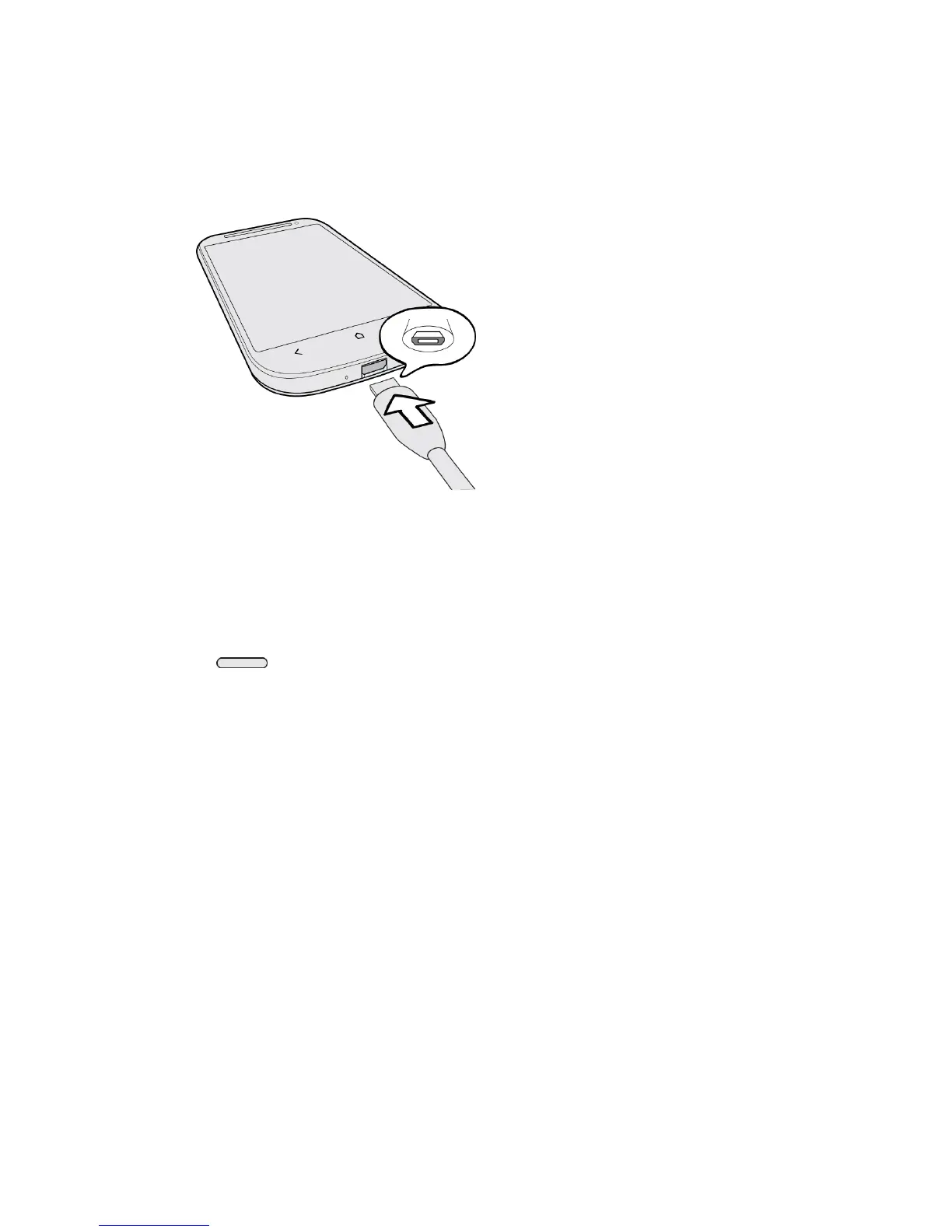
Plug the other end of the USB cable into the charger/accessory jack on the bottom
panel of your phone.
Plug the AC adapter into an electrical outlet. Fully charging a battery may take up to
three hours.
Note: Your phone’s battery should have enough charge for the device to turn on and find a
signal, run the setup application, set up voicemail, and make a call. You should fully
charge the battery as soon as possible.
3. Press to turn the phone on.
Your device will search for Boost Mobile service, and begin the setup application.
Complete the Setup Application
Once your phone has been turned on and activated, you will then be guided to the setup
process. Touch Next or Skip to skip any of the screens.
● Select the language. You can change this later in Settings. For more information, see
Language Settings.
● Scheduled sync. Select manual or automatic synchronization of information. For more
information, see Accounts & Sync.
● Set up Wi-Fi
®
network. Connect to a Wi-Fi network. For more information, see Wi-Fi.
● Get an HTC Account. Create a new or sign in to your existing HTC Account. Sign in
with your HTC Account to easily access HTC features, services, and content.
● Tell HTC. Choose whether to allow HTC to collect anonymous data in the background
about how you use your phone.



 To Next Page