Tools and Calendar 200
Important: Before you begin, set the receiving device to discoverable mode. You may also
need to set it to ―Receive Beams‖ or ―Receive Files.‖ Refer to the device’s
documentation for instructions on receiving information over Bluetooth.
You can send the following types of information, depending on the device you are sending to:
1. On your phone, open the application that contains the information or file you want to
send.
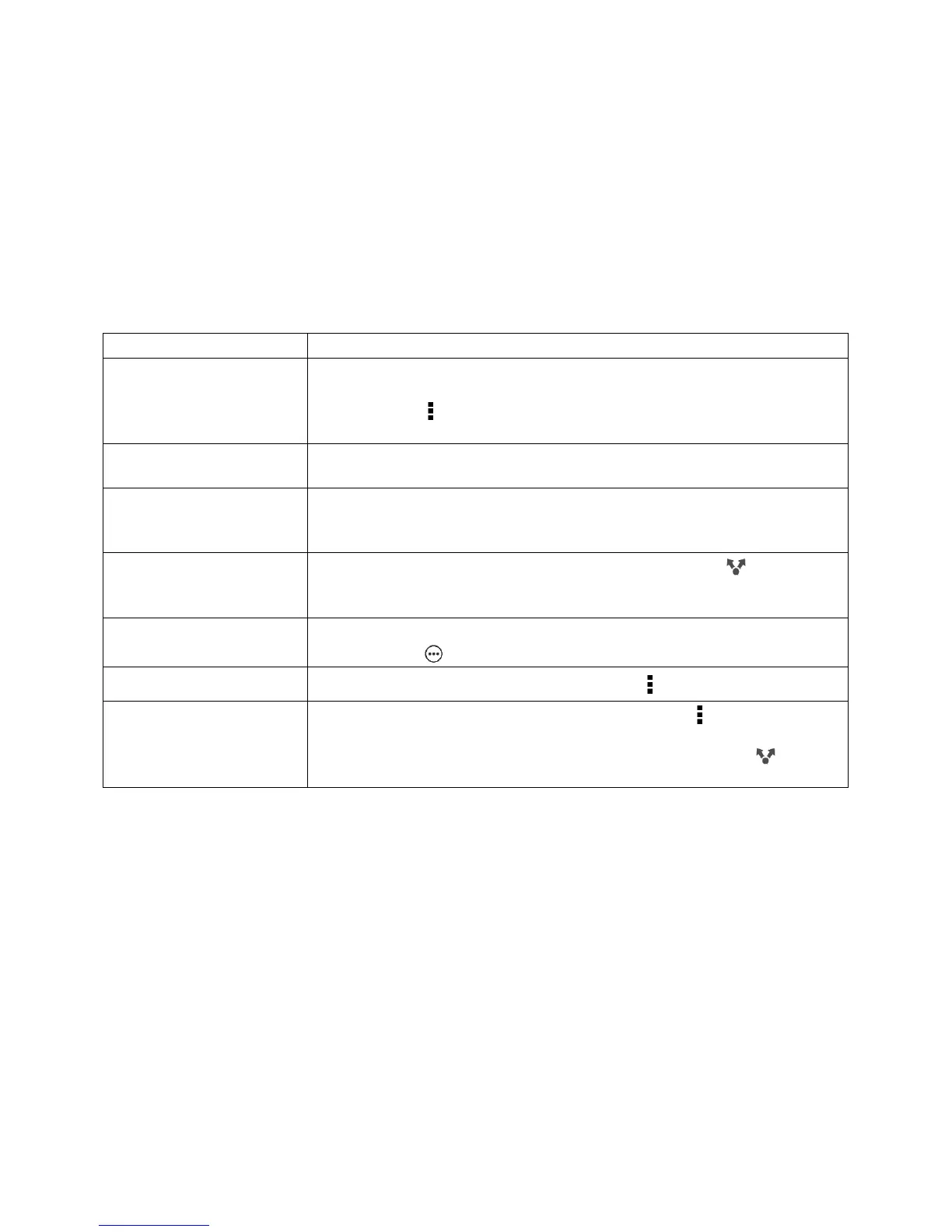
2. Follow the steps for the type of item you want to send:
1. In the People application, touch a contact to view the
contact’s details.
2. Touch , and then touch Send contact.
3. Touch Send contact via, and then select Bluetooth.
Calendar appointment
or event
In day, agenda, or week view, touch and hold the event, and then
touch Forward > Bluetooth.
1. In the Gallery application, touch My phone, and choose an
album.
2. Touch Share > Bluetooth.
After capturing, on the Camera preview screen, touch >
Bluetooth. (Note that you must have first set a review duration in the
Camera settings.)
With the track displayed on the Music application’s Now playing
screen, touch > Share > Share file > Bluetooth.
On the main Voice Recorder screen, touch > Share > Bluetooth.
On the webpage you want to share, touch > Share >
Bluetooth.
While viewing a webpage in Reading mode, touch >
Bluetooth.
3. Turn Bluetooth on and pair with the receiving device, if you’re asked to do so.
4. On the receiving device, accept the file.
Where Sent Information is Saved
When you send information from your phone using Bluetooth, the location where it’s saved
depends on the type of information and the receiving device.
If you send a calendar event or contact, it is normally added directly to the corresponding
application on the receiving device. For example, if you send a calendar event to a compatible
device, the event is shown in that phone’s calendar application.



 To Next Page