Camera and Video 167
1. Touch > > Gallery.
2. Touch a video album, and then touch a video.
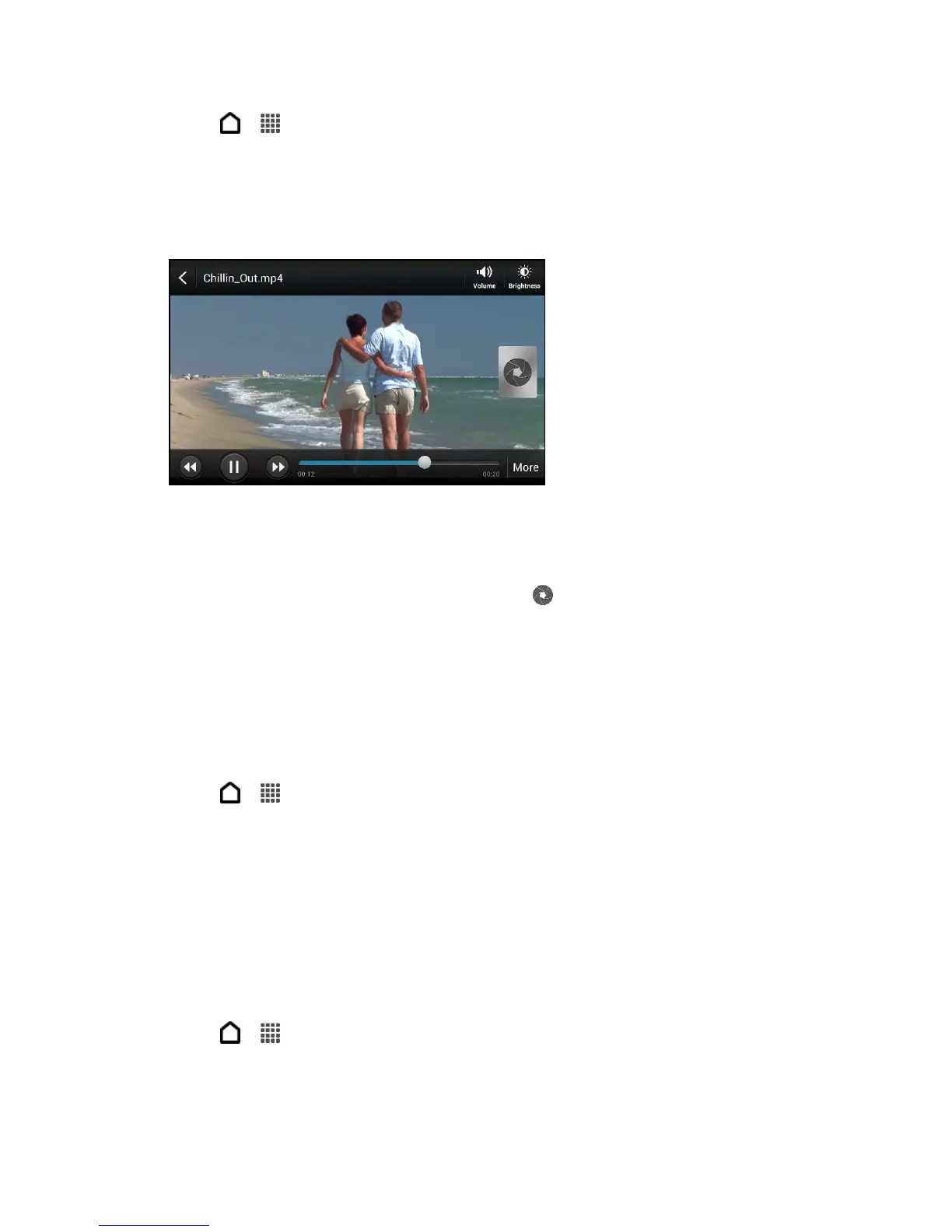
3. Touch the onscreen controls to control the video playback, adjust the volume, capture an
image during playback, and more.
Tip: Touch More > Select player to share the video on your home network.
Take a Photo While Watching a Video
► While you’re watching a video in Gallery, touch to capture a still shot.
Edit Your Photos and Videos
Do basic editing tasks on your photos such as rotation and cropping. You can also enhance
your photos by applying effects such as high contrast, vintage appearance, and more. You can
also trim your captured videos.
Rotate a Photo
1. Touch > > Gallery.
2. Touch a photo album.
3. Touch and hold the photo that you want to rotate, and then touch Edit > Rotate left or
Rotate right.
Tip: You can also rotate a photo while you’re viewing it in full screen. Touch the screen, and
then touch Edit > Rotate right or Rotate left.
Crop a Photo
1. Touch > > Gallery.
2. Touch a photo album.



 To Next Page