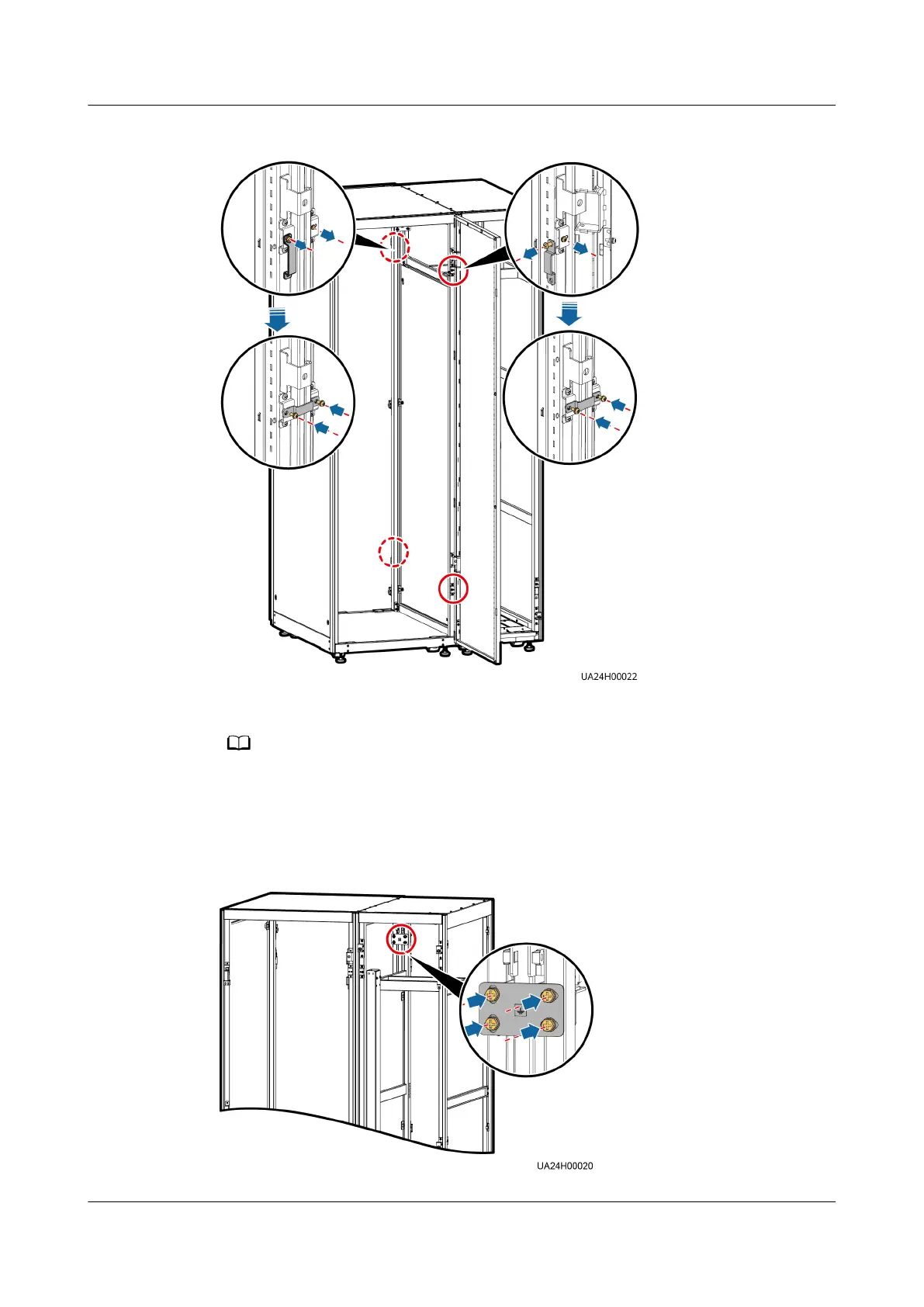
Figure 3-31 Installing connecting kits
Step 7 (Optional) Secure the cable entry cabinet to the ground.
For details about how to secure the cable entry cabinet, see Secured Installation in 3.3.1
Installing a UPS Cabinet.
Step 8 Install an equipotential plate.
Figure 3-32 Equipotential plate
UPS5000-E-(30 kVA–120 kVA)-FM
User Manual 3 Installation
Issue 03 (2022-01-30) Copyright © Huawei Technologies Co., Ltd. 72


 To Next Page