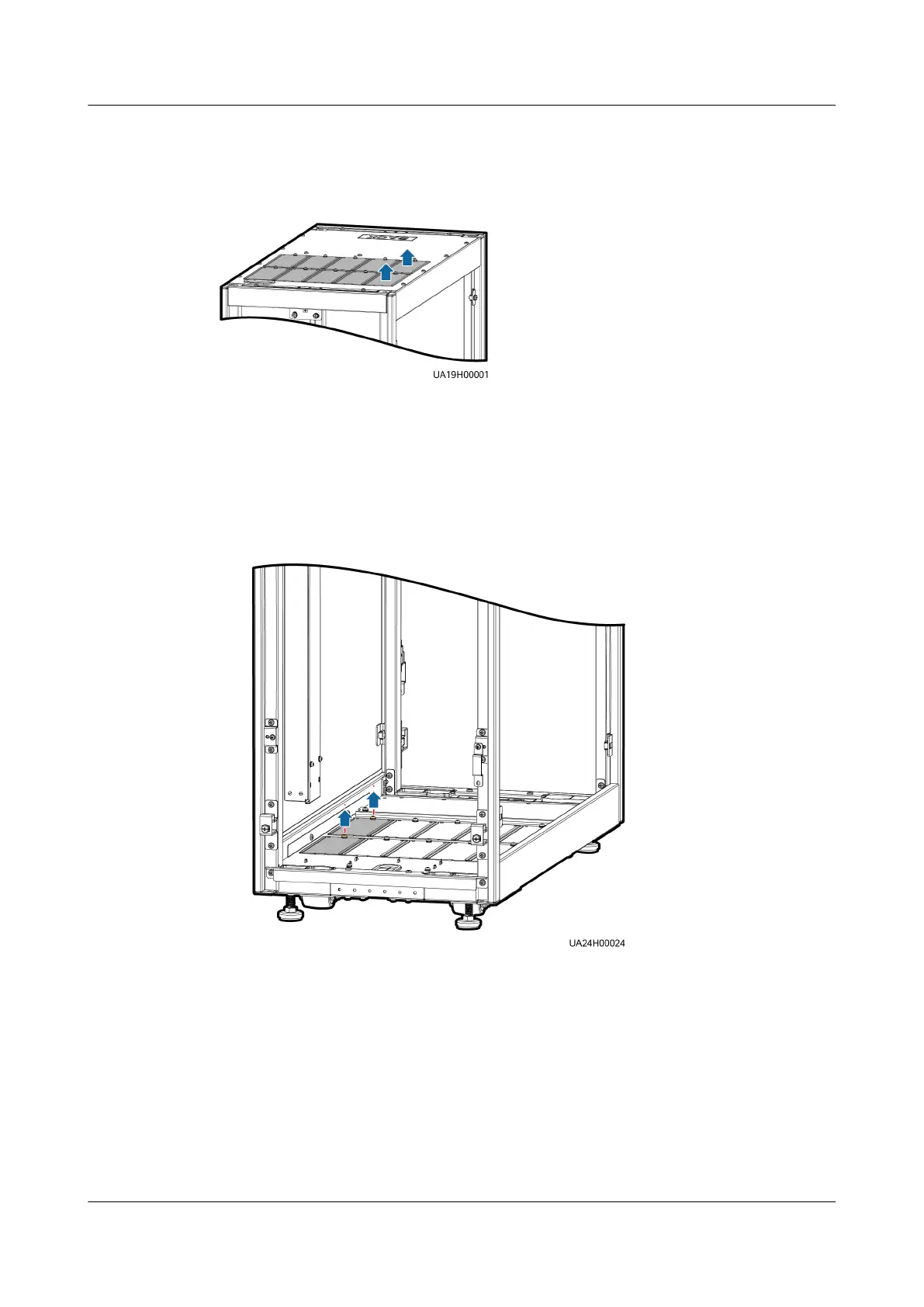
Step 9 Remove covers from the top of the cable entry cabinet based on the site
requirements.
Figure 3-33 Removing the cover
Step 10 Determine the cabling mode.
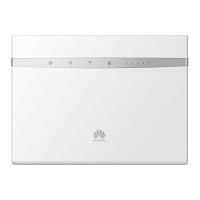
● Remove small covers for routing cables.
Remove a certain number of small covers from the bottom of the cable entry
cabinet based on the actual cable conditions.
Figure 3-34 Removing small covers
● Drill holes in the large cover for routing cables.
a. Remove all small covers from the bottom of the cable entry cabinet.
b. Remove the two large covers from the bottom of the cable entry cabinet,
drill holes in them based on site requirements, and install them on the
positions where the small covers were placed.
UPS5000-E-(30 kVA–120 kVA)-FM
User Manual 3 Installation
Issue 03 (2022-01-30) Copyright © Huawei Technologies Co., Ltd. 73


 To Next Page