A-3
Wall Mounting Operator Control Box
032-0330-EN Rev K
7.
7
8
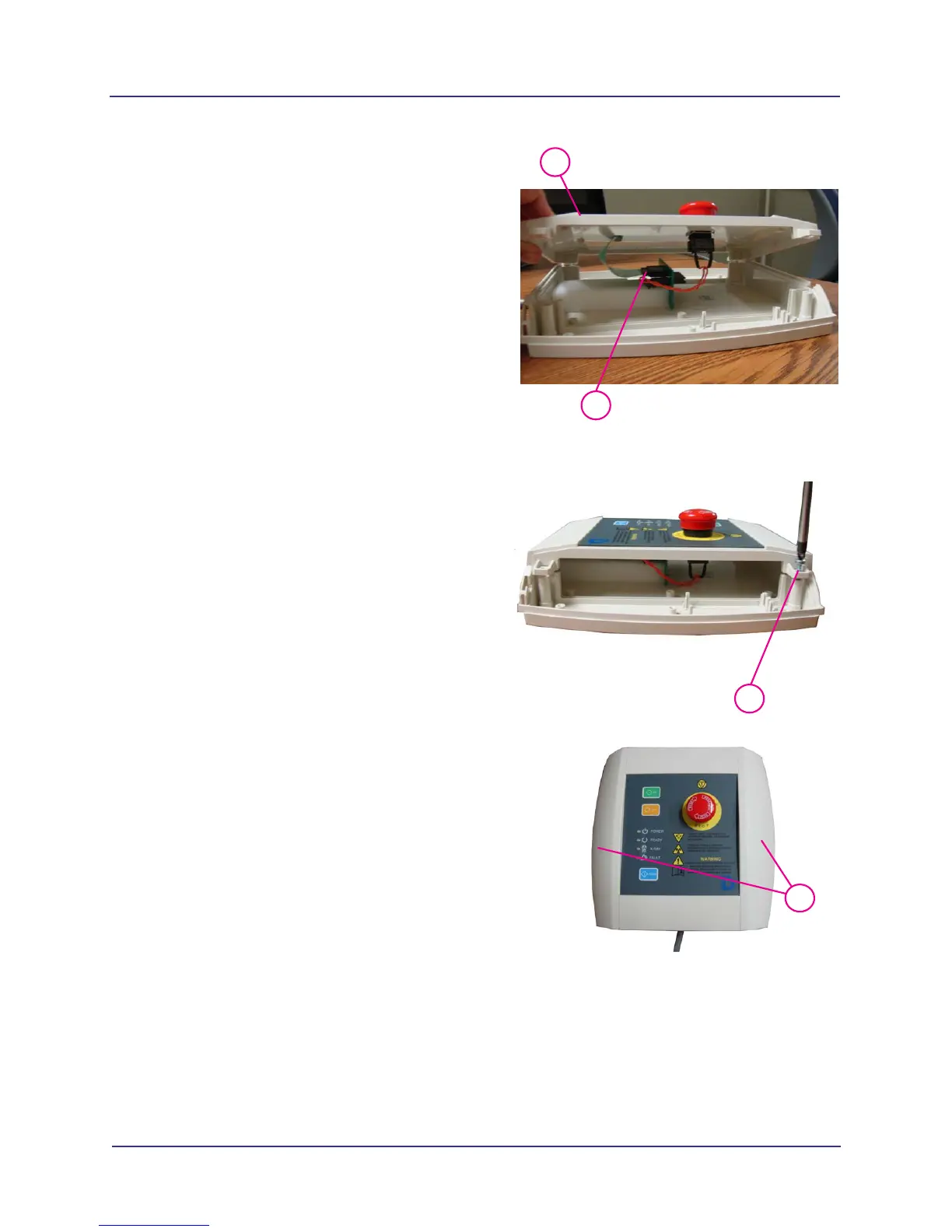
Rotate face panel 180
o
.
8. Connect ribbon cable as shown. Ensure that
connector is fully seated.
9.
9
Mount face panel with the four mounting
screws.
10.
11
There are four outer mounting rings on the
operator control box base. These rings can
be pre-drilled or punctured with a screw
during mounting.
Position operator control box on wall and
mount with wall mounting hardware (four
corners).
11. Replace operator control box side panels and
re-insert clips under tabs (both sides).



 To Next Page