173
Indicates the filtering mode maintained per (VLAN ID, port number, Group Address) basis. It can
be either Include or Exclude.
IP Address of the source. Currently, system limits the total number of IP source addresses for
filtering to be 12.
Indicates the Type. It can be either Allow or Deny.
Auto-refresh: Check this box to refresh the page automatically. It will do so every 3 seconds.
Refresh: Click to refresh the page.
<< Updates the system log entries to the first available entry ID.
>Updates the system log entry to the next available entry ID.
LLDP
Neighbor
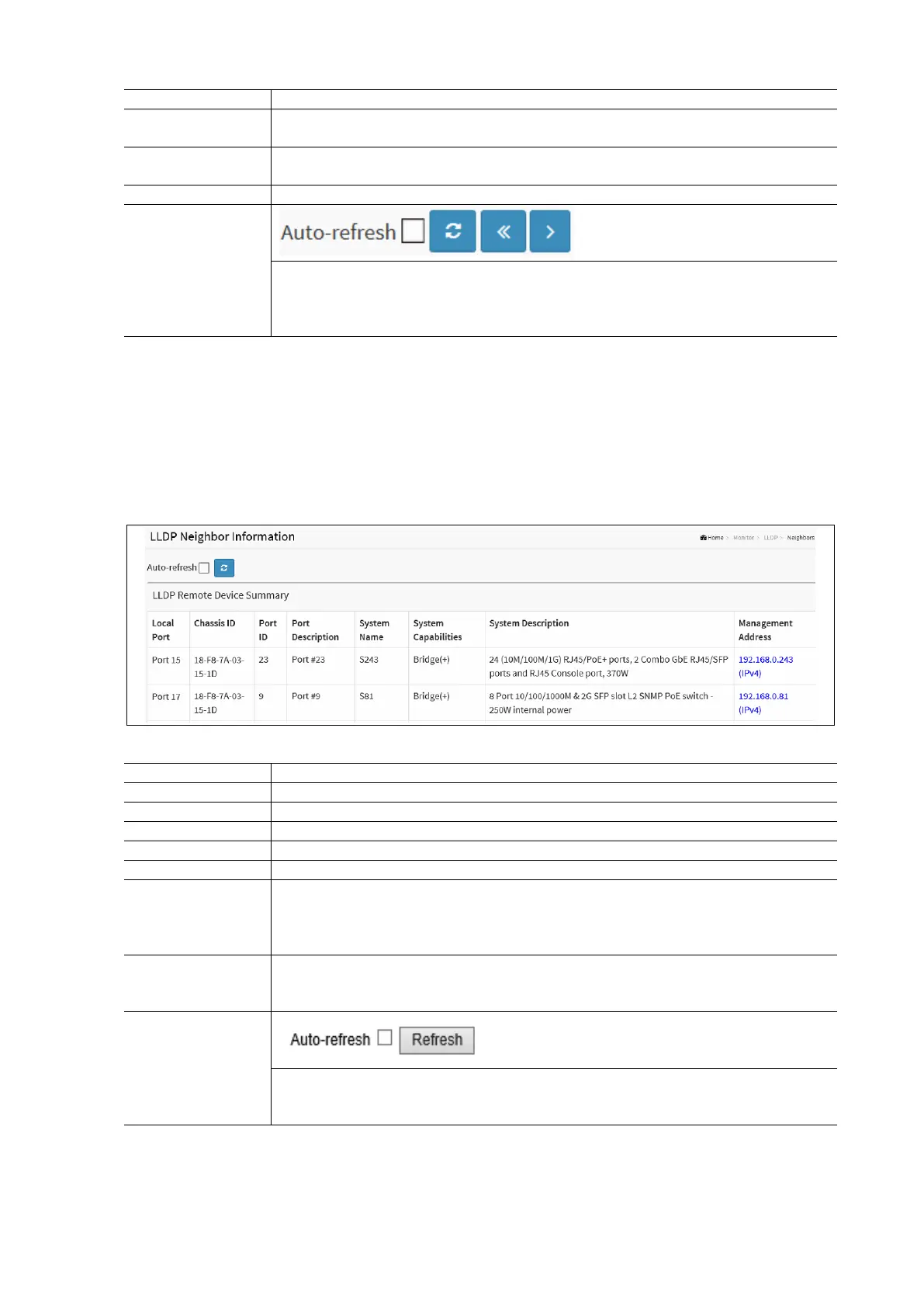
This page provides a status overview for all LLDP neighbors. The displayed table contains a row for each port on which an
LLDP neighbor is detected.
To display the LLDP Neighbor Information in the web interface:
Click Monitor / LLDP / Neighbors
Check the Auto-Refresh check box to have the page automatically refresh every 3 seconds.
LLDP Neighbor Information Parameters:
The port on which the LLDP frame was received.
The Chassis ID is the identification of the neighbor’s LLDP frames.
The Remote Port ID is the identification of the neighbor port.
Port Description is the port description advertised by the Neighbor unit.
System Name is the name advertised by the Neighbor unit.
System Name is the name advertised by the neighbor unit’s capabilities. The possible
capabilities are: Other, Repeater, Bridge, WLAN Access Point, Router, Telephone, DOCSIS cable
device, Station only, Reserved.
When a capability is enabled it is followed by ‘+’. If it is disabled it is followed by ‘-‘.
Management Address is the neighbor unit's address that is used for higher layer entities to
assist discovery by the network management. This could for instance hold the neighbor’s IP
address.
Auto-refresh: Check this box to refresh the page automatically. Automatic refresh occurs every 3
seconds.
Refresh: Click to manually refresh the page.



 To Next Page