46
The method of sampling the selected variable and calculating the value to be compared against the
thresholds, possible sample types are:
Absolute: Get the sample directly.
Delta: Calculate the difference between samples (default).
The value of the statistic during the last sampling period.
The method of sampling the selected variable and calculating the value to be compared against the
thresholds, possible sample types are:
Rising Trigger alarm when the first value is larger than the rising threshold.
Falling Trigger alarm when the first value is less than the falling threshold.
Rising Or Falling Trigger alarm when the first value is larger than the rising threshold or less than the
falling threshold (default).
Rising threshold value (-2147483648-2147483647).
Rising event index (1-65535).
Falling threshold value (-2147483648-2147483647).
Falling event index (1-65535).
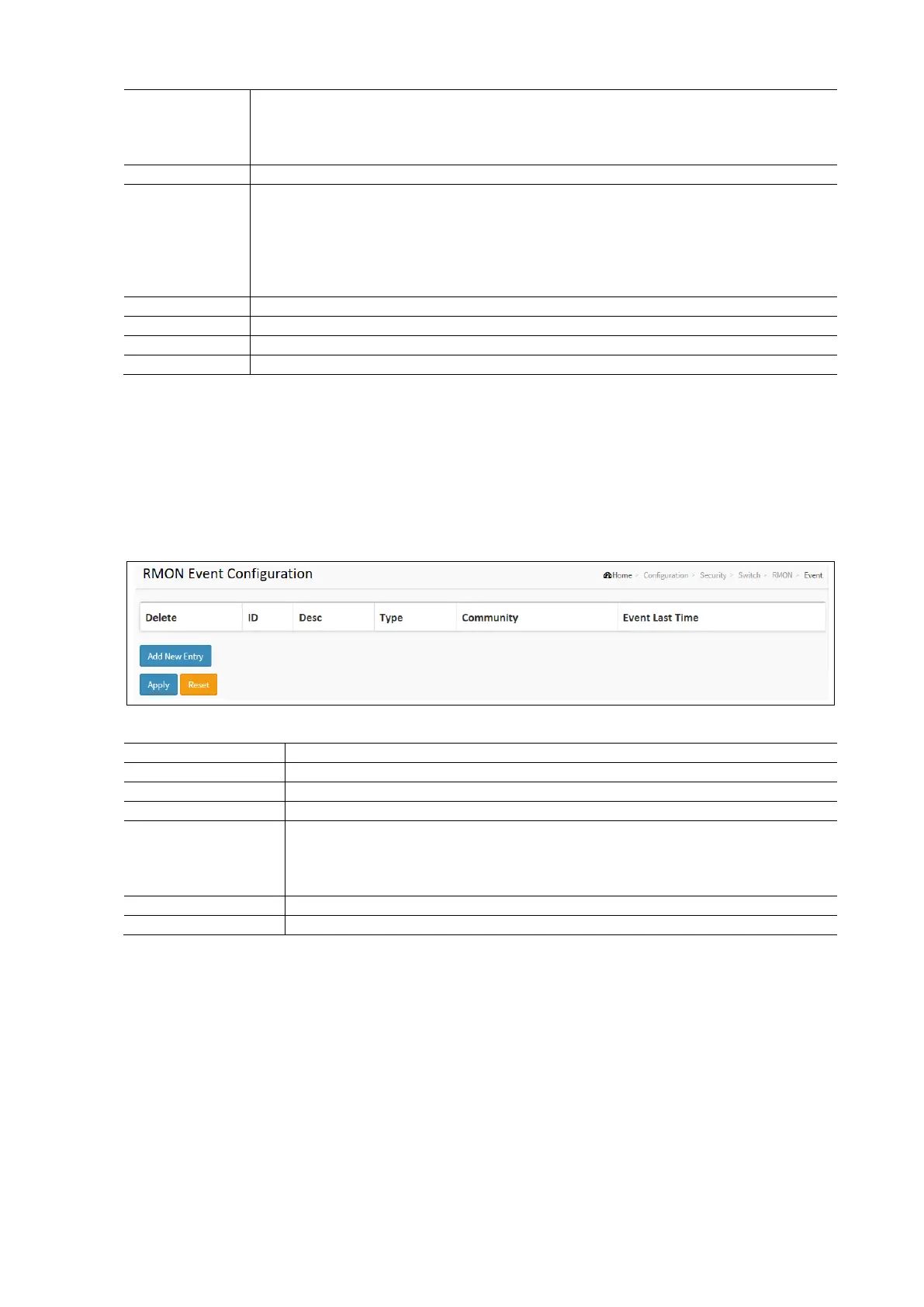
RMON Event
Configure the RMON event table on this page. The entry index key is ID.
To configure the RMON Events in the web interface:
Click Configuration / Security / Switch / RMON / Event
Click Add New Entry.
Specify the ID parameters.
Click Apply and click the Save icon in the upper right corner to save the settings or click Reset to cancel. The
Form will return to the previously saved settings.
RMON Event Configuration Parameters:
Click to delete the entry. It will be deleted during the next save.
Indicates the index of the entry. The range is from 1 to 65535.
Indicates this event, the string length is from 0 to 127, default is a null string.
Indicates the notification of the event, the possible types are:
None: No SNMP log is created, no SNMP trap is sent. Log: Create SNMP log entry when the
event is triggered. Snmptrap: Send SNMP trap when the event is triggered.
Logandtrap: Create SNMP log entry and sent SNMP trap when the event is triggered.
Specify the community when trap is sent string length is from 0 to 127, default is “public”.
Indicates the value of sysUpTime at the time this event entry last generated an event.
Network
Limit Control
This section explains how to configure the Port Security settings of the Switch. The Port Security feather can be used to
restrict input to an interface by identifying and limiting MAC addresses.
To Configure Limit Control in the web interface:
Click Configuration / Security / Network / Limit Control
Select “Enabled” in the Mode of System Configuration.
Check Aging Enabled Check box
Set Aging Period (default is 3600 seconds).



 To Next Page