27
Port Description Parameters:
This is the logical port number for this row.
Enter up to 47 characters to be a descriptive name for identifying this port.
DHCP
This section describes how to configure the DHCP Snooping parameters of the switch. The DHCP Snooping can prevent
attackers from adding their own DHCP servers to the network.
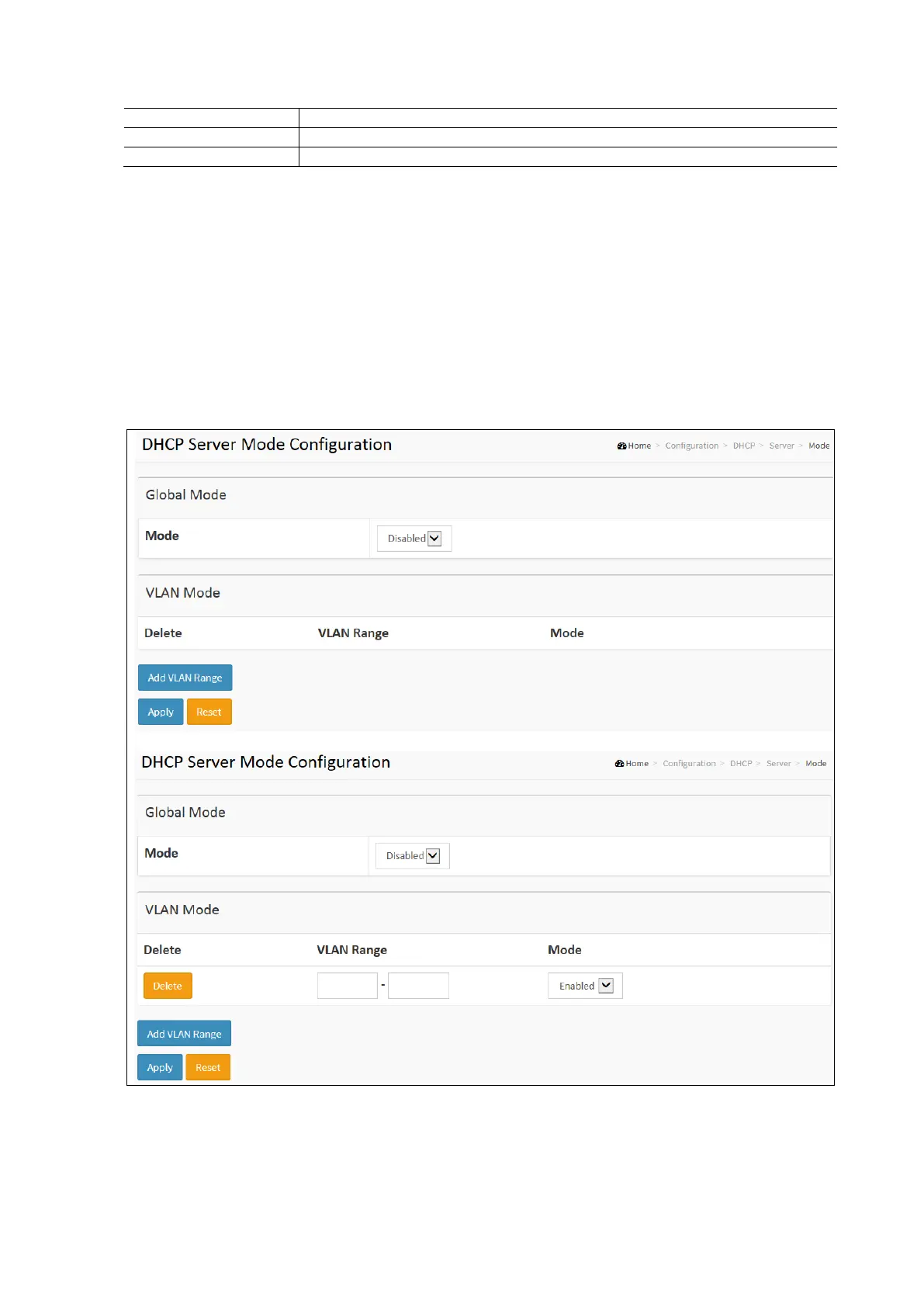
DHCP Server Mode
This page configures global mode and VLAN mode to enable / disable DHCP server per system and per VLAN.
To configure DHCP server mode in the web interface:
Click Configuration / DHCP / Server / Mode
Select “Enabled” in the Global Mode of DHCP Server Mode Configuration.
Click Add VLAN range click to enable then enter the VLAN Range.
Click Apply and click the Save icon in the upper right corner to save the settings or click Reset to cancel. The
Form will return to the previously saved settings.



 To Next Page