85
MLD Snooping Configuration Parameters:
Enable the Global MLD Snooping.
Unregistered IPMCv6
Flooding Enabled
Enable unregistered IPMCv6 traffic flooding. The flooding control takes effect only when MLD
Snooping is enabled. When MLD Snooping is disabled, unregistered IPMCv6 traffic flooding is
always active in spite of this setting.
SSM (Source-Specific Multicast) Range allows the SSM-aware hosts and routers to run the
SSM service model for the groups in the address range using IPv6 Address.
Enable MLD Leave Proxy. This feature can be used to avoid forwarding unnecessary leave
messages to the router side.
Enable MLD Proxy. This feature can be used to avoid forwarding unnecessary join and
messages to the router side.
Enable the fast leave on the port.
Specify which ports act as router ports. A router port is a port on the Ethernet switch that
leads toward the Layer 3 multicast device or MLD querier. If an aggregation member port is
selected as a router port, the whole aggregation will act as a router port.
Enable throttling to limit the number of multicast groups to which a switch port can belong.
MLD Snooping VLAN
When MLD snooping is enabled on a VLAN, the switch acts to minimize unnecessary multicast traffic. If the switch receives
multicast traffic destined for a given multicast address, it forwards that traffic only to ports on the VLAN that have MLD hosts
for that address. It drops that traffic for ports on the VLAN that have no MLD hosts. The system will use the last entry of the
currently displayed entries as a basis for the next lookup. When the end is reached the text "No more entries" is shown in the
displayed table.
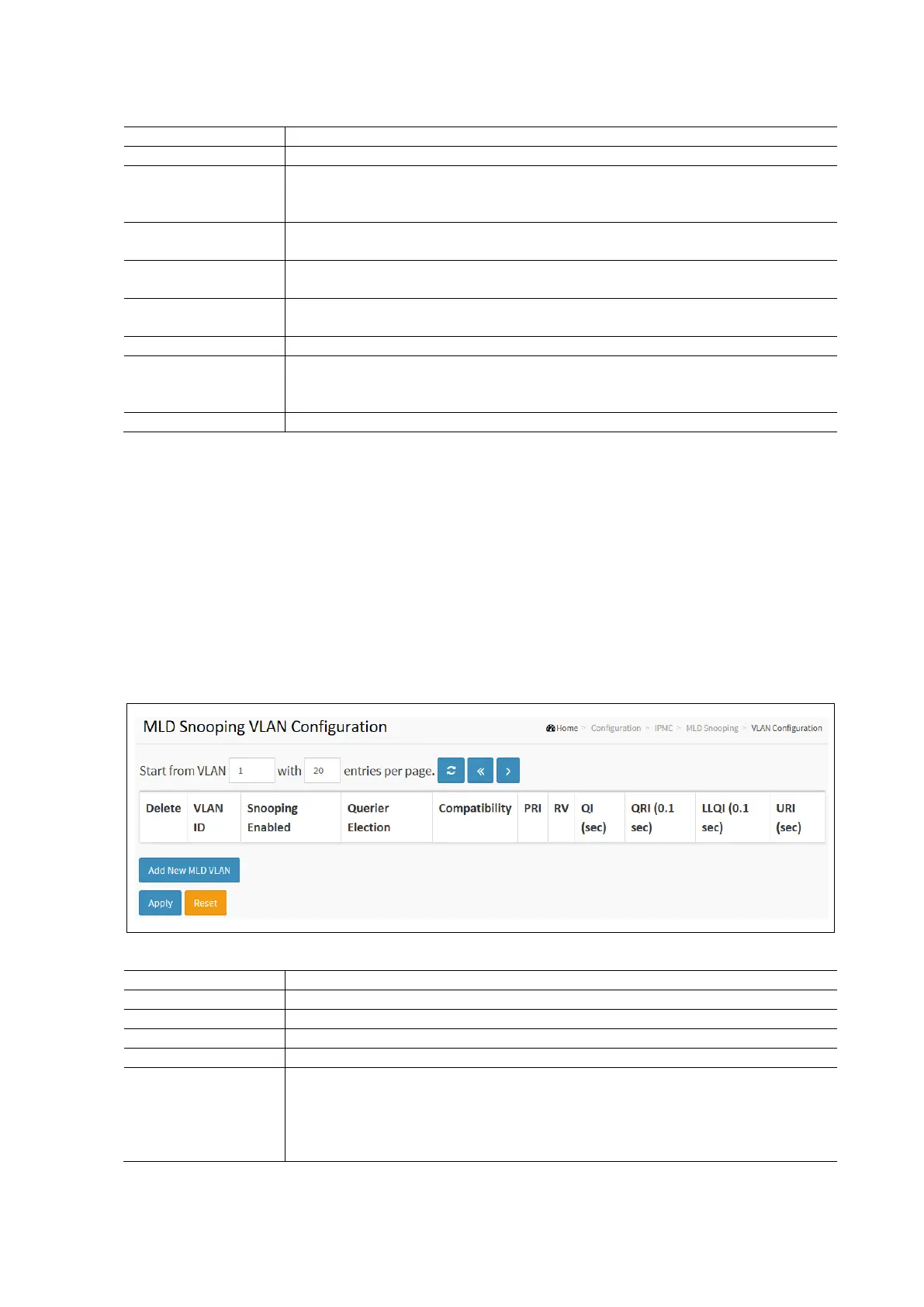
To configure the MLD Snooping VLAN in the web interface:
• Click Configuration / MLD Snooping / VLAN Configuration
• Specify the VLAN ID with entries per page.
• Click Refresh to refresh an entry of the MLD Snooping VLAN configuration information.
• Click Apply and click the Save icon in the upper right corner to save the settings or click Reset to cancel. The
Form will return to the previously saved settings.
MLD Snooping VLAN Configuration Parameters:
Check to delete the entry. The designated entry will be deleted during the next save.
Displays the VLAN ID of the entry.
Enable the per-VLAN IGMP Snooping. Only up to 32 VLANs can be selected.
Enable to join IGMP Querier Election in the VLAN. Disable to act as an IGMP Non-Querier.
Define the IPv4 address as source address used in IP header for IGMP Querier Election. When
the Querier Address is not set the system uses IPv4 management address of the IP interface
associated with this VLAN. When the IPv4 management address is not set, the system uses
the first available IPv4 management address. Otherwise the system uses a pre-defined
valude. By default, this value will be 192.0.2.1.



 To Next Page