40
Indicates the privacy protocol that this entry should belong to. Possible privacy protocols
are:
None: No privacy protocol.
DES: An optional flag to indicate that this user uses DES authentication protocol.
A string identifying the privacy password phrase. The allowed string length is 8 to 32, and the
allowed content is ASCII characters from 33 to 126.
SNMP GROUP
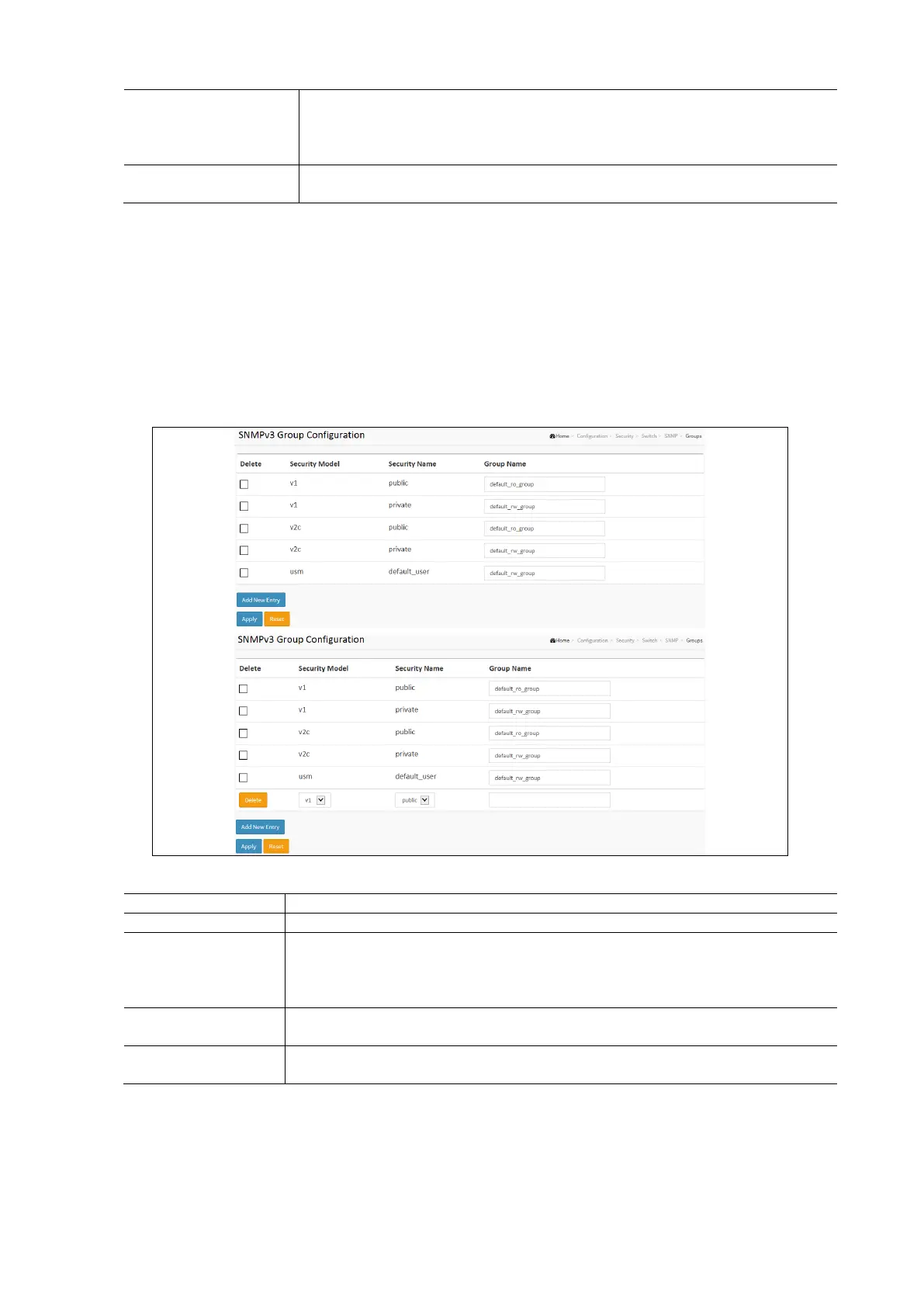
This function is used to configure SNMPv3 group. The Entry index key are Security Model and Security Name. To create a
new group account, please check <Add Net Entry> button, and enter the group information then check <Save>.
Maximum Group Number: v1: 2, v2: 2, v3:10.
To configure SNMP Group settings in the web Interface:
Click Configuration / Security / Switch / SMNP / Groups
Check the Delete check box to delete a group.
Click Add New Entry to open the SNMP Group Configuration page to create a new Group.
Click Apply and click the Save icon in the upper right corner to save the settings or click Reset to cancel. The
Form will return to the previously saved settings.
SNMP Groups Configuration Parameters:
Check to delete the entry. It will be deleted during the next save.
Indicates the security model that this entry should belong to. Possible security models are:
v1: Reserved for SNMPv1.
v2c: Reserved for SNMPv2c
usm: User-based Security Model (USM).
A string identifying the security name that this entry should belong to. The allowed string
length is 1 to 32, and the allowed content is ASCII characters from 33 to 126.
A string identifying the group name that this entry should belong to. The allowed string length is
1 to 32, and the allowed content is ASCII characters from 33 to 126.



 To Next Page