98
Device will send checking message to Powered Device each interval time. Default 30, range: 10-120
sec.
When PoE port can’t ping the Powered Device it will try to send detection ping again. When it
happens for the third time it will trigger failure action. Default 3 range 1-15.
Failure loggings counter.
The action when the third fail detection is made.
Nothing: Keep Pinging the Remote Powered Device but takes no other actions.
Reboot Remote PD: Cut off the power of the PoE port, Make Powered device D reboot.
When the powered device has been rebooted the PoE port will restore power after the specified
time. Default 15, range 3-120 sec.
MAC Table
Switching of frames is based upon the DMAC address contained in the frame. The switch builds up a table that maps MAC
addresses to switch ports for knowing which ports the frames should go to (based upon the DMAC address in the frame).
This table contains both static and dynamic entries. The static entries are configured by the network administrator if the
administrator wants to do a fixed mapping between the DMAC address and switch ports.
The frames also contain a MAC address (SMAC address), which shows the MAC address of the equipment sending the
frame. The SMAC address is used by the switch to automatically update the MAC table with these dynamic MAC
addresses. Dynamic entries are removed from the MAC table if no frame with the corresponding SMAC address has
been seen after a configurable length of time.
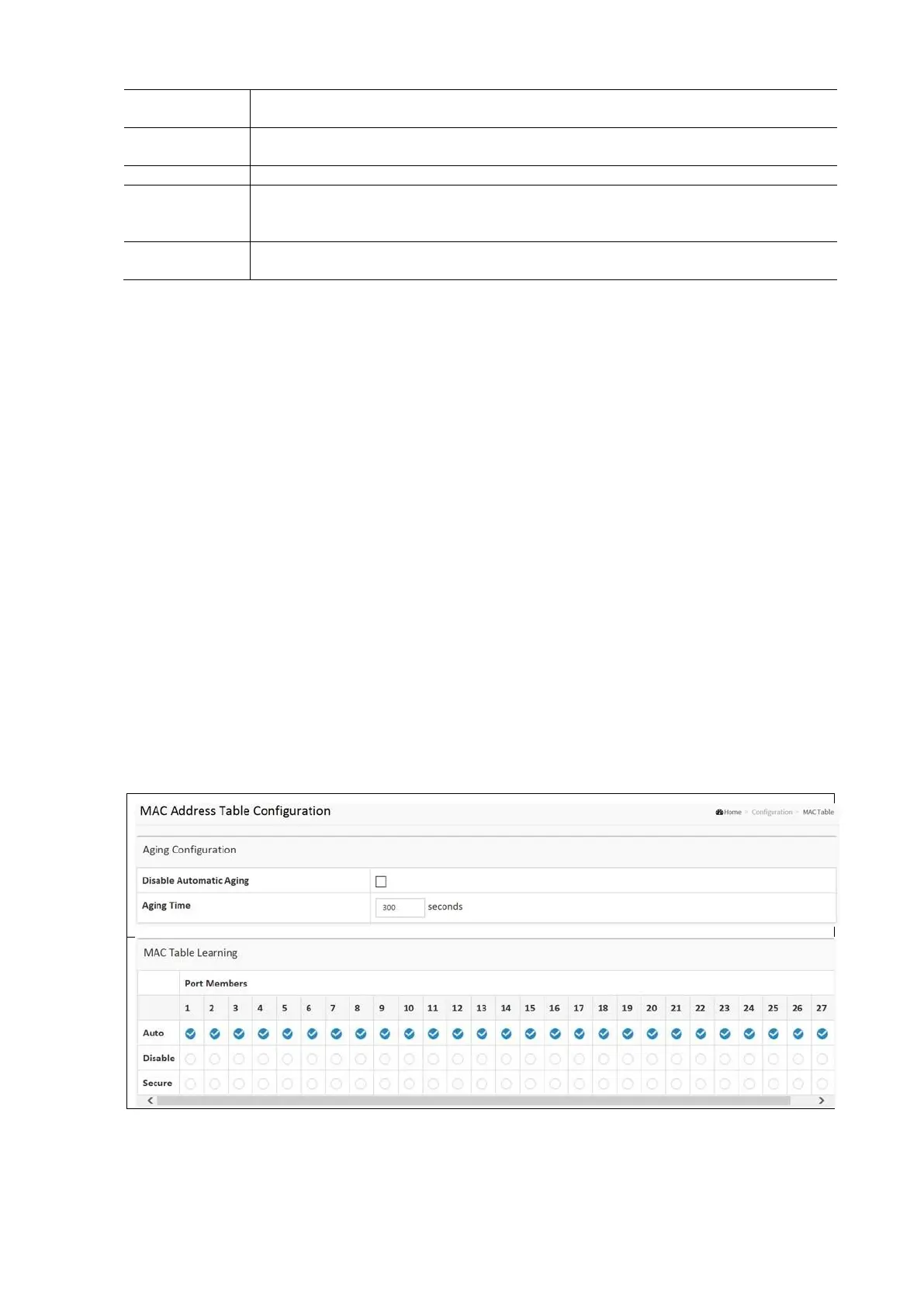
To Configure MAC Address Table in the web interface
Aging Configuration
• Click Configuration / MAC Table
• Select the Disable Automatic Aging and Aging Time
• Click Apply and click the Save icon in the upper right corner to save the settings or click Reset to cancel. The
Form will return to the previously saved settings.
MAC TABLE Learning
• Click Configuration / MAC Table Learning
• Select the Port Members (Auto Disable Secure).
• Click Apply and click the Save icon in the upper right corner to save the settings or click Reset to cancel. The
Form will return to the previously saved settings.
Static MAC Table
• Click Configuration / Add new Static Entry
• Select the VLAN IP and MAC Address Port Members
• Click Apply and click the Save icon in the upper right corner to save the settings or click Reset to cancel. The
Form will return to the previously saved settings.



 To Next Page