190
Cable Diagnostics Parameters:
The port number selected for the test.
Pair: The status of the cable pair.
Length: Length in meters of the cable pair.
Traceroute
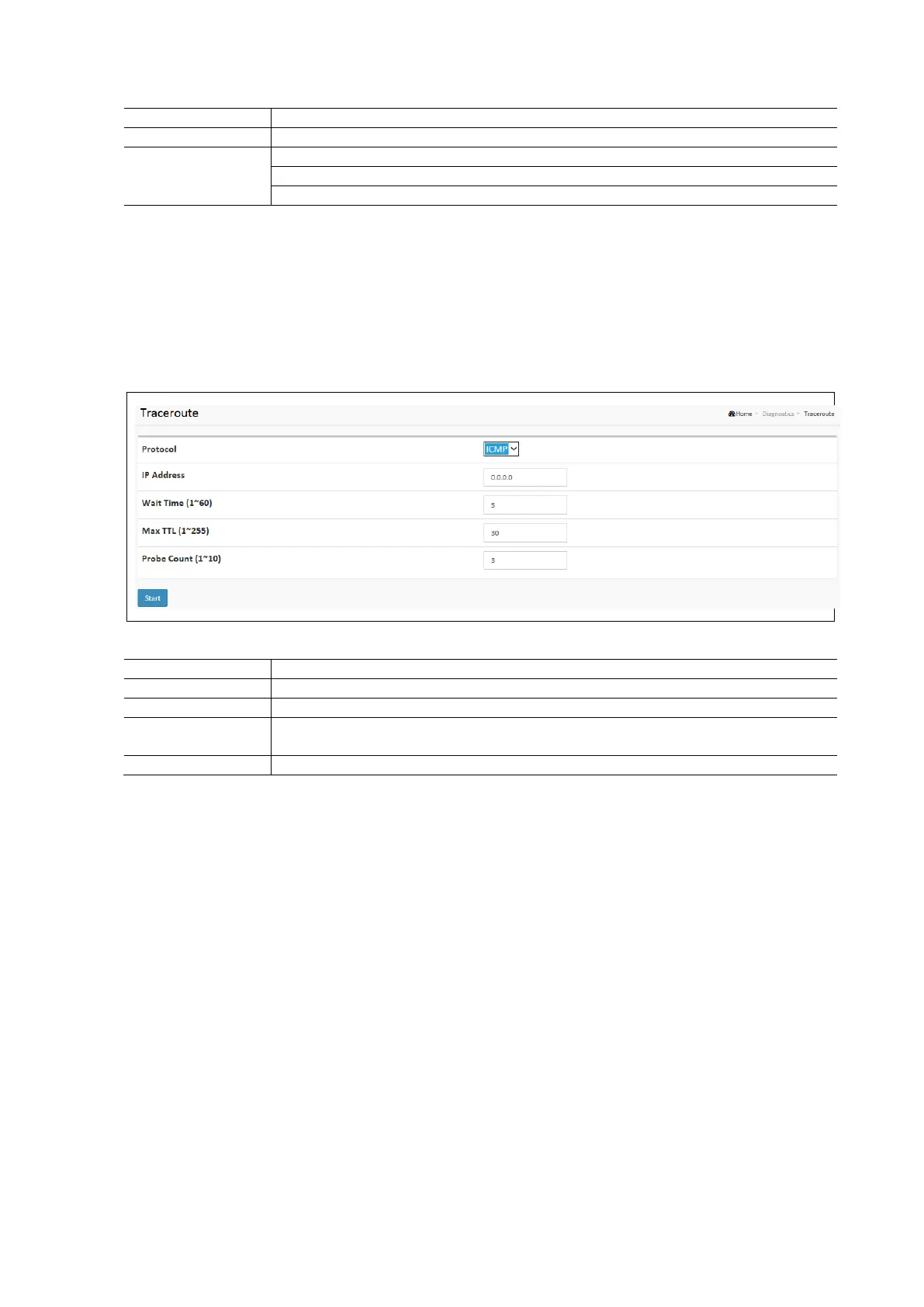
This diagnostic allows for the issue of ICMP, TCP, or UDP packets to diagnose network connectivity issues.
To configure a Traceroute diagnostic in the web interface:
Click Diagnostics / Traceroute
Select the type of protocol to use (ICMP, TCP, or UDP).
Specify the traceroute IP Address of the target device.
Set the Wait Time, Max TTL, and Probe Count Fields.
Click Start to begin the test.
Traceroute Diagnostics Parameters:
The type of protocol to use for the test. Three options are available, ICMP, TCP, UDP).
The IP Address of the target device.
Set the time in seconds to wait for a response to a probe (default 5.0 sec). Values range from 1
to 60. The payload size of the ICMP packet values range from 2 bytes to 1452 bytes.
Sets the number of probe packets per hop. Values range from 1 to 10. The default is 3



 To Next Page