198
DMS Graphic Monitoring
Topology View
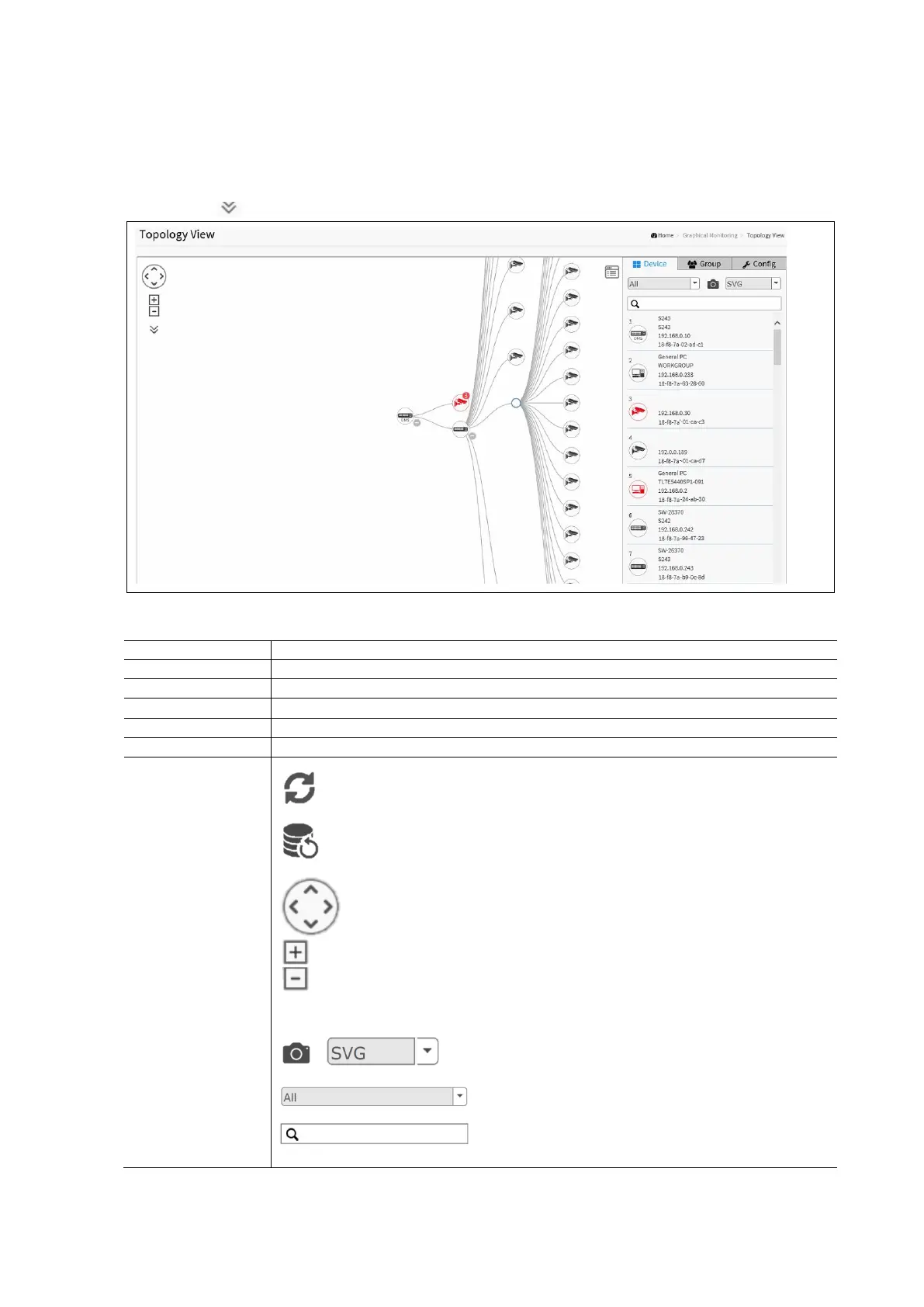
This page displays a visual view of the topology in a cluster of networks.
To configure the DMS Topology View in the web interface:
Click DMS / Graphical Monitoring / Topology View
Click to select the desired display information for the devices in the topology view.
DMS Management Device List Parameters:
Login to the specific device
Redirects to trouble shooting page.
Allows administrators to quickly and easily find the Switch in their cabinet.
Select Device Type Options include IP Camera, PC IP Phone, AP or other device.
Refresh the Topology View.
Click to rescan the Topology View.
Use the directional pad to scroll up, down, left or right.
Use the slider to zoom in or out. Alternatively the mouse can be used to navigate by
clicking and dragging the left mouse button. Use the mouse wheel to zoom in or out.
Save the whole View to SVG, PNG or PDF image formats.
Select the device category to filter the view.
Search for an individual device by entering IP/MAC address
or Model /Device name.



 To Next Page