83
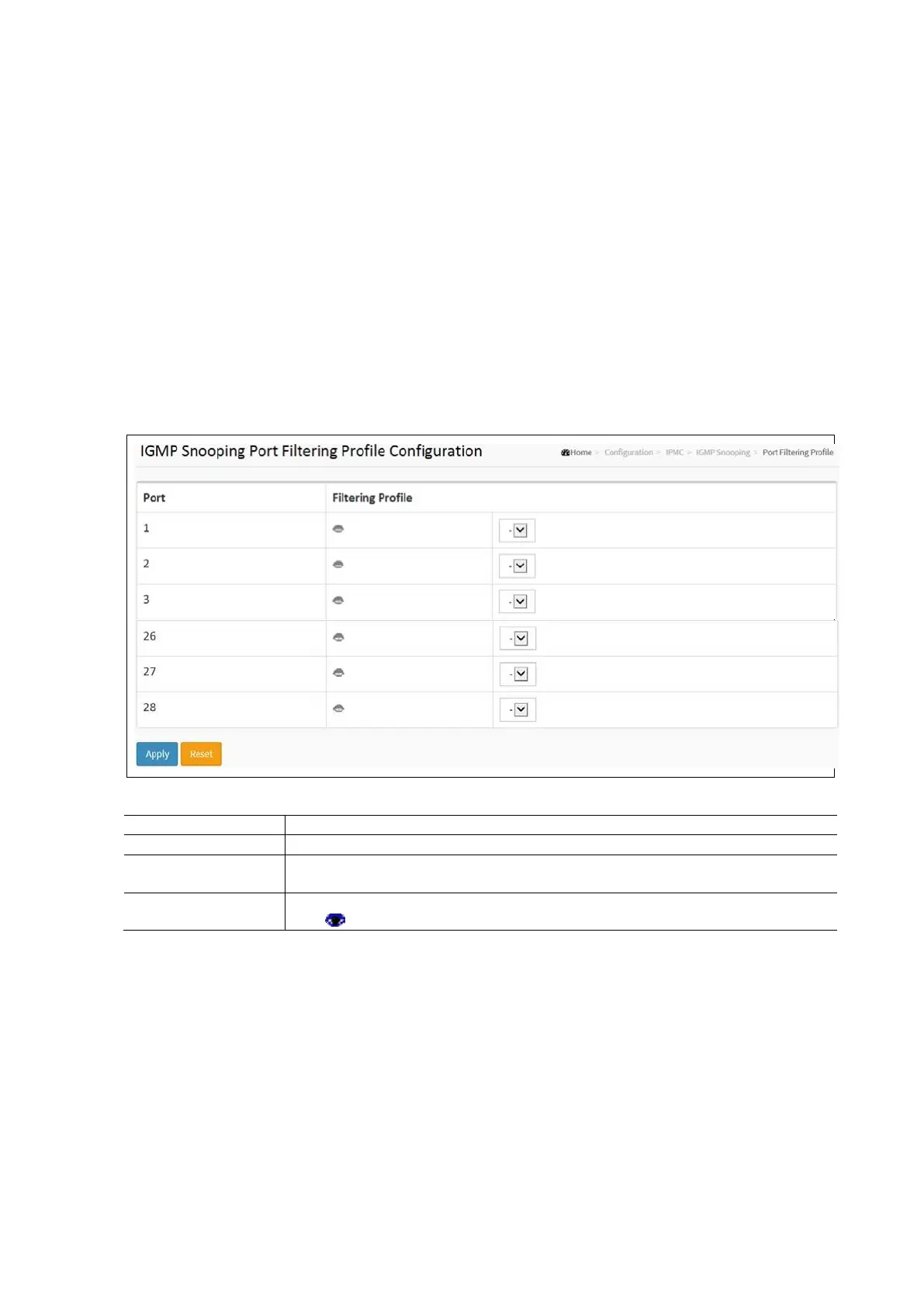
Port Filtering Profile
This describes how to set the IGMP Port Group Filtering. In some network Application environments, like the
metropolitan or multiple-dwelling unit (MDU) installations, a user might want to control the multicast groups to which a
user on a switch port can belong. It allows the user to control the distribution of multicast services, such as IP/TV, based
on some type of subscription or service plan. With this feature, you can filter multicast joins on a per-port basis by
configuring IP multicast profiles and associating them with individual switch ports. An IGMP profile can contain one or
more multicast groups and specifies whether access to the group is permitted or denied. If an IGMP profile denying access
to a multicast group is applied to a switch port, the IGMP join report requesting the stream of IP multicast traffic is
dropped, and the port is not allowed to receive IP multicast traffic from that group. If the filtering action permits access to
the multicast group, the IGMP report from the port is forwarded for normal processing. IGMP filtering controls only IGMP
membership join reports and has no relationship to the function that directs the forwarding of IP multicast traffic.
To configure the IGMP Snooping Port Filtering Profile in the web interface:
• Click Configuration / IPMC / IGMP Snooping / Port Group Filtering Profile
• Click add new Filtering Group
• Select the Port to enable the Port Group Filtering. Specify the Filtering Groups in the blank field.
• Click Apply and click the Save icon in the upper right corner to save the settings or click Reset to cancel. The
Form will return to the previously saved settings.
IGMP Snooping Port Filtering Configuration Parameters:
The logical port number for the settings.
Select the IPMC Profile as the filtering condition for the specific port. Summary about the
designated profile will be shown by clicking the view button.
Profile Management
Button
Inspect the rules of the designated profile by clicking the Eye.
: List the rules associated with the designated profile.
MLD Snooping
A network node that acts as a source of IPv6 multicast traffic is only an indirect participant in MLD snooping - it just
provides multicast traffic, and MLD doesn’t interact with it. Note, in an application like desktop conferencing a network node
may act as both a source and an MLD host; but MLD interacts with that node only in its role as an MLD host. A source node
creates multicast traffic by sending packets to a multicast address. In IPv6, addresses with the first eight bits set (that is,
“FF” as the first two characters of the address) are multicast addresses, and any node that listens to such an address
will receive the traffic sent to that address. Application software running on the source and destination systems
cooperate to determine what multicast address to use. Note that this is a function of the application software, not of
MLD. When MLD snooping is enabled on a VLAN, the switch acts to minimize unnecessary multicast traffic. If the switch
receives multicast traffic destined for a given multicast address, it forwards that traffic only to ports on the VLAN that have
MLD hosts for that address. It drops that traffic for ports on the VLAN that have no MLD hosts.



 To Next Page