43
SNMP Trap Event Severity
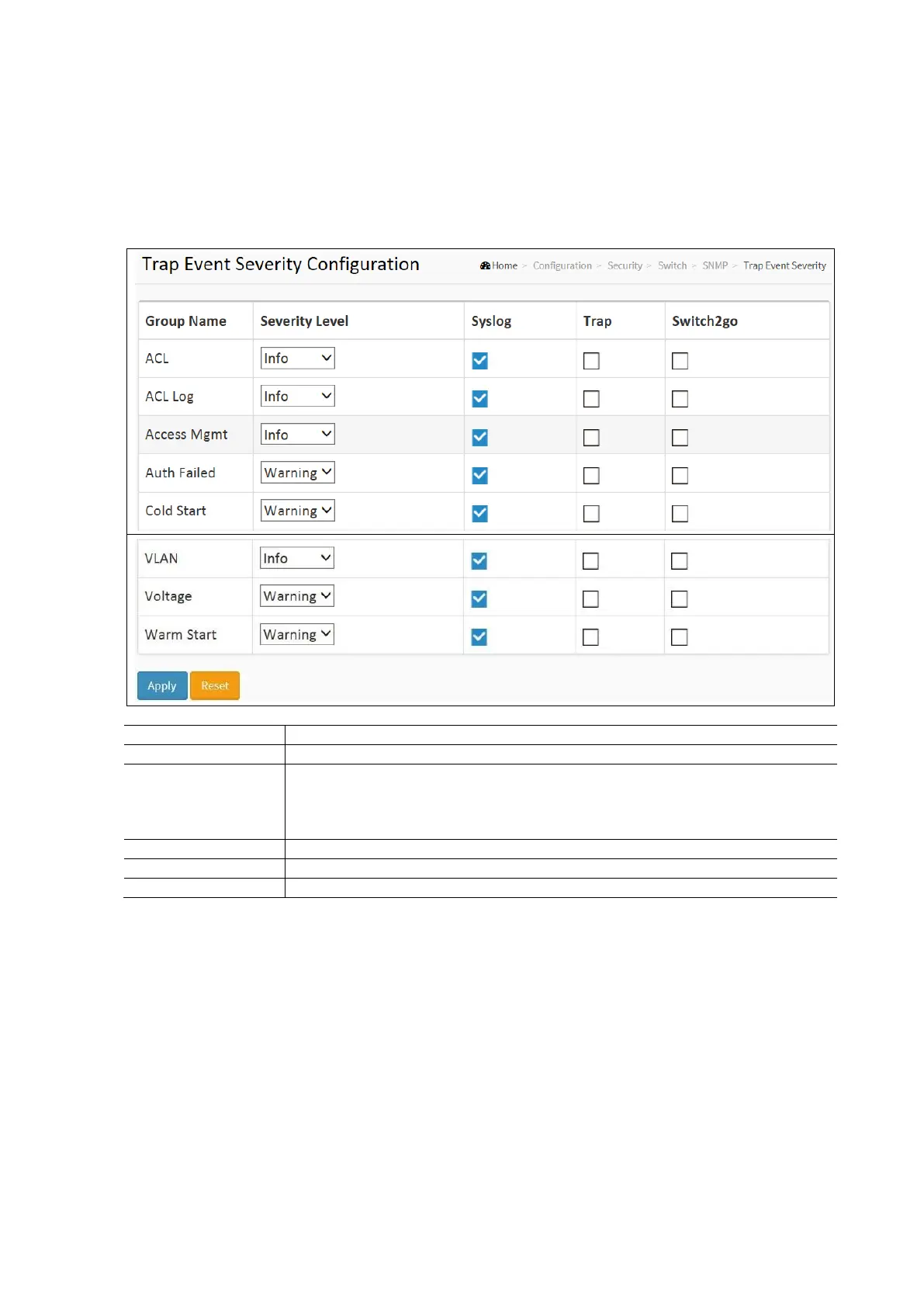
This page displays and configures the current trap event severity configurations.
To configure the Trap Even Severity in the web interface:
Click Configuration / Security / Switch / SNMP / Trap Event Severity.
Scroll to select the Group Name and Severity Level.
Click Apply and click the Save icon in the upper right corner to save the settings or click Reset to cancel. The
Form will return to the previously saved settings.
SNMP Access Configuration Parameters:
The name identifying the severity group
Every group has a severity level. The following level types are supported:
<0> Information: Information messages.
<1> Warning: Warning conditions.
<2> Error: Error conditions.
Enable – Select this Group Name in Syslog.
Enable – Select this Group Name in Trap.
Enable – Select this Group name in SMTP.
RMON
An RMON implementation typically operates in a client/server model monitoring devices that contain RMON software agents
that collect information and analyze packets. These probes act as servers and the Network Management applications that
communicates with them act as clients.
RMON Statistics
Configure RMON Statistic table on this page. The entry index key is ID.
To Configure RMON Statistics in the web interface:
Click Configuration / Security / Switch / RMON / Statistics
Click Add New Entry
Specify the ID parameters.
Click Apply and click the Save icon in the upper right cornerto save the settings or click Reset to cancel. The Form
will return to the previously saved settings.



 To Next Page