65
The table has one row for each RADIUS server and a number of columns, which are:
Delete: To delete a RADIUS server entry, check this box. The entry will be deleted during the
next Save.
Hostname: The IP address or hostname of the RADIUS server.
Auth Port: The UDP port to use on the RADIUS server for authentication.
Acct Port: The UDP port to use on the RADIUS server for accounting.
Timeout: This optional setting overrides the global timeout value. Leaving it blank will use the
global timeout value.
Retransmit: This optional setting overrides the global retransmit value. Leaving it blank
will use the global retransmit value.
Key: This optional setting overrides the global key. Leaving it blank will use the global key.
Click to add a new RADIUS server. An empty row is added to the table, and the RADIUS server
can be configured as needed. Up to 5 servers are supported. The button can be used to undo
the addition of the new server.
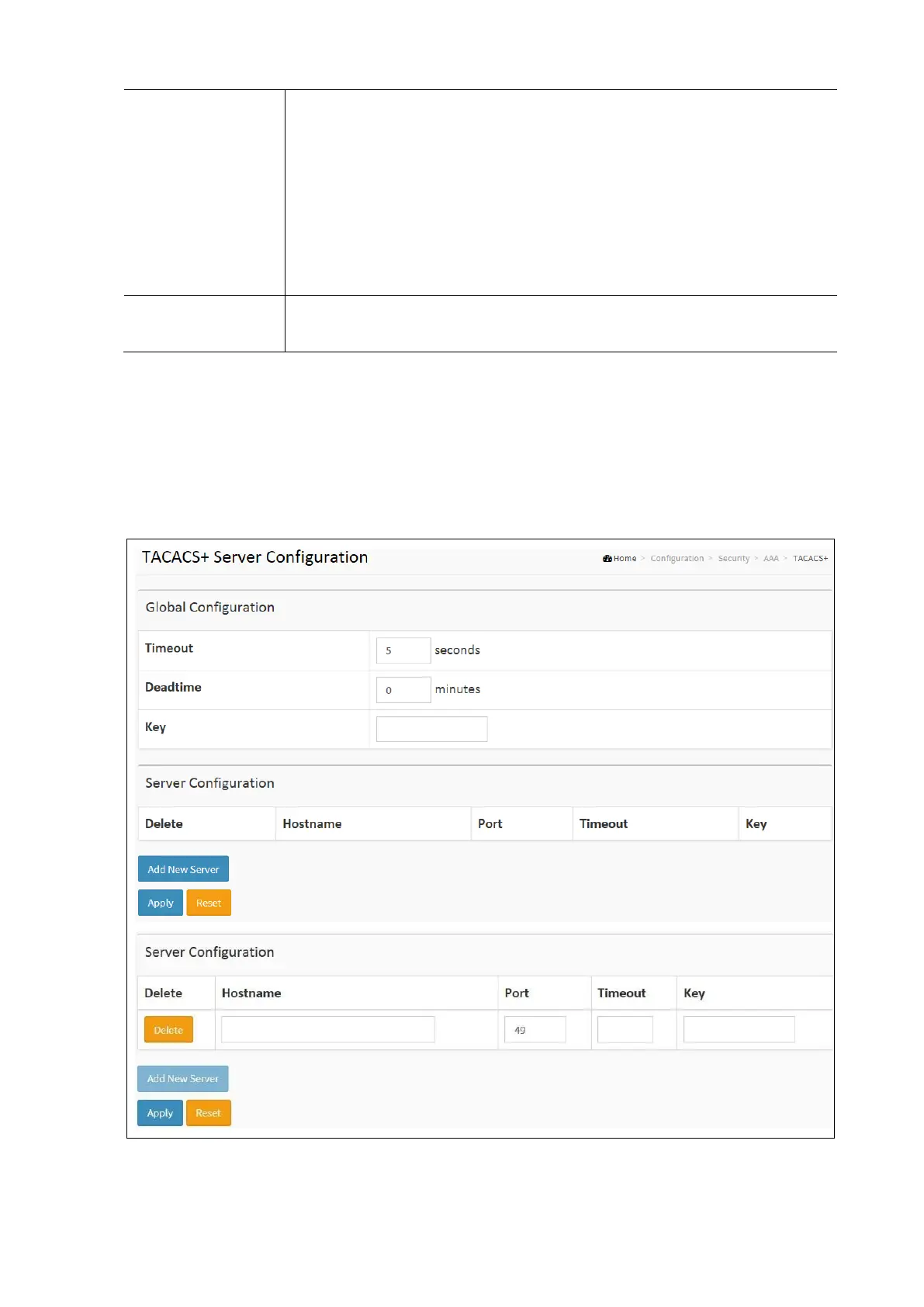
AAA TACACS+
To configure a common AAA, TACACS+ in the web interface:
• Click Configuration / Security / AAA / TACACS+
• Click Delete to delete the entry.
• Click Add New Server to add a new server.
• Enter Hostname, Port, Timeout and Key
• Click Apply and click the Save icon in the upper right corner to save the settings or click Reset to cancel. The
Form will return to the previously saved settings.



 To Next Page