96
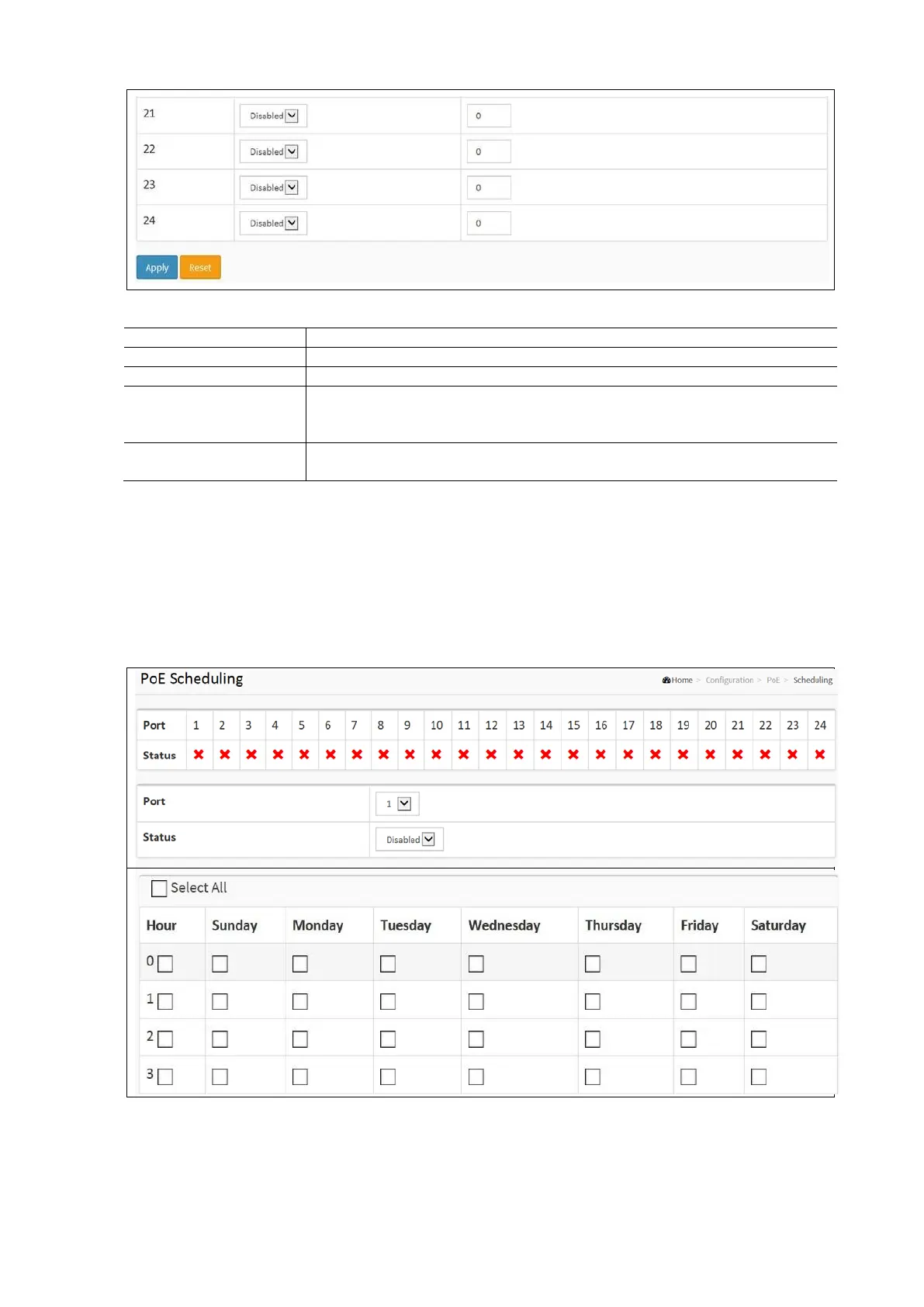
PoE Power Delay Configuration Parameters:
Power Supply Configuration
This is the logical port number for this row.
Turn on / off the power delay function:
Enabled: Enable the PoE Power Delay.
Disabled: Disable PoE Power Delay.
When rebooting, the PoE port will start to provide power to the PD when it out of
delay time. Default: 0, range: 0-300 sec.
PoE Scheduling
This page allows the user to make a perfect schedule of PoE power supply. PoE Scheduling not only makes PoE
management easier but it also saves energy.
To display Power over Ethernet Scheduling in the web interface:
• Click Configuration / PoE / Scheduling
• Select the local port and enable it.
• Select time and day to supply power.
• Click Apply and click the Save icon in the upper right corner to save the settings.



 To Next Page