12
3
FREQUENCY AND CHANNEL SETTING
3
■ Operating band selection
The receiver can receive the AM broadcast, HF bands,
50 MHz, FM broadcast, VHF air, 144 MHz, 300 MHz,
400 MHz, 800 MHz,* 1200 MHz or 2400 MHz.
➥ In VFO mode, push [BAND] several times to select the de-
sired frequency band.
• If the other than VFO mode is selected, such as a memory/Pre-
Set/TV/Weather channel, push [VFO MHz] to select VFO mode
first, then push [BAND] to select the desired band.
➥ While pushing and holding [BAND], rotating [R-DIAL] also
selects frequency band.
Available frequency bands are different depending on ver-
sion. See the specification for details.
*Some frequency ranges are prohibited for the USA ver-
sion due to local regulation.
√
MODE
ANL
AFCTSQL
WFM
76 000
PSKIP
-DUP
√
µ
MODE
ANL
AFCTSQL
FM
146 100
PSKIP
-DUP
001
0
√
MODE
ANL
AFCTSQL
WFM
2 ch
PSKIP
-DUP
TV
√
MODE
ANL
AFCTSQL
FM
1
PSKIP
-DUP
WX
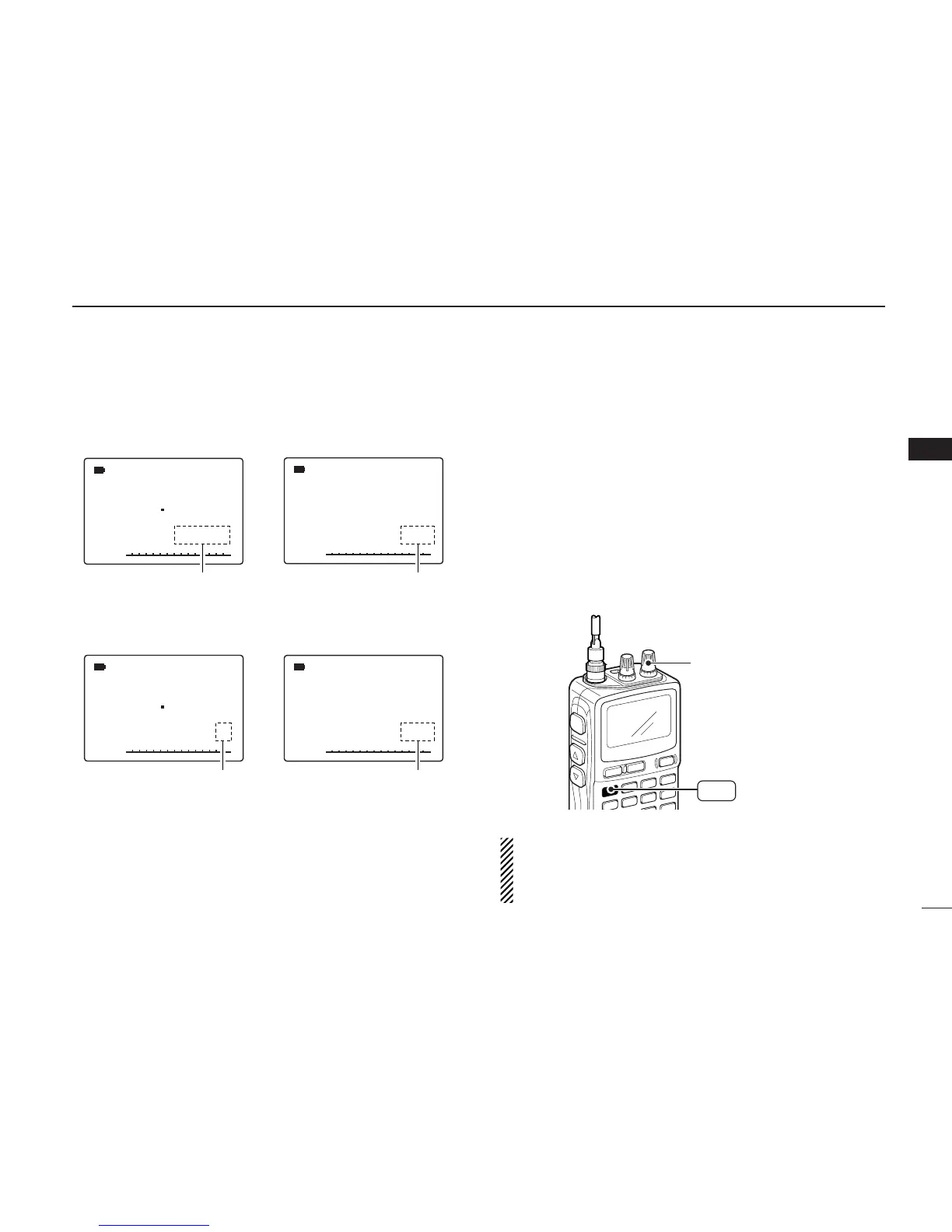
“µ ” and memory channel
number appear.
• PreSet channel indication
• TV channel indication
• Weather channel indication
(USA version only)
• Memory mode indication
PreSet channel number appears.
“TV” indication appears.
“WX” indication appears.



 To Next Page