43
8
PRIORITY WATCH
■ Priority watch operation
DD
Memory channel watch and memory scan watch
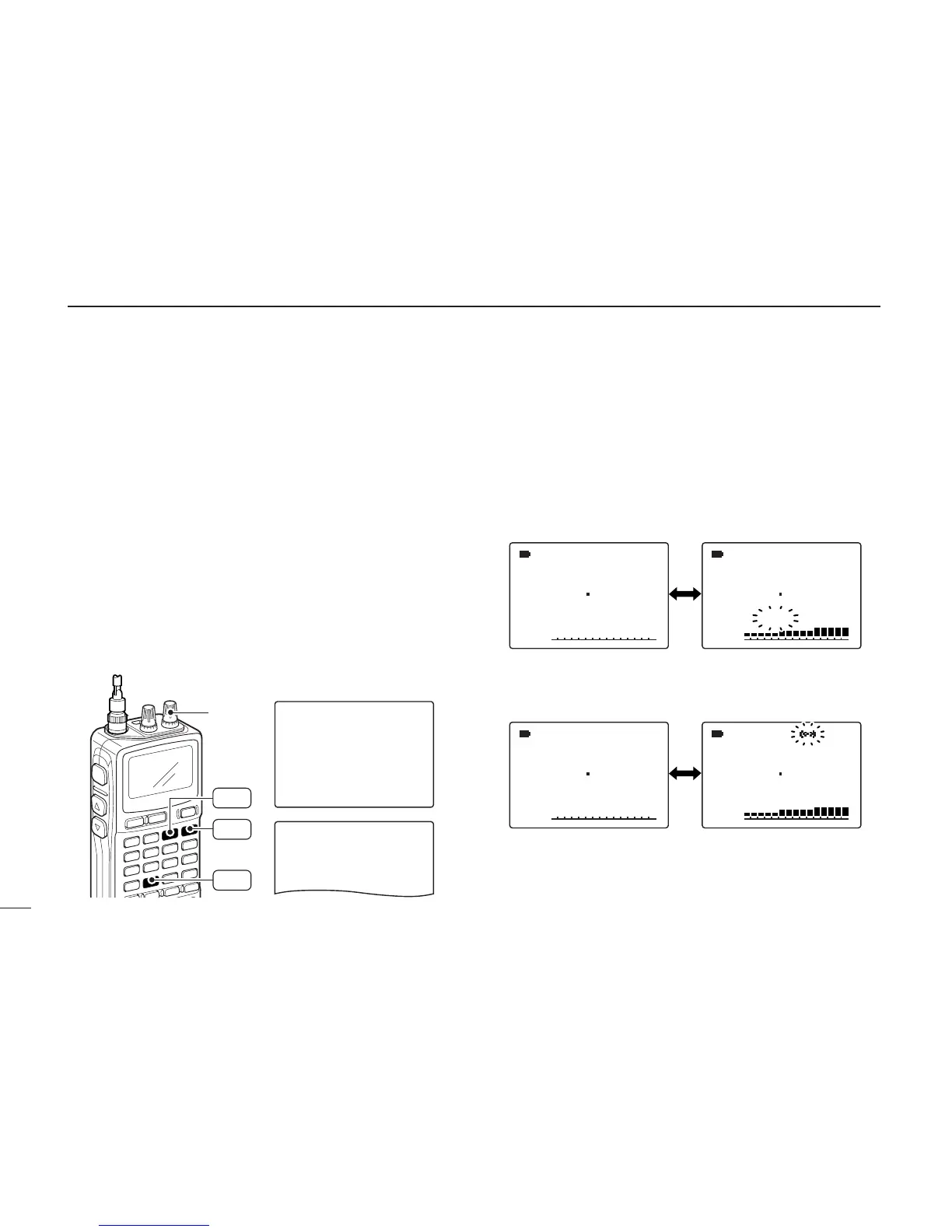
qSelect VFO mode; then, set an operating frequency.
wSet the watching channel(s).
For memory channel watch:
Select the desired memory channel.
For memory scan watch:
Select memory mode, or the desired bank group; then,
push [MODE SCAN] for 1 sec. to start memory/bank scan.
ePush [8 SET] for 1 sec. to enter set mode.
rRotate [R-DIAL] to select “PRIORITY WATCH,” then push
[8 SET].
tRotate [R-DIAL] to turn the priority watch ON, then push
[8 SET].
• Select “BELL” if the priority beep function is necessary.
yPush [DUALWATCH] to exit set mode and start the watch.
• “PRIO” indicator appears.
• The receiver checks the memory/bank channel(s) every 5 sec.
• The watch resumes according to the selected scan resume con-
dition. (p. 41)
uPush [DUALWATCH] to cancel the watch.
001
• During priority watch
Monitors VFO frequency
for 5 sec.
Pauses on a memory
(bank) channel when a
signal is received.
• During priority watch with priority beep
Emits beep and blinks “S” indicator when a signal is re-
ceived on a memory (bank) channel.
-NOISE-BLANKER
-POWER-SAVE
-BACKLIGHT
-BEEP-LEVEL
-KEY-TOUCH-BEEP
>PRIORITY-WATCH
----------------
PRIORITY-WATCH
-BELL
>ON
-OFF
----------------
***-SET-MODE-***
[R-DIAL]
SET
8
MR
S.MW
MODE
SCAN



 To Next Page