EasyManua.ls Logo

Icom IC-R20 - Memory Bank Selection

Icom IC-R20
108 pages
Print Icon
To Next Page IconTo Next Page
To Previous Page IconTo Previous Page
Loading...
28
6
MEMORY CHANNELS
Memory bank selection
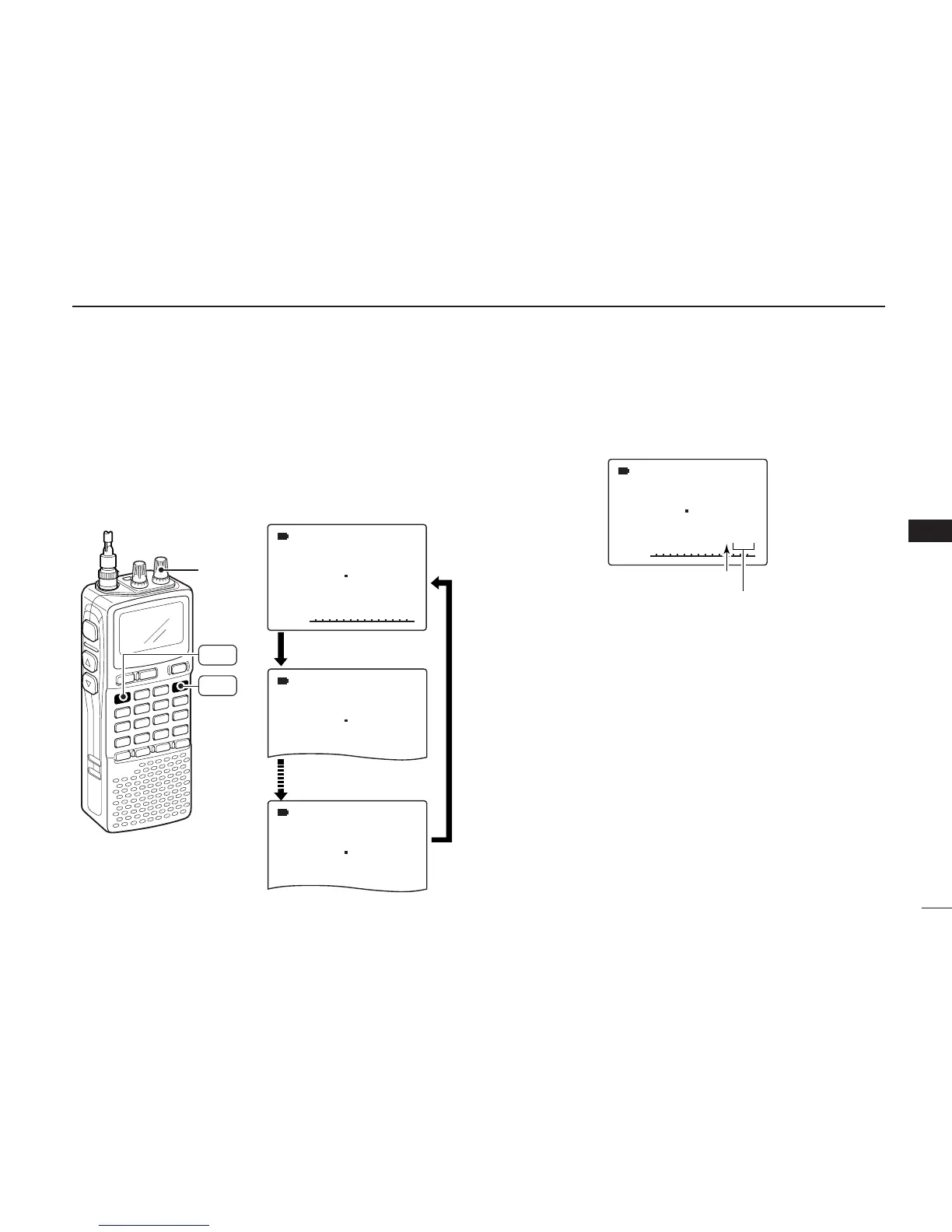
qPush [MR S.MW] to select memory mode.
wWhile pushing [BAND], rotate [R-DIAL] to select the de-
sired bank
(A to Z).
•The bank can also be selected by pushing [BAND] several
times.
Only programmed banks are displayed.
eRotate [R-DIAL] to select the bank channel.
Only programmed channels are displayed.
rTo return to regular memory
condition, rotate [R-DIAL] while
pushing
[BAND], or push [BAND] several times.

ATT
µ
MODE
ANL
AFCTSQL
FM
145 870
PSKIP
-DUP
A99
Bank initial
Bank chanel number
ATT
µ
MODE
ANL
AFCTSQL
FM
145 870
PSKIP
-DUP
001
µ
MODE
ANL
AFCTSQL
AM
118 000
PSKIP
-DUP
A12
µ
MODE
ANL
AFCTSQL
FM
438 720
PSKIP
-DUP
Y01
Rotate [R-DIAL] while
pushing [BAND]
Only the programmed
banks appear.
[R-DIAL]
MR
S.MW
BAND
6

Table of Contents

Other manuals for Icom IC-R20

Related product manuals