26
6
MEMORY CHANNELS
■ General description
The receiver has 1050 memory channels including 50 scan
edge memory channels (25 pairs) for storage of often-used
frequencies. And a total of 26 memory banks, A to Z are avail-
able for usage by group, etc. Up to 100 channels can be as-
signed into a bank.
DD
Memory channel contents
The following information can be programmed into memory
channels:
• Operating frequency (p. 14)
• Receive mode (p. 16)
• Duplex direction (+DUP or –DUP) with an offset fre-
quency (p. 20)
•Tone squelch or DTCS squelch ON/OFF (p. 45)
•Tone squelch frequency or DTCS code with polarity
(p. 46)
• Scan skip information* (p. 39)
■
Memory channel programming
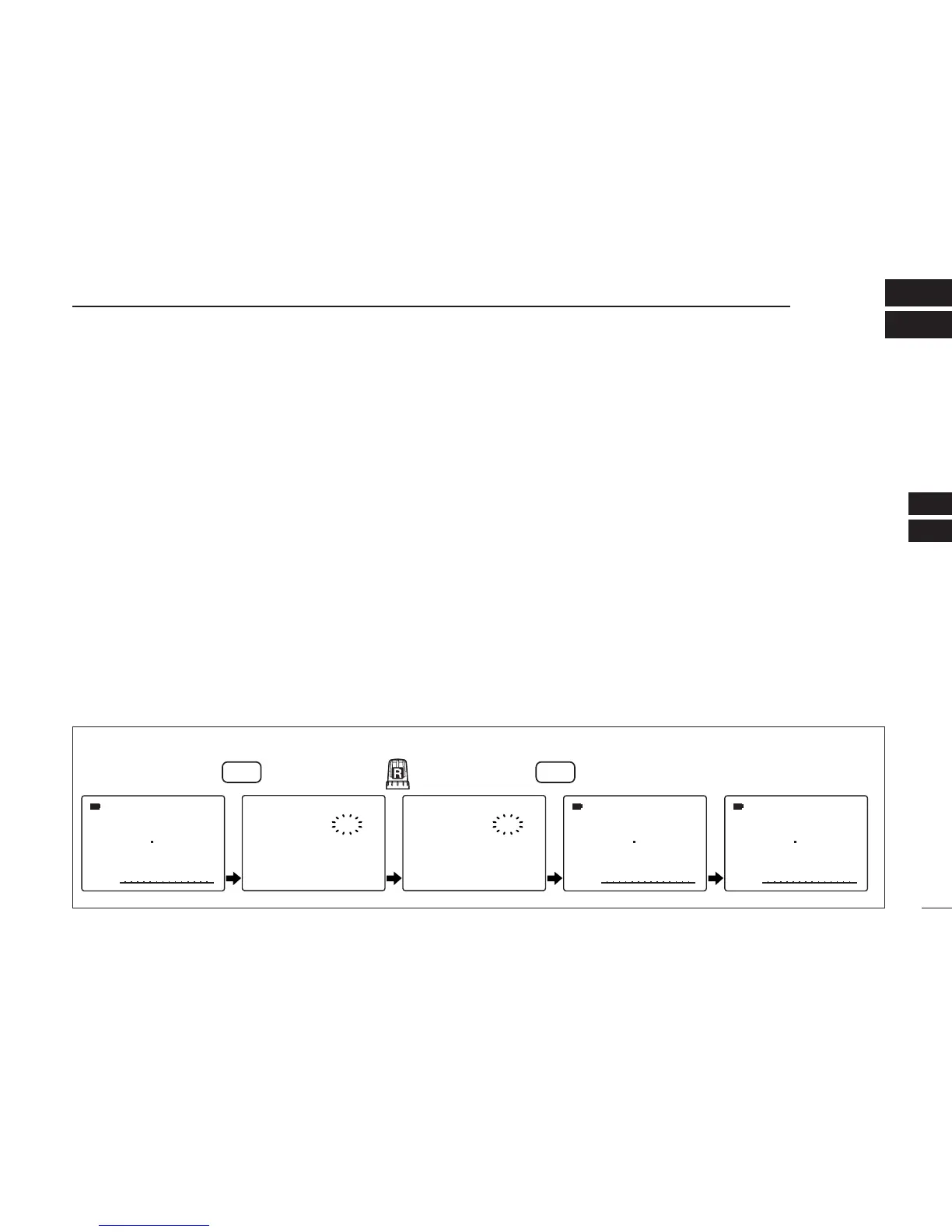
qPush [VFO MHz] to select VFO mode.
wSet the desired frequency:
➥ Select the desired band with [BAND].
➥ Set the desired frequency with [R-DIAL].
➥ Or set the desired frequency with [KEYPAD].
➥ Set other data
(e.g. offset frequency, duplex direction, tone
squelch, etc.), if desired.
ePush [MR S.MW] for 1 sec. to select the select memory
write condition.
•1 short and 1 long beep sound.
•“
µµ
” indicator blinks.
rRotate [R-DIAL] to select the desired channel.
• Scan edge channel, 00A/B to 24A/B can also be selected.
tPush [MR S.MW] for 1 sec.
•3 beeps sound
• Memory channel number automatically increases when contin-
uing to push [MR S.MW] after programming.
[EXAMPLE]: Programming 145.870 MHz into memory channel 20 (blank channel).



 To Next Page