35
7
SCAN OPERATION
■ Full/band/programmed scan
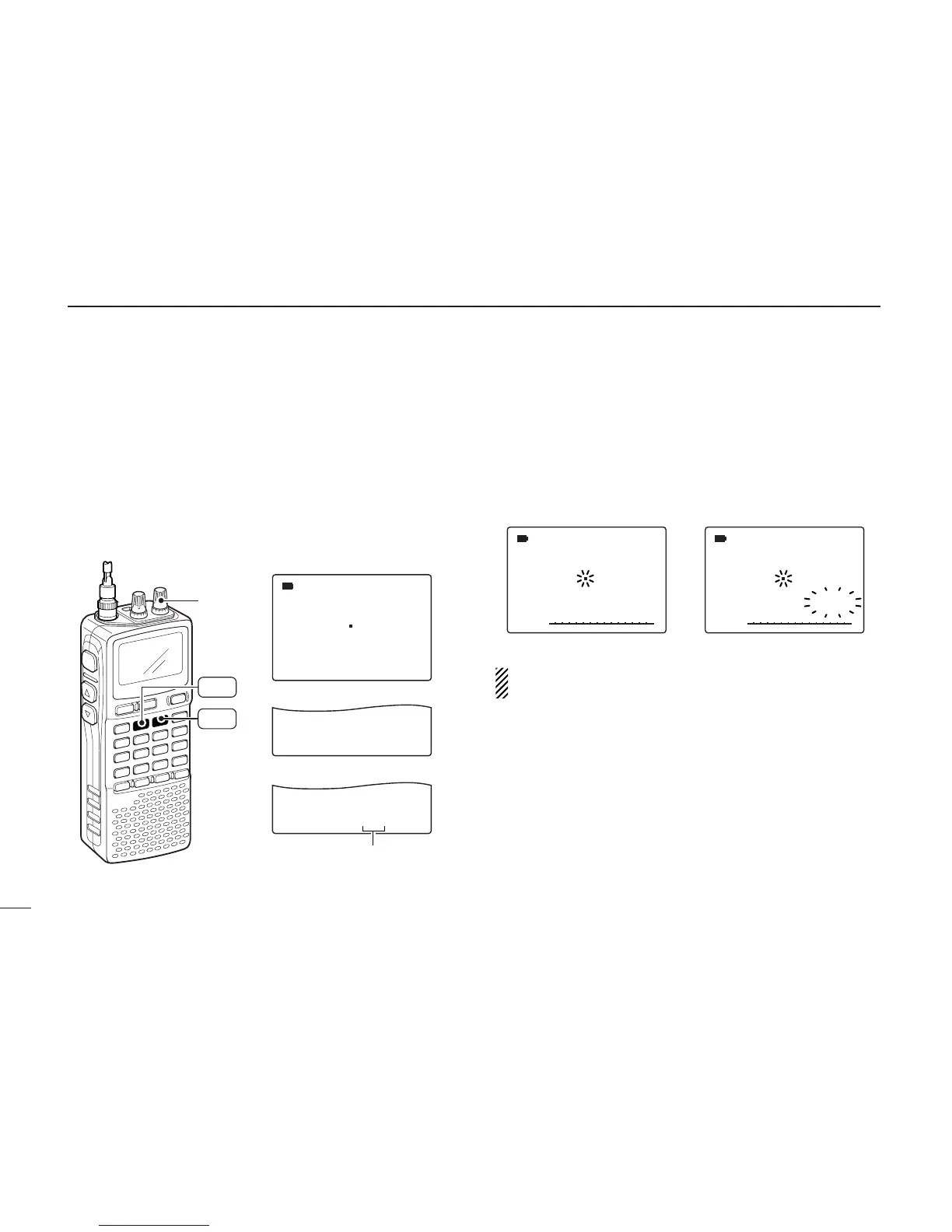
qSelect VFO mode with [VFO MHz].
• Select the desired frequency band with [BAND], if desired.
wSet the squelch level.
eWhile pushing and holding [MODE SCAN], rotate [R-DIAL]
to select the desired scanning type.
• “ALL” for full scan; “BAND” for band scan, “PROG-xx” for pro-
grammed scan (xx= 0 to 24; programmed scan edges numbers
only displayed)
rTo start the scan, release [MODE SCAN].
• Scan pauses when a signal is received.
• Rotate [R-DIAL] to change the scanning direction, or resumes
manually.
• Push [DUALWATCH] again to stop the scan.
About the scanning steps: The selected tuning step in
each frequency band (in VFO mode) is used during scan.



 To Next Page