48
9
COMFORTABLE RECEIVING
■ Tone scan
By monitoring a signal that is being operated with pocket
beep, tone or DTCS squelch function, you can determine the
tone frequency or DTCS code necessary to open a squelch.
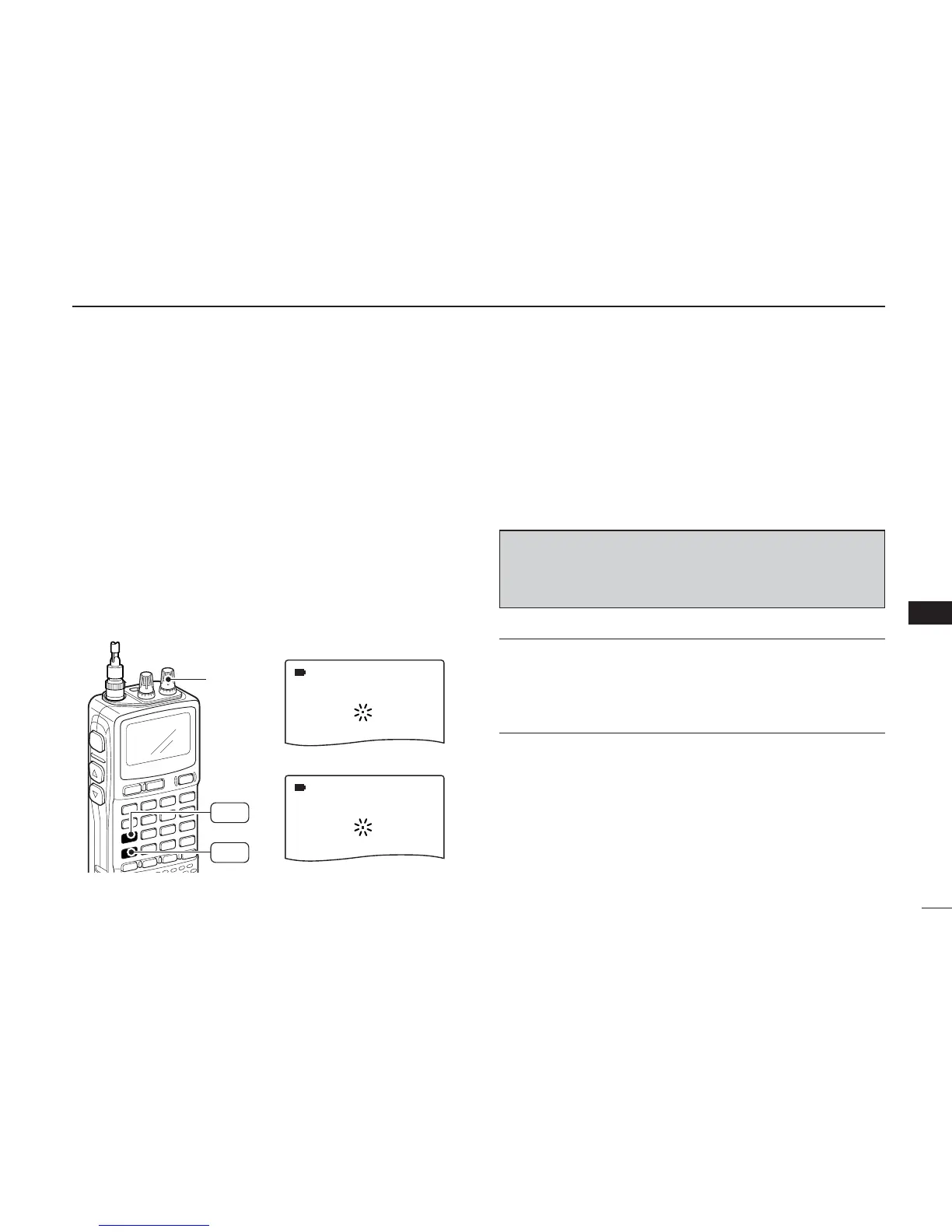
qSet the frequency to be checked for a tone frequency or
code.
wTurn the desired tone type, tone squelch or DTCS, ON by
holding [7 TONE] with turning [R-DIAL].
• One of “TSQL” or “DTCS” appears.
• Even when the pocket beep function is activated, the function is
cancelled when starts the tone scan.
ePush [4 T-SCAN] for 1 sec. to start the tone scan.
•To change the scanning direction, rotate [R-DIAL].
r When the CTCSS tone frequency or 3-digit DTCS code is
matched, the squelch opens and the tone frequency or
code is temporarily programmed into the selected condi-
tion, such as memory channel.
• The tone scan pauses when a CTCSS tone frequency or 3-digit
DTCS code is detected.
✔
For your convenient!
Even if no tone type is selected, either tone squelch or DTCS,
pushing [4 T-SCAN] for 1 sec. will also start tone scan. In this
case, the tone scan searching for tone squelch frequency
only.
☞ NOTE: The decoded tone frequency or code is pro-
grammed temporarily when a memory channel is se-
lected. However, this will be cleared when the memory
channel is re-selected.



 To Next Page