26
6
6
MEMORY/CALL OPERATION
This function transfers a memory channel’s contents to
VFO (or another memory/Call channel). This is useful when
searching for signals around a memory channel frequency
and for recalling the offset frequency, subaudible tone fre-
quency etc.
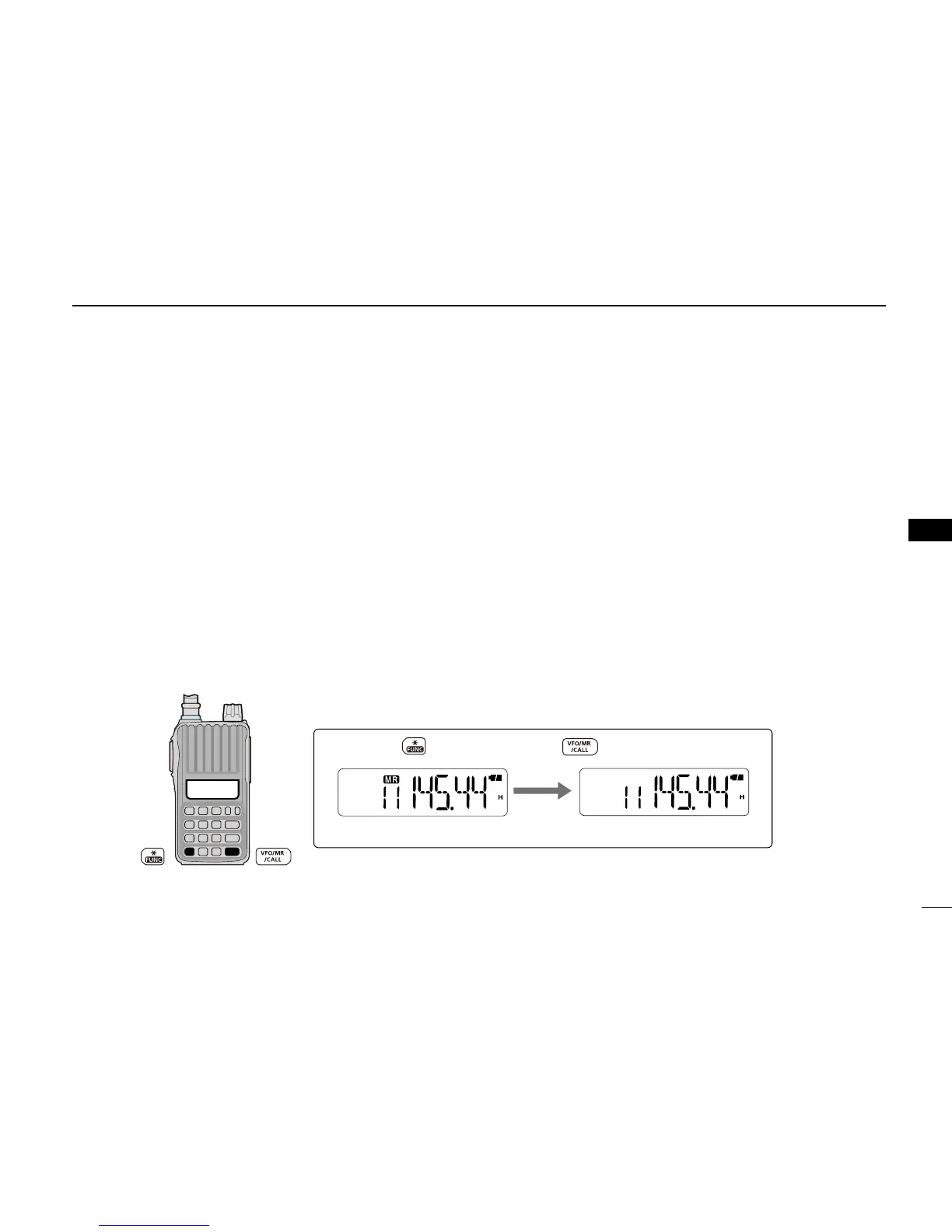
D Memory/Call➪VFO
q Select a memory (Call) channel to be copied.
➥ Push [VFO/MR/CALL] several times to select the
memory or Call channel mode, and then push [] or
[] to select a desired channel.
w Push [FUNC](M), and then push and hold [VFO/MR/
CALL] for 1 sec. to transfer the selected memory contents
to the VFO mode.
• The VFO mode is automatically selected.
D Memory/Call➪memory/Call
q Select a memory or Call channel to be copied.
➥ Push [VFO/MR/CALL] several times to select the
memory mode or the Call channel mode, and then
push [] or [] to select a desired channel.
w Push [FUNC](M), and then push [VFO/MR/CALL].
• “X” and “--” blink.
• Do not hold [VFO/MR/CALL] for more than 1 sec., otherwise
the memory contents will be copied to the VFO mode.
e Push [] or [] to select the target memory or Call chan-
nel.
r Push [FUNC](M), and then push and hold [VFO/MR/
CALL] for 1 sec. to copy.



 To Next Page