30
7
■ Memory Scan
A memory scan repeatedly scans memory channels, except
those set as skip channels.
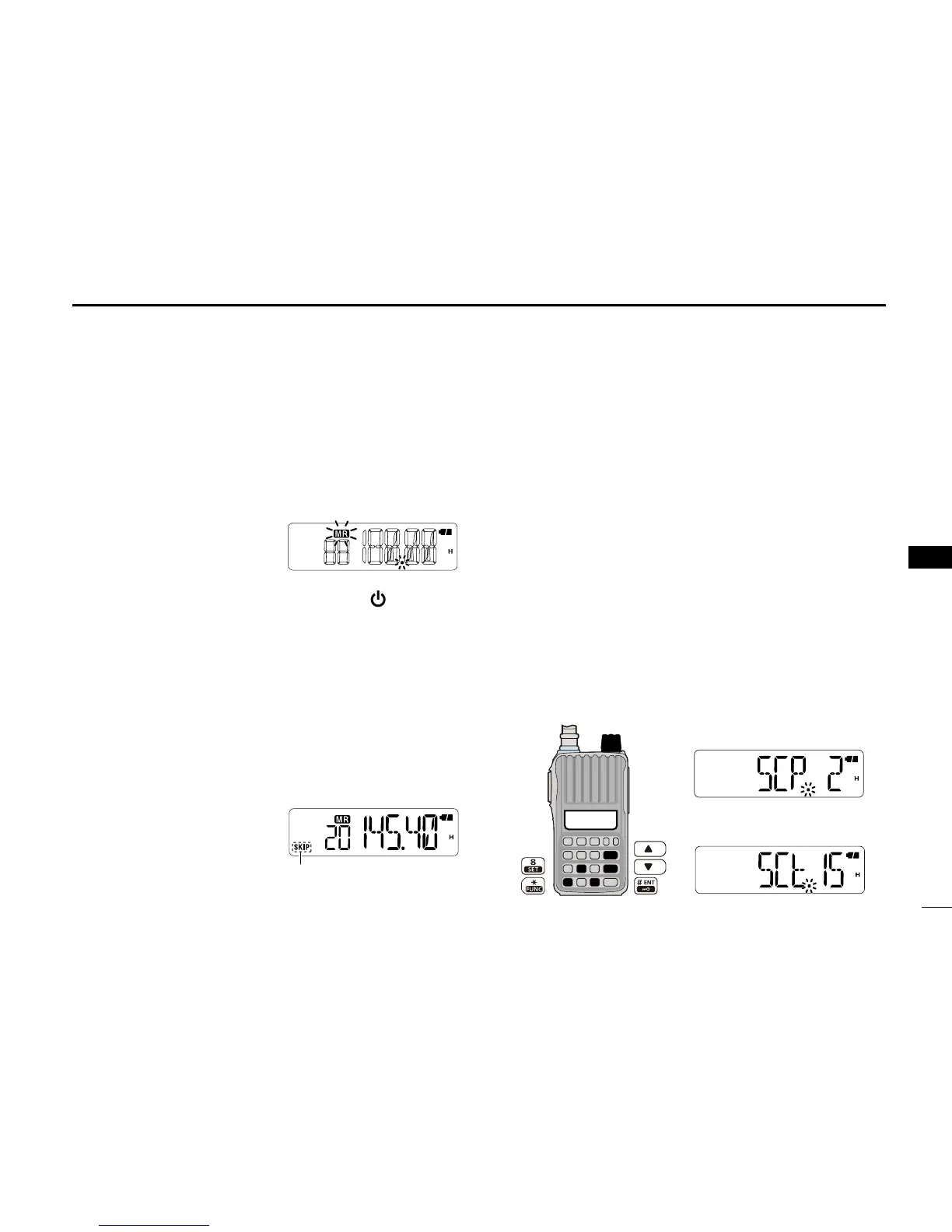
q Push [VFO/MR/CALL] several times to select the mem-
ory mode.
• “X” appears.
w P u s h [ F U N C ] ( M ) , t h e n
[SCAN](5) to start the scan.
• To change the scan direction,
push [] or [].
e To cancel the scan, push any key except [ ], []/[],
[MONI] or [FUNC](M).
■ Setting skip channels
In order to speed up the scan rate, you can set the memory
channels you don’t want to scan as skip channels.
q Select a memory channel to be skipped.
➥ Push [VFO/MR/CALL] several times to select the
memory mode, and then push [] or [] to select a
desired channel.
w Push [FUNC](M), and then
[SKIP](6) to turn the skip
setting ON or OFF.
•
“SKIP” appears when the chan-
nel is set as a skip channel.
■ Scan resume setting
When a signal is received during a scan, the scan resume
setting determines what action the transceiver takes. The
transceiver has 2 scan resume settings, as described below.
Use the Set mode to select the one which best suits your
needs.
q
Push [FUNC](M), and then [SET](8) to enter the Set mode.
w Push [] or [] to select the scan pause timer item (SCt,
or SCP).
e Rotate [VOL] to select a desired scan pause option.
• Pause scan
The scan pauses until the received signal disappears,
and then resumes after 2 sec.
• Timer scan
The scan pauses for 5 sec., 10 sec. or 15 sec., and then
resumes.
r Push [# ENT] to exit the Set mode.



 To Next Page