18
4
BASIC OPERATION
1
2
3
4
5
6
7
8
9
10
11
12
13
14
15
16
17
18
19
D By other methods
Via the [
YY
]/[
ZZ
] keys
➥ Push [
YY
] or [
ZZ
] several times to set the desired frequency.
• Each push increases/decreases the frequency by the selected
tuning step. See next set of instructions for setting tuning step
size.
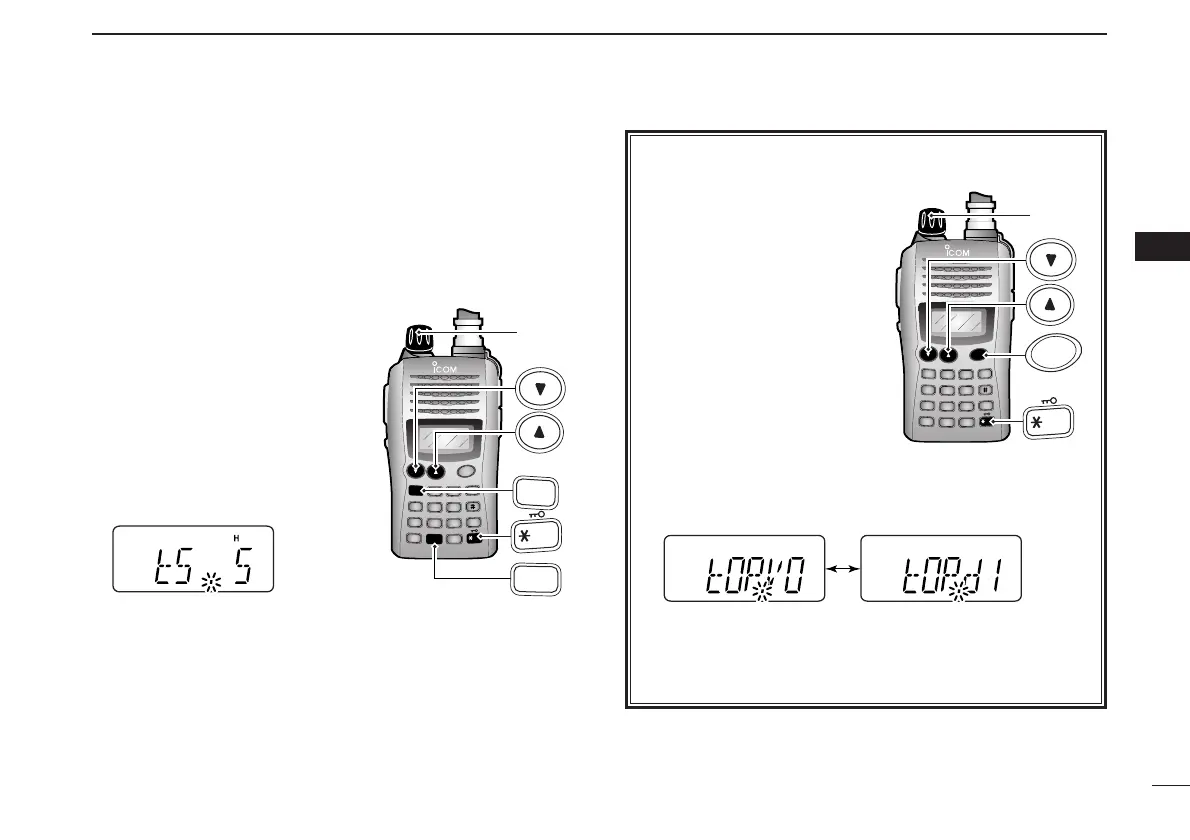
D Tuning step selection
The IC-V85 has 8 tuning steps—
5, 10, 12.5, 15, 20, 25, 30 and
50 kHz. The tuning step is selec-
table in
SET MODE
.
qPush [FUNC] then [
SET
](8) to
enter
SET MODE
.
wPush [
YY
] or [
ZZ
] several times
to select the tuning step item.
eRotate [VOL] to select the desired tuning step.
rPush [✱
ENT
] (or [CLR]) to exit
SET MODE
.
✔ For your information— [VOL] function assignment
The [VOL] control can be
used as a tuning dial for fre-
quency tuning instead of
[
YY
]/[
ZZ
] keys. However, when
[VOL] functions as tuning
dial, [
YY
]/[
ZZ
] keys function as
volume control.
qWhile pushing and holding
[
YY
] and [
ZZ
], turn power
ON to enter
INITIAL SET
MODE
.
w Push [
YY
] or [
ZZ
] several
times to select the dial as-
signment item, “tOP.”
e Rotate [VOL] to select the condition.
r To exit
INITIAL SET MODE
, push [✱
ENT
] (or [CLR]).



 To Next Page