28
6
MEMORY/CALL OPERATION
1
2
3
4
5
6
7
8
9
10
11
12
13
14
15
16
17
18
19
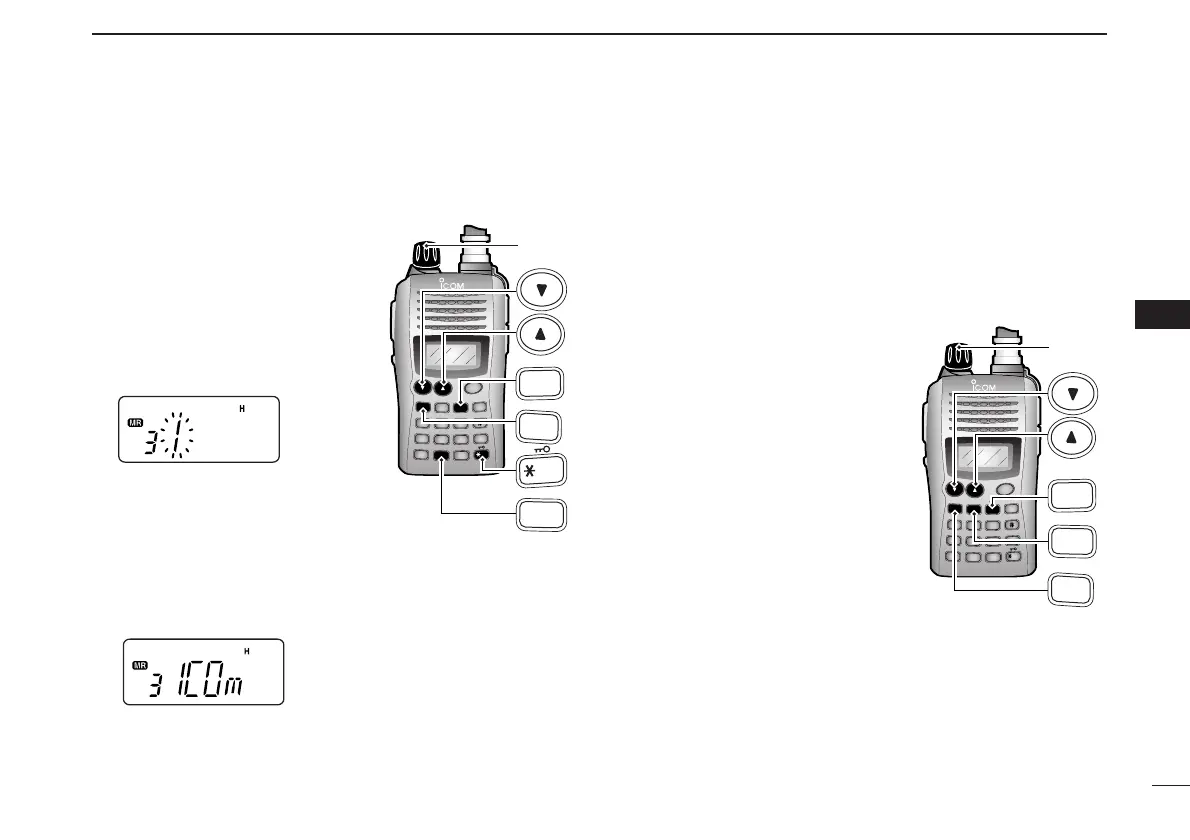
■ Channel name programming
qSelect a “Channel Name Indication” type in
INITIAL SET
MODE
(p. 53).
wPush [MR] to select memory
mode, if necessary.
ePush [FUNC], then push
[
SET
](8) to enter to the channel
name programming mode.
• The character to be edited blinks.
rRotate [VOL] to select a char-
acter.
tPush [
YY
] to move the cursor to
right, [
ZZ
] to move the cursor to
left.
• Up to 5 characters can be used for channel name.
• Usable characters are A–Z, 0–9, “space,” +, –, =, ✱, /, [, ] and :.
y Push [✱
ENT
] (or [CLR]) to set the name and exit the chan-
nel name programming mode.
■ Memory transfers
This function transfers a memory channel’s contents to VFO
(or another memory/call channel). This is useful when search-
ing for signals around a memory channel frequency and for
recalling the offset frequency, subaudible tone frequency etc.
D Memory/call ➾ VFO
qSelect the memory (call) chan-
nel to be transferred:
➥ Push [MR] (or [CALL]) to se-
lect memory (call channel)
mode.
➥ Push [
YY
] or [
ZZ
] to select the
memory channel.
• When [VOL] is assigned as
tuning dial, rotate [VOL] to se-
lect the memory channel. (pgs.
18, 53)
wPush [FUNC], then push and
hold [MR] for 1 sec. to transfer
the selected memory contents
to the VFO.
• VFO mode is selected automatically.



 To Next Page