37
8
SCAN OPERATION
■ Skip channels
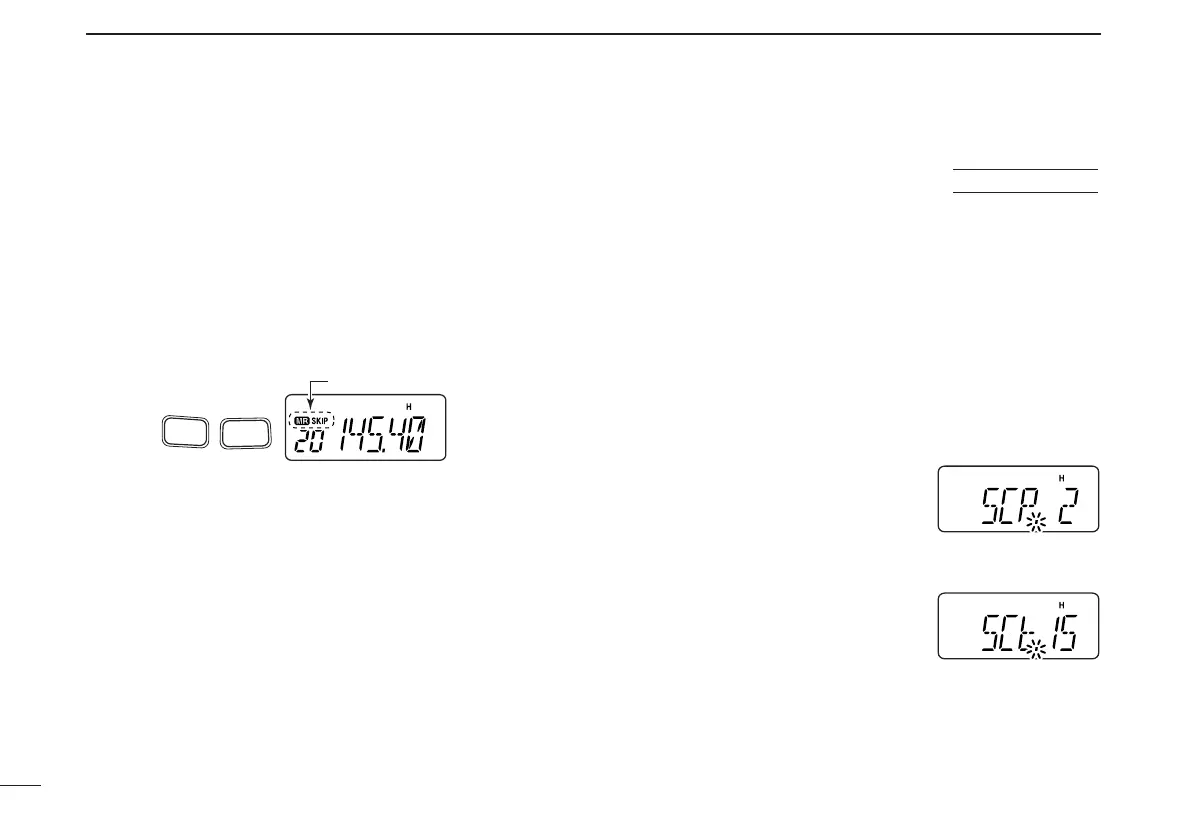
In order to speed up the scan rate, you can select memory
channels you don’t wish to scan as skip channels.
qPush [MR] to select memory mode, if necessary.
•“
X
” appears.
wSelect a memory channel to set as a skip channel.
ePush [FUNC] and [
SKIP
](6) to toggle the skip setting ON
and OFF.
• “SKIP” appears when the channel is set as a skip channel.
■ Scan resume condition
When a signal is received during scanning, the scan resume
condition determines what action the transceiver takes. The
transceiver has 2 scan resume conditions available as
illustrated below. Use
SET MODE
to select the one which best
suits your needs.
qPush [FUNC], then push [
SET
](8) to enter
SET MODE
.
wPush [
YY
] or [
ZZ
] several times until “SCP” or “SCt” ap-
pears.
eRotate [VOL] to select the desired scan resume condition.
• Pause scan:
When receiving a signal, scan pauses
on the signal until it disappears. Re-
sumes 2 sec. after the signal disap-
pears.
• Timer scan:
When receiving a signal, scan pauses
on the signal for 5 sec., 10 sec. or 15
sec., then resumes.
r Push [✱
ENT
] (or [CLR]) to set and
exit
SET MODE
.



 To Next Page