24
5
REPEATER OPERATION
1
2
3
4
5
6
7
8
9
10
11
12
13
14
15
16
17
18
19
DD
Tone information
Some repeaters require different tone system to be accessed.
DTMF TONES
While pushing [PTT], push the desired DTMF keys ([0]–[9],
[A], [B], [C], [D], [#] and [✱]) to transmit DTMF tones.
• [✱] transmits tone “E,” [#] transmits tone “F.”
•The transceiver has 16 DTMF memory channels (p. 32).
1750 Hz TONE
While pushing [PTT], push [
YY
] or [
ZZ
] to transmit a 1750 Hz
tone signal.
✔ Convenient
Tone scan function: When you don’t know the subaudible
tone used for a repeater, the tone scan is convenient for de-
tecting the tone frequency.
Push [FUNC], then push [
T
.
SCAN
](3) to start the tone scan.
• Push [CLR] to cancel the scan.
• When the required tone frequency is detected, the scan pauses.
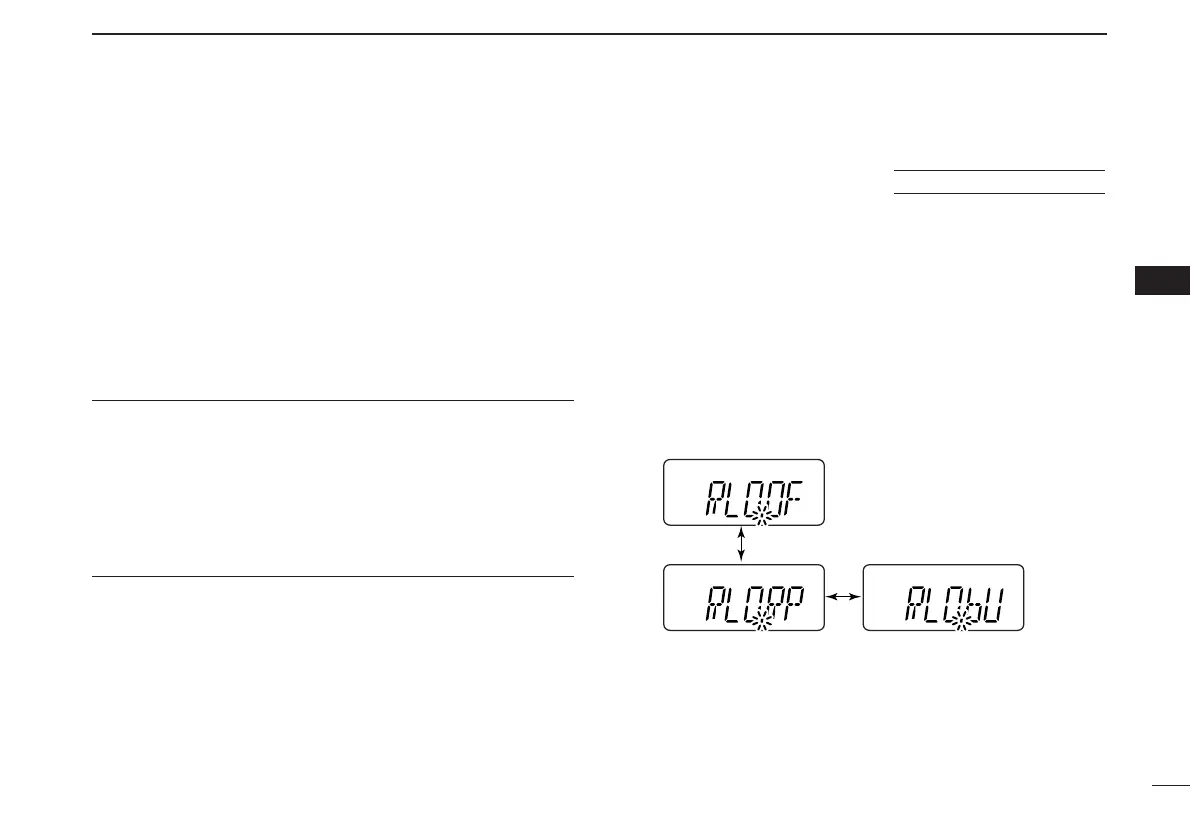
■ Repeater lockout
This function helps prevent interference to other stations by
inhibiting your transmission when a signal is received. The
transceiver has two inhibiting conditions, repeater and busy.
q While pushing and holding [
YY
] and [
ZZ
], turn the power ON
to enter
INITIAL SET MODE
.
w Push [
YY
] or [
ZZ
] several times until “RLO” appears.
e Rotate [VOL] to select the repeater lockout function to
“RP,” “bU” or OFF.
• “RP”: Transmit is inhibited when a signal with un-matched sub-
audible tone is received.
• “bU”: Transmit is inhibited when a signal is received.
r Push [✱
ENT
] (or [CLR]) to exit
INITIAL SET MODE
.
USING
INITIAL SET MODE



 To Next Page