ClearMark™ Installation, Operation & User Manual – Page 17
V 1.S.10 January 2021
LED Indicators and Buttons
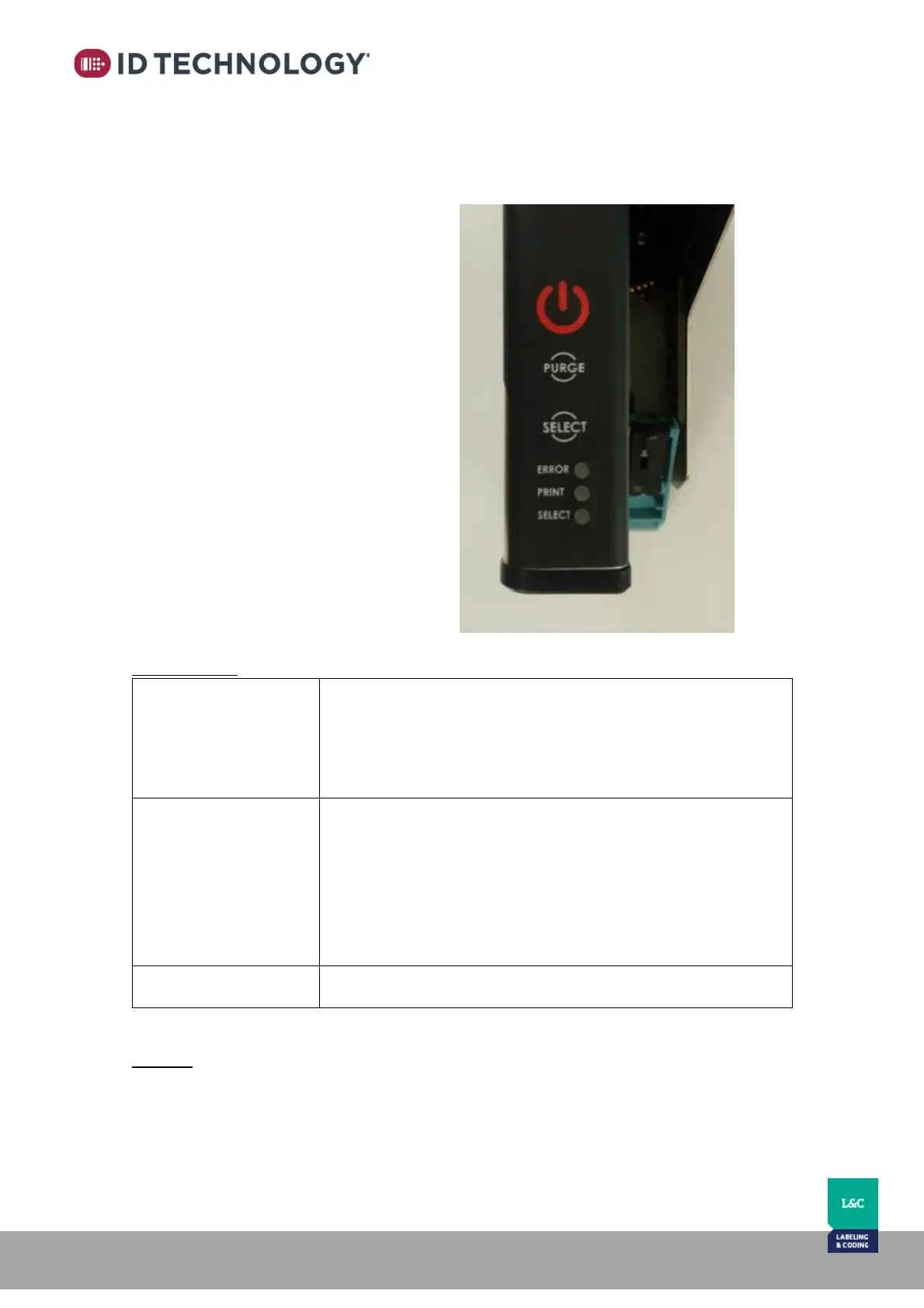
Located on the top of the printer are 3 LEDs to indicate the printer's status and 3 buttons to
provide basic operating functions.
Button 1 – Start / Stop Print
Button 2 – PURGE
Button 3 – Selection of messages / options
LED1 'ERROR': Error indicator
LED2 'PRINT': Print indicator
LED3 'SELECT': Selected message indicator
OFF: there is no active error
ON Steady: Power/communication to the print cartridge is off
ON Blinking: there is an active error
ON Steady: The printer is not in print mode: it is PAUSED
ON Flashing - every 500 ms (once per second): print mode is
enabled
ON Flashing - every 250 ms (twice per second): the message is
being printed.
Indicates the USB message selected to print – See Basic Operations
'Message Selection'.
Buttons:
See section “Basic Operations > Buttons” for a detailed explanation.



 To Next Page