ClearMark™ Installation, Operation & User Manual – Page 53
V 1.S.10 January 2021
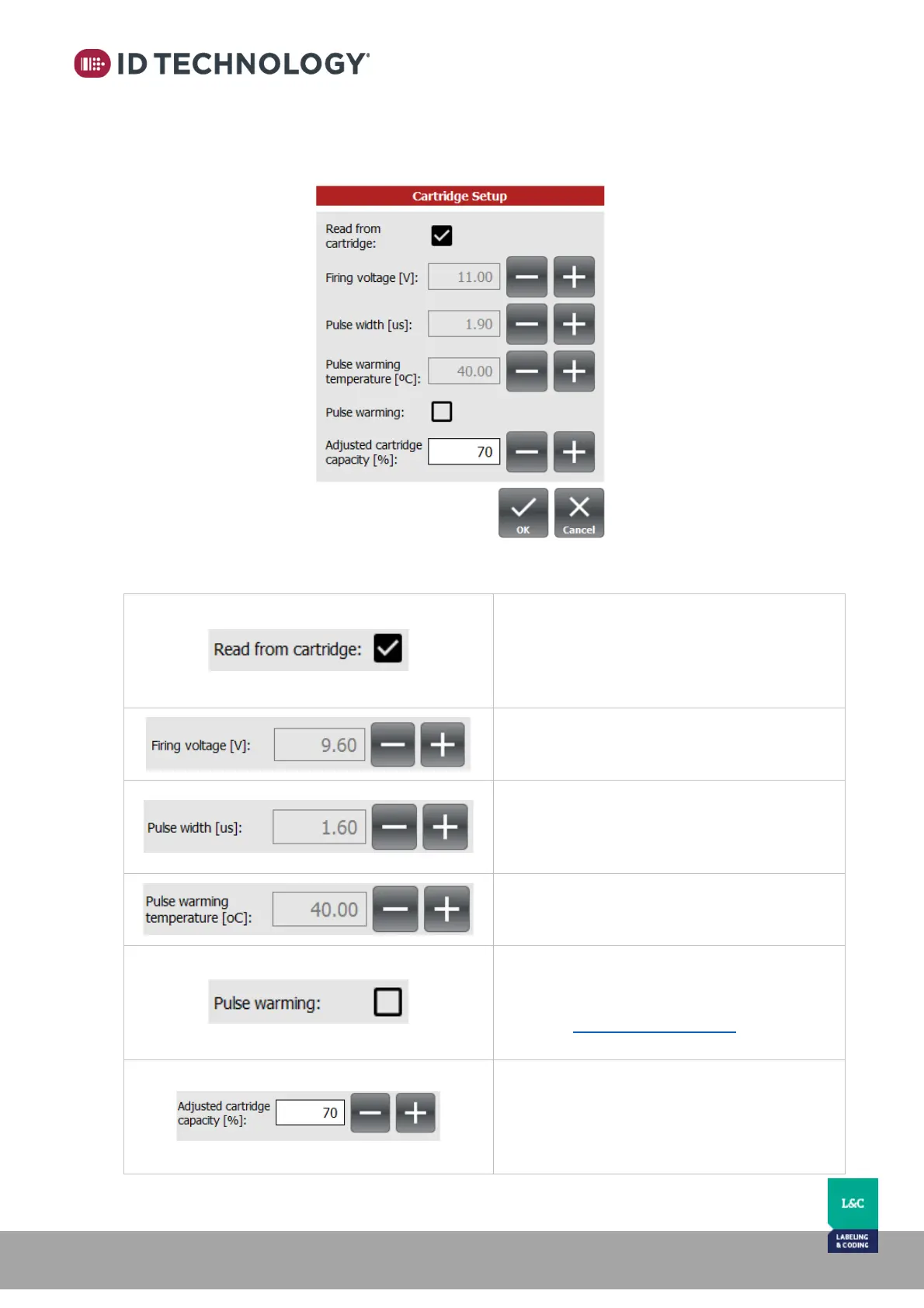
Cartridge Setup
This submenu displays cartridge info and the ability to alter cartridge settings.
Read from cartridge:
(Default is checked) Automatically select
reading from cartridge every time a new
cartridge is inserted. Or setup manually if
unchecked.
Firing voltage [V]:
Set the firing voltage of the cartridge if
automatic Read from cartridge is not checked.
Pulse width [μs]:
Set the pulse width if Read from cartridge is not
checked.
Pulse warming temperature [ºC]:
Set the Pulse warming temperature (in ºC) if
Read from cartridge is not checked.
Pulse warming:
If Pulse warming is enabled, the PCA board
controls the temperature to the set point.
Note: See Printhead Temperature for more
details.
Adjusted cartridge capacity [%]:
Adjusts cartridge capacity depending on the
physical position of the printer and the type of
ink used. The low-level ink warning will be
triggered at 90% of the value entered.



 To Next Page