How to create a message with a Composite Item
TIJ printer allows to design messages with multiple items in one field that are composed of other
items.
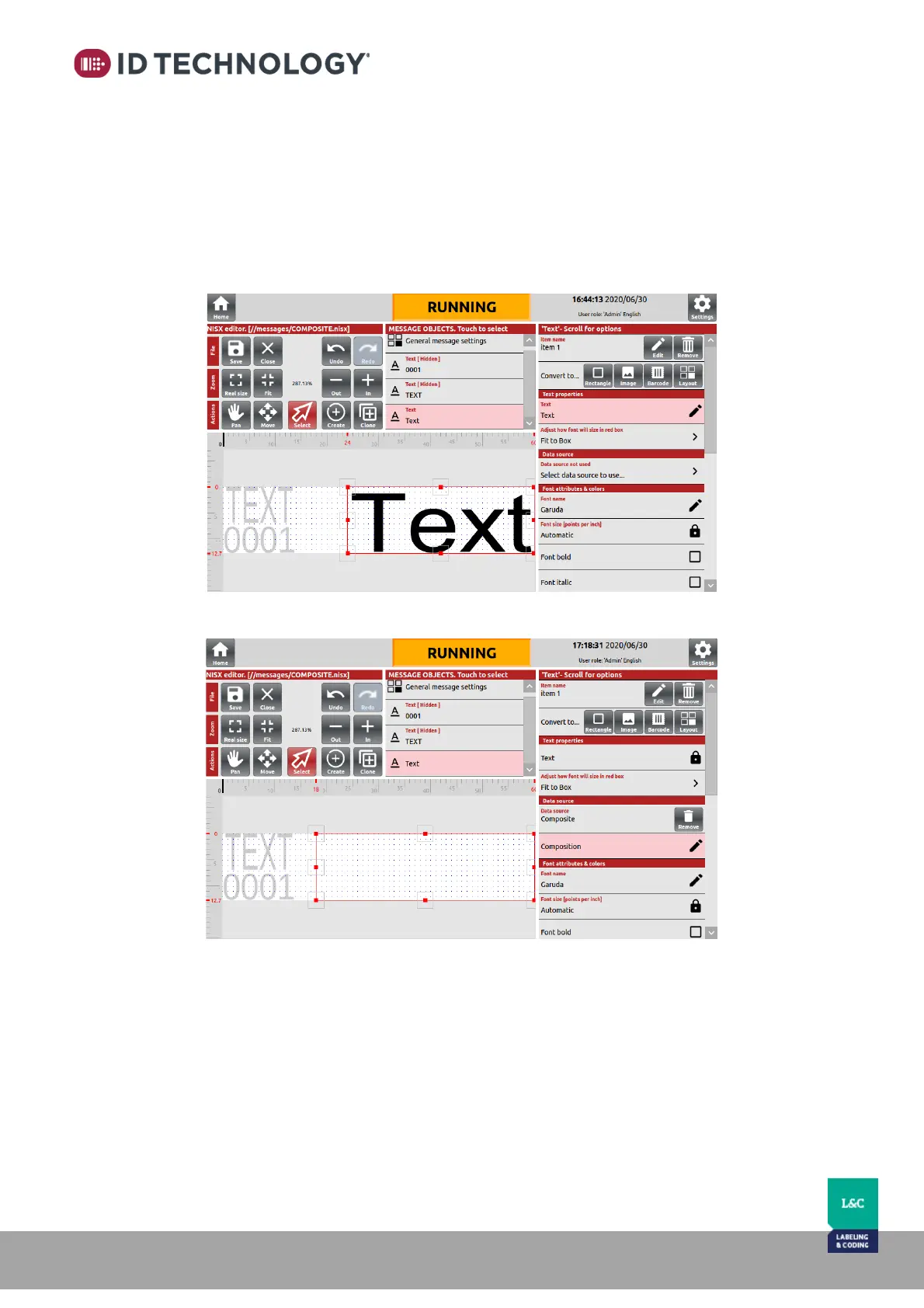
To create a composite item, follow these steps:
1. Go to the message editor.
2. Add or edit an item.
3. Select item to be used as a composite and select “Composite” in the Data source menu.
4. Tap on “Composition” to access to the “Composite creation assistant”.



 To Next Page