Level 2- Print Settings
These menus appear when you click on the icons on the Level 1 menu. They are shown in detail
below:
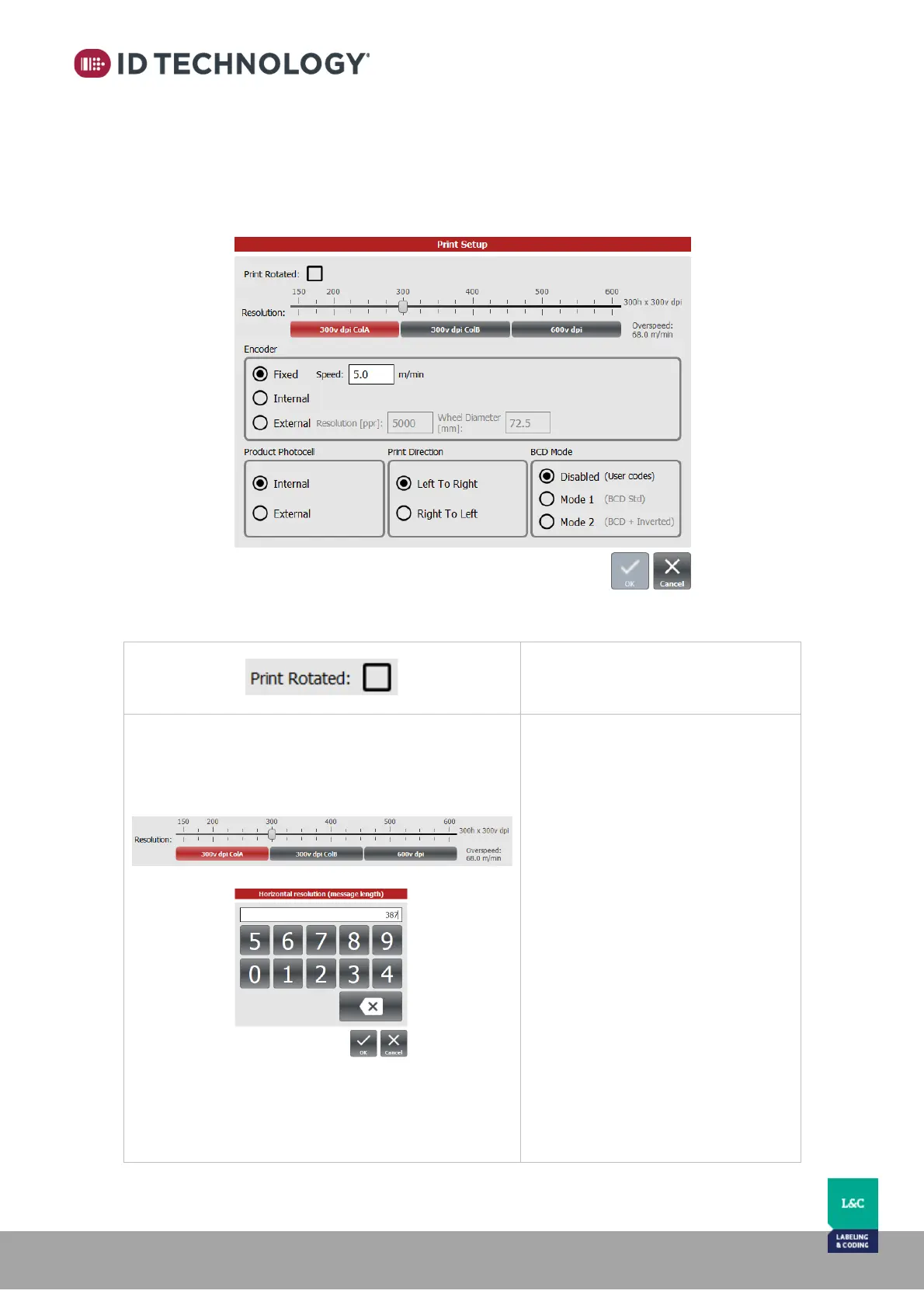
Print setup:
This submenu shows the print related options.
Settings are detailed in the table below:
Resolution:
To adjust the print resolution:
- Horizontal resolution: drag
the slider to the desired dpi.
The slider will increase or
decrease in steps of 25. Press
and hold on the slider area to
manually configure with
keypad.
- Vertical resolution: use the
buttons to select Nozzle Row
A only or Nozzle Row B only
for 300 dpi. Or select 600 dpi.
Note: Resolution is showed horizontal
x vertical in dpi and the maximum
speed limit for the configured
resolution in displayed in m/min.
See chapter “Print resolution” for
detailed explanation.



 To Next Page