Adjusting Printhead Throw Distance
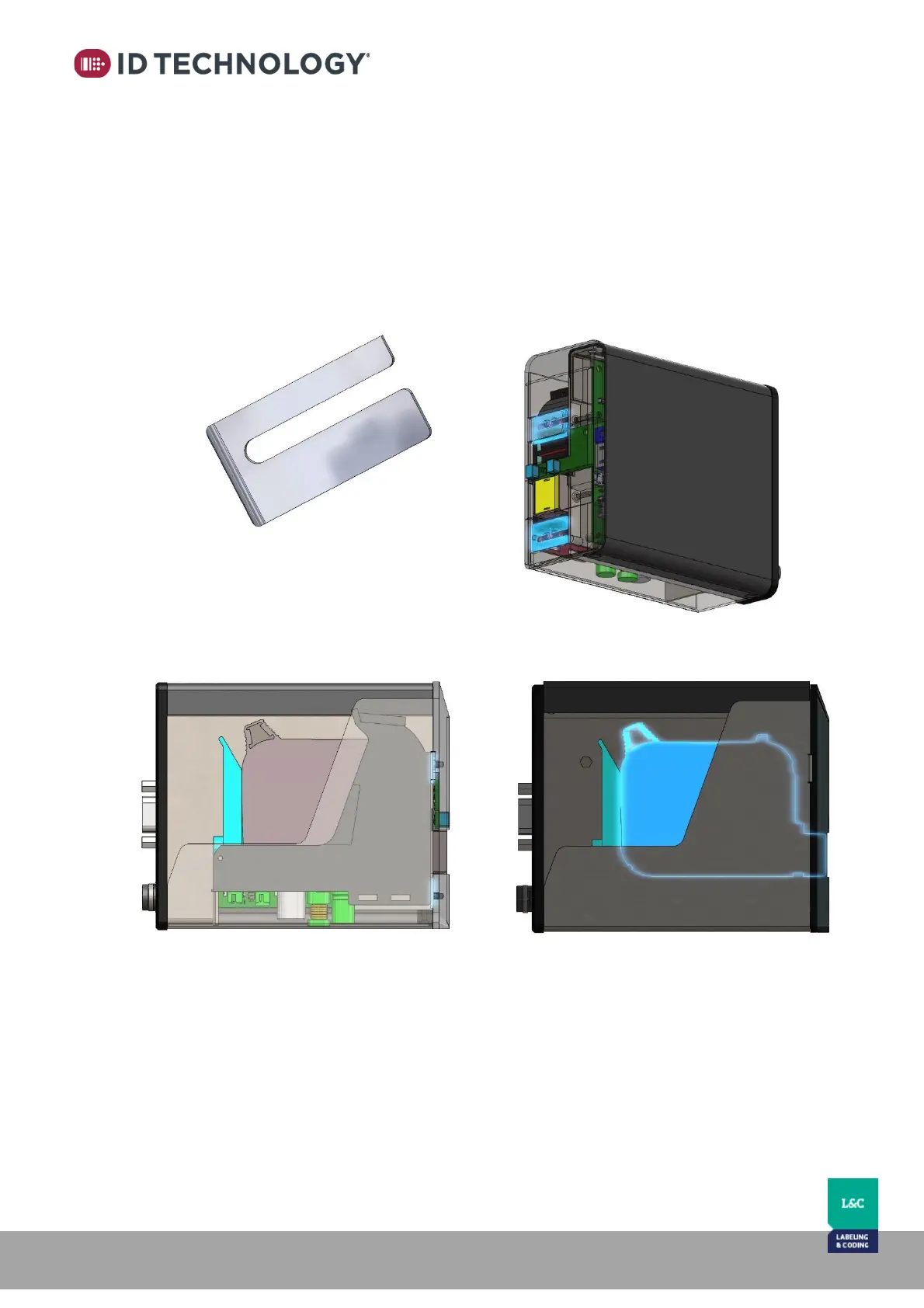
Thermal Inkjet technology requires a distance to product of approximately 2-3 mm. This is the
distance between the front of the printer and the surface to be printed on. If this distance is
exceeded, the print quality will be negatively affected.
In applications where risk of impact is eliminated or if there is a specific need to get closer to the
product surface, the printhead cartridge can be adjusted to extend out and be flush with the
faceplate of the printhead. The result is an extended reach of roughly 2mm. This is achieved by
removing a spacer plate from between the cartridge stall and the front plate. (See Appendix 5
for more detail on this spacer).
There are 2 of these spacers in each printhead
Cartridge position with spacers installed Cartridge position spacers removed



 To Next Page