ClearMark™ Installation, Operation & User Manual – Page 50
V 1.S.10 January 2021
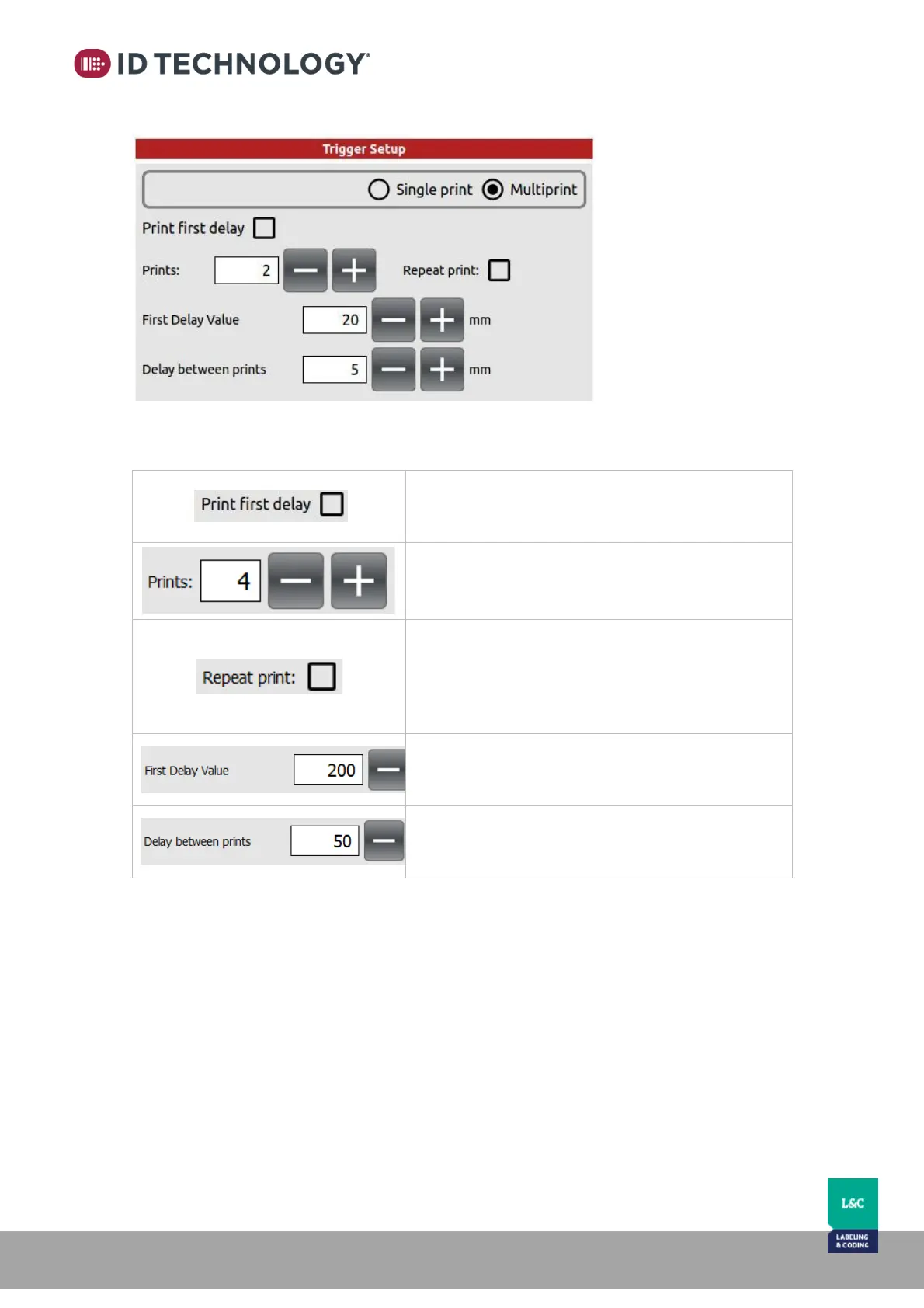
Multiprint:
Detailed below:
Print first delay:
Prints in constant black the configured print delay.
This is intended to assist the installation setup.
Prints:
Select how many prints will be executed per each
print signal.
Repeat print:
Selects if all the printed messages are the same or
they differ: i.e. with prints set to 4, counter will print
0001,0001,0001,0001,0002,0002,0002,0002,0003,00
03,0003,0003…etc.
First Delay Value:
Delay (mm) applied after receiving the print signal to
start the print sequence.
Delay between prints:
Delay (mm) applied between each print within the
sequence.



 To Next Page