Appendix 2 – PC Software Use: Modes, Configuration and Options
The PC Software user interface is the same software as that running on the 10” HMI and does
offer some additional functions that are explained below.
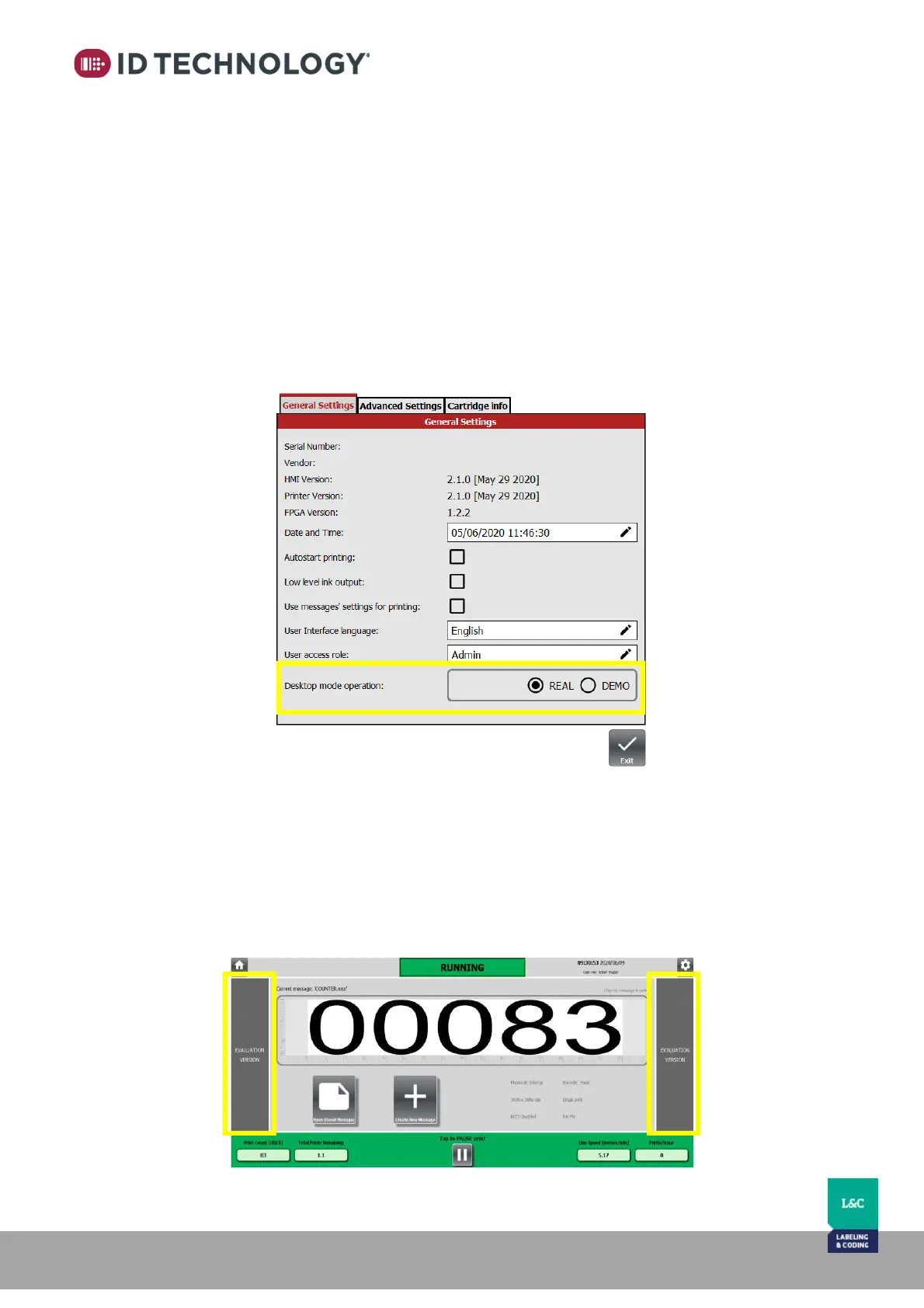
Desktop operation mode
There are two operation modes:
- DEMO: simulates a connection with a real printer and allows navigation of the menus
within the user interface. Messages can be created but not saved.
- REAL: Operation is the same as using the 10” HMI and in this mode, it is possible to save
the designed messages on the PC to be transferred to a head later.
To change the operation mode: go to “Settings > General Settings”
Demo mode
Once in demo mode, there is no connection with a real TIJ Printer (if there was it is removed). It
simulates that there is a printer connected and shows all navigation menus.
When demo mode is enabled, two columns will appear on both sides of the main and settings
screen to indicate that the HMI is running in demo mode. Some options and features are not
available in Demo mode.



 To Next Page