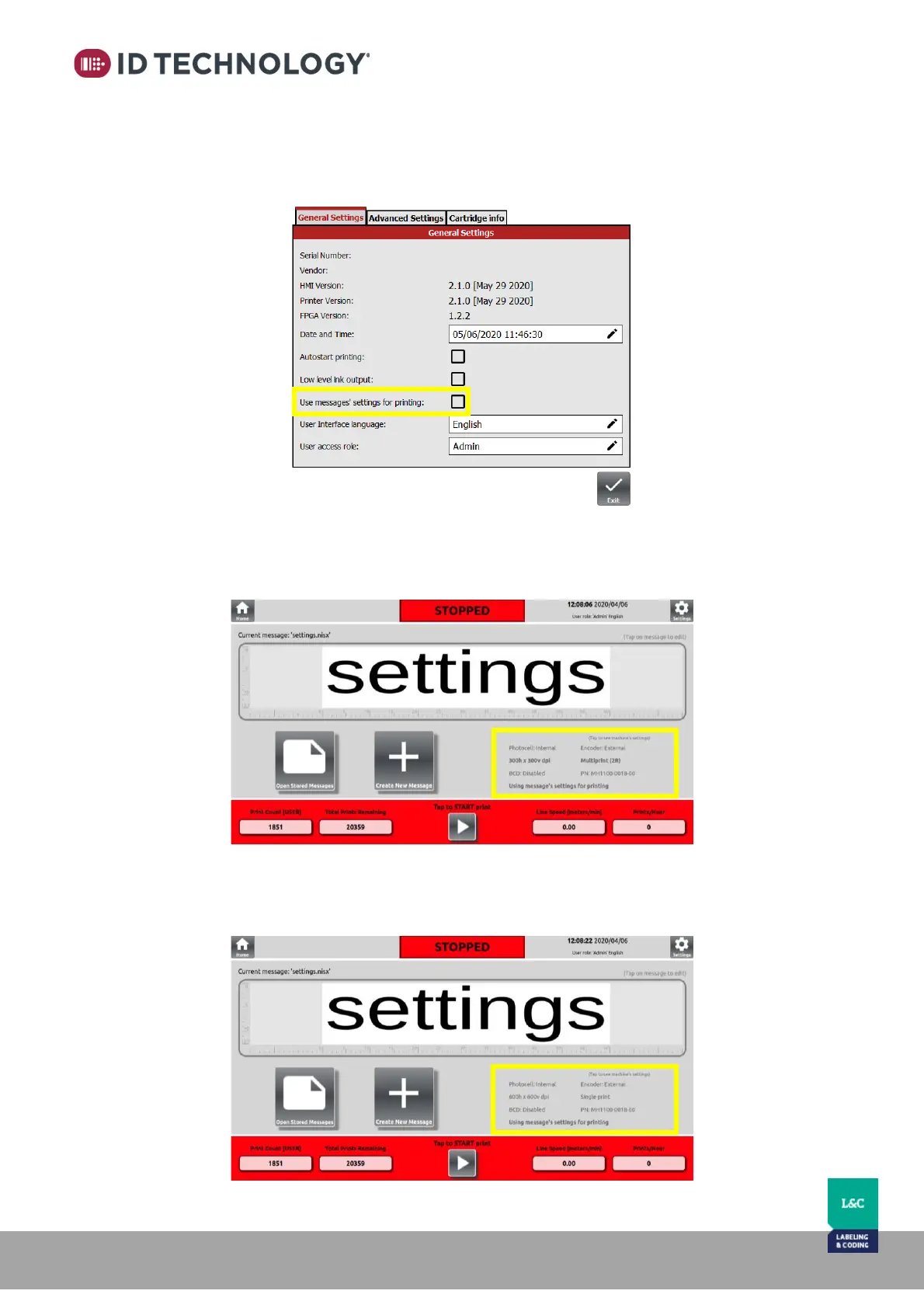
Print using local message settings instead of the global printer settings:
To print using the current message settings instead of the general global printer settings, go to
the “General Settings” screen and activate “Use messages’ settings for printing”:
Once enabled and if current message selected for printing has the settings in it, the printer will
use the message parameters for printing. This will be confirmed with an on-screen notification
on the main screen that displays the message control parameters in bold text:
To quickly view the global printer settings, tap and hold on the printer settings area. Any bold
text will switch to non-bold to show you the global setting as longs as you press on the screen.



 To Next Page