ClearMark™ Installation, Operation & User Manual – Page 83
V 1.S.10 January 2021
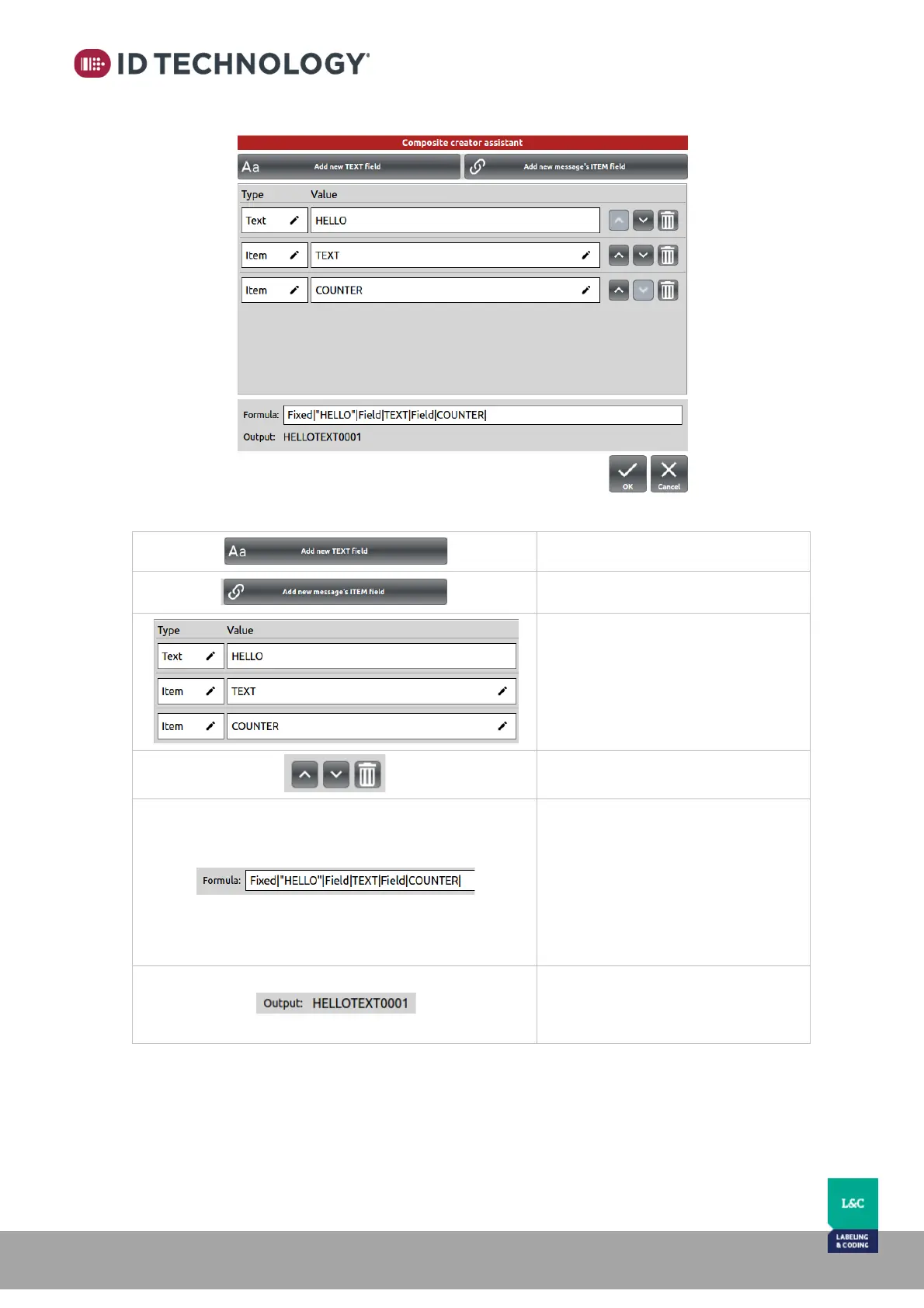
The “Composite Creator assistant” dialogue that will appear:
Explanation of buttons:
Button to add a new TEXT field.
Button to add a new ITEM field.
Table of fields that compose the
formula.
It is possible to edit the type and the
value by tapping on the pencil; icon
of each.
Move fields up, down or remove.
Formula of the composed item.
This field is editable but only works
if the syntaxis is as follows:
- For fixed TEXT:
Fixed|”value”|
- For message’s ITEM link:
Field|item’s name|
The Output is the formula’s result.
So, it is the composed item’s value
which will be printed.



 To Next Page