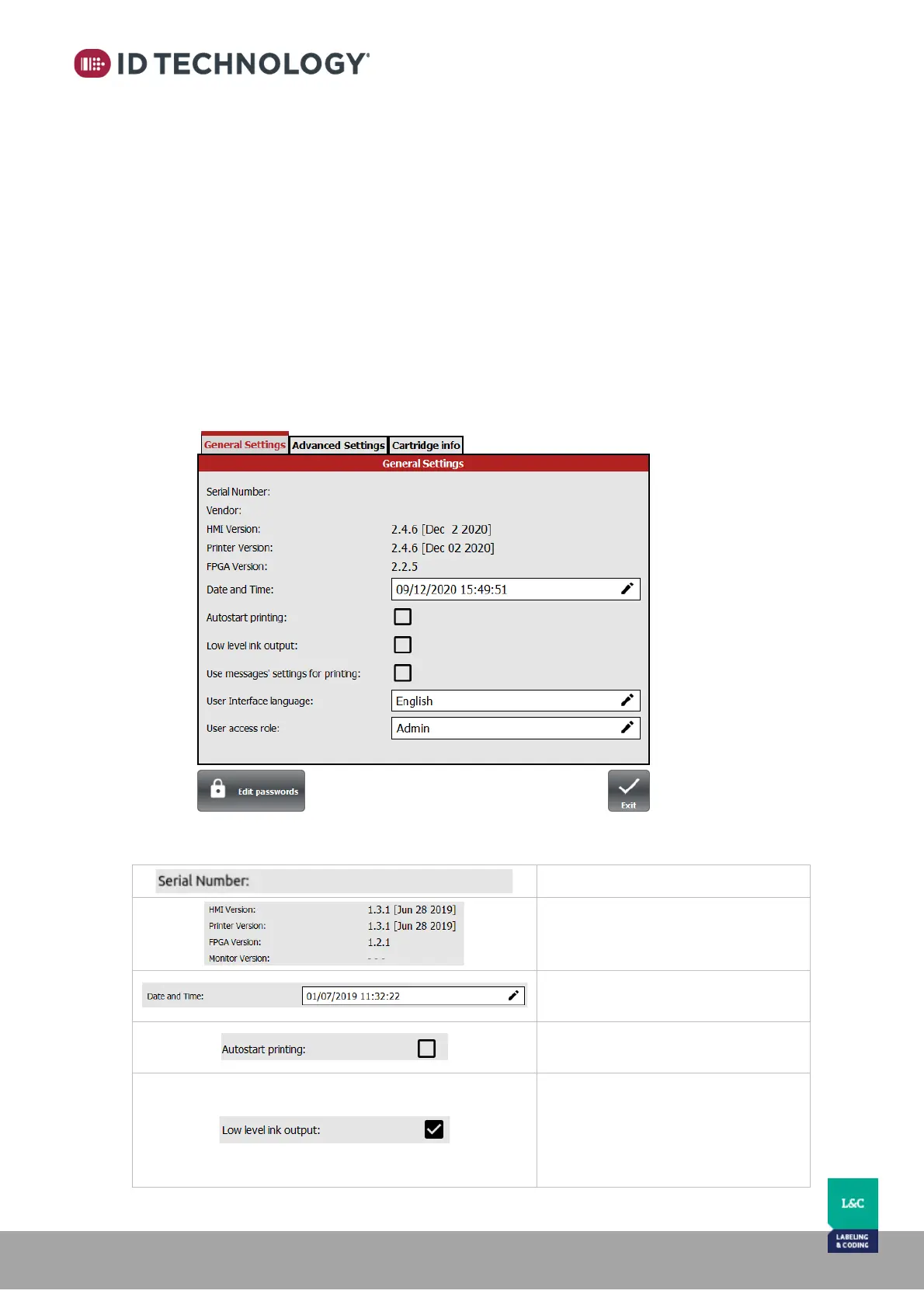
General Setup:
This menu has three tabs: General settings, Advanced Settings and Cartridge info.
General Settings
Displays the serial number of TIJ device, firmware versions for the HMI, Printer & FPGA.
Depending on the active user role (password protection), you may:
- Change the language.
- Adjust the date and time.
- Change the active user.
- Enable/disable AutoStart when switched on.
- Enable/disable Low level ink output.
- Enable/disable the use of message’s parameters/settings for printing instead of global
settings.
- Access the Advanced Settings and/or Cartridge info tabs
Details are explained in the table below:
When enabled, the output alarm
low ink “out_noerror” flashes
instead of a solid light. See “Alarm
beacon” appendix 4 for more
details.



 To Next Page