iDirect Evolution 8000 Series Satellite Router Installation and Safety Manual 19
Unpacking Your e8350 Satellite Router
4.2 Unpacking Your e8350 Satellite Router
The e8350 Satellite Router may be shipped in one or more shipping containers, depending on
the type of bundle purchased. Once you have received all of the boxes, perform the following
tasks:
• Ensure the boxes are facing upward (refer to the box orientation arrows on the shipping
container).
• Inspect all shipping containers. If any damage or other signs of mishandling are evident,
inform the carrier, iDirect, or the reseller.
• Remove the tape and any exterior covering from the box lid.
Note: Save the e8350 Satellite Router shipping boxes after you have unpacked the
system. You will need these boxes to move or ship the system in the future.
Remove items from the box only as needed. Verify that you have received all of the proper
e8350 Satellite Router components and accessory items listed in your order, including the
optional equipment you ordered.
4.2.1 Components Normally Included in an Order
Prior to installation, ensure that you have received all of the necessary components for a
complete e8350 Satellite Router installation. If any items are missing or damaged, contact
your network operator/distributor for replacement.
A typical installation includes:
• An e8350 Satellite Router
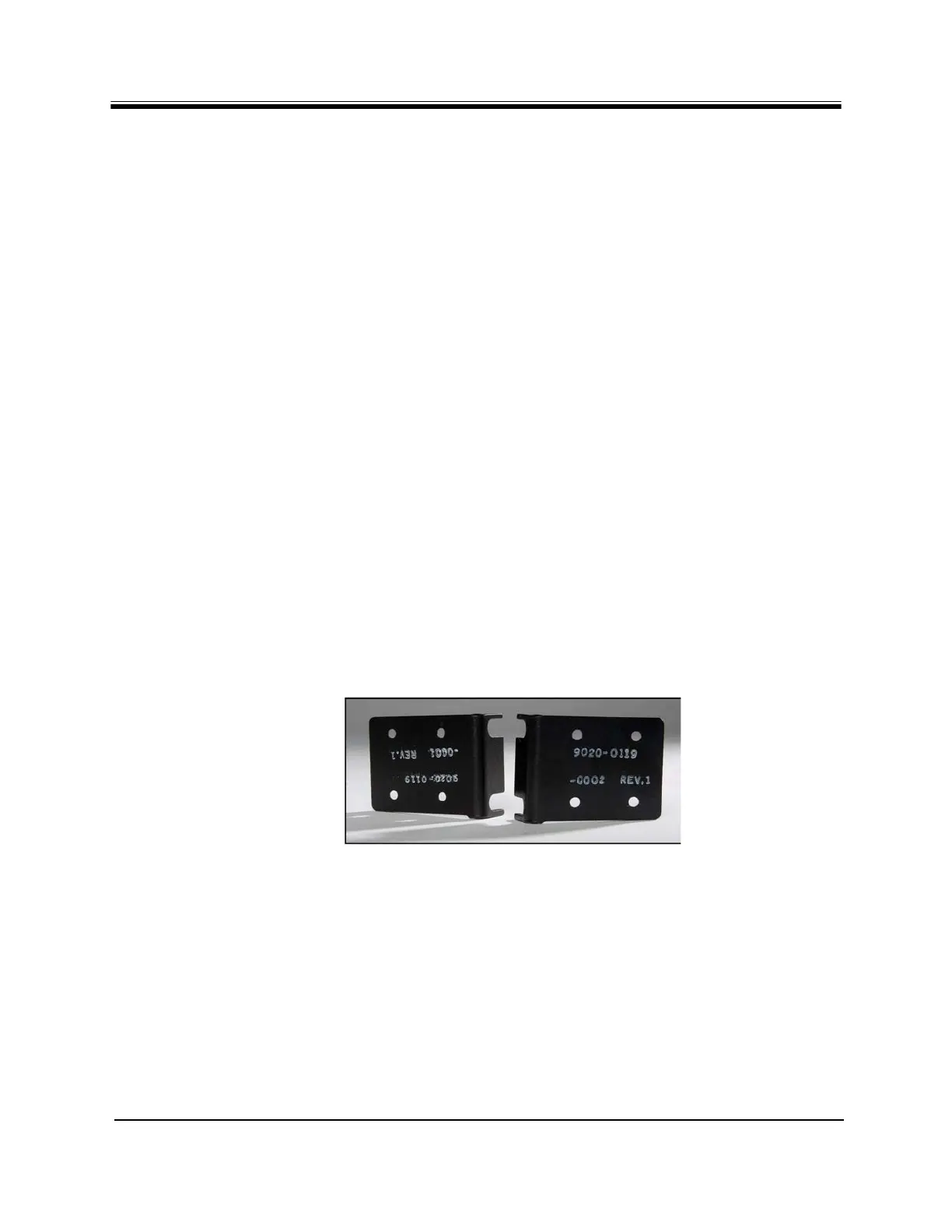
• Two mounting ears for rack installation, shown in Figure 4.
Figure 4. Mounting Ears for the Evolution e8350 Satellite Router
• Four self-adhesive rubber feet for desktop installation
• AC power cord appropriate for the country of installation
• Two high-speed Ethernet LAN cables
•An IFL cable
• A Block Up Converter (BUC); 1W, 2W or 4W for Ku-Band and 2W or 5W for C-Band
• Optional Ku-Band power booster: 8W or 16W
• Optional C-Band power booster: 10W or 20W



 To Next Page