28 iDirect Evolution 8000 Series Satellite Router Installation and Safety Manual
Preparing the Coax Cables
Before you can connect the cables, you must terminate connectors on each end.
To terminate the cables with F-Type connectors:
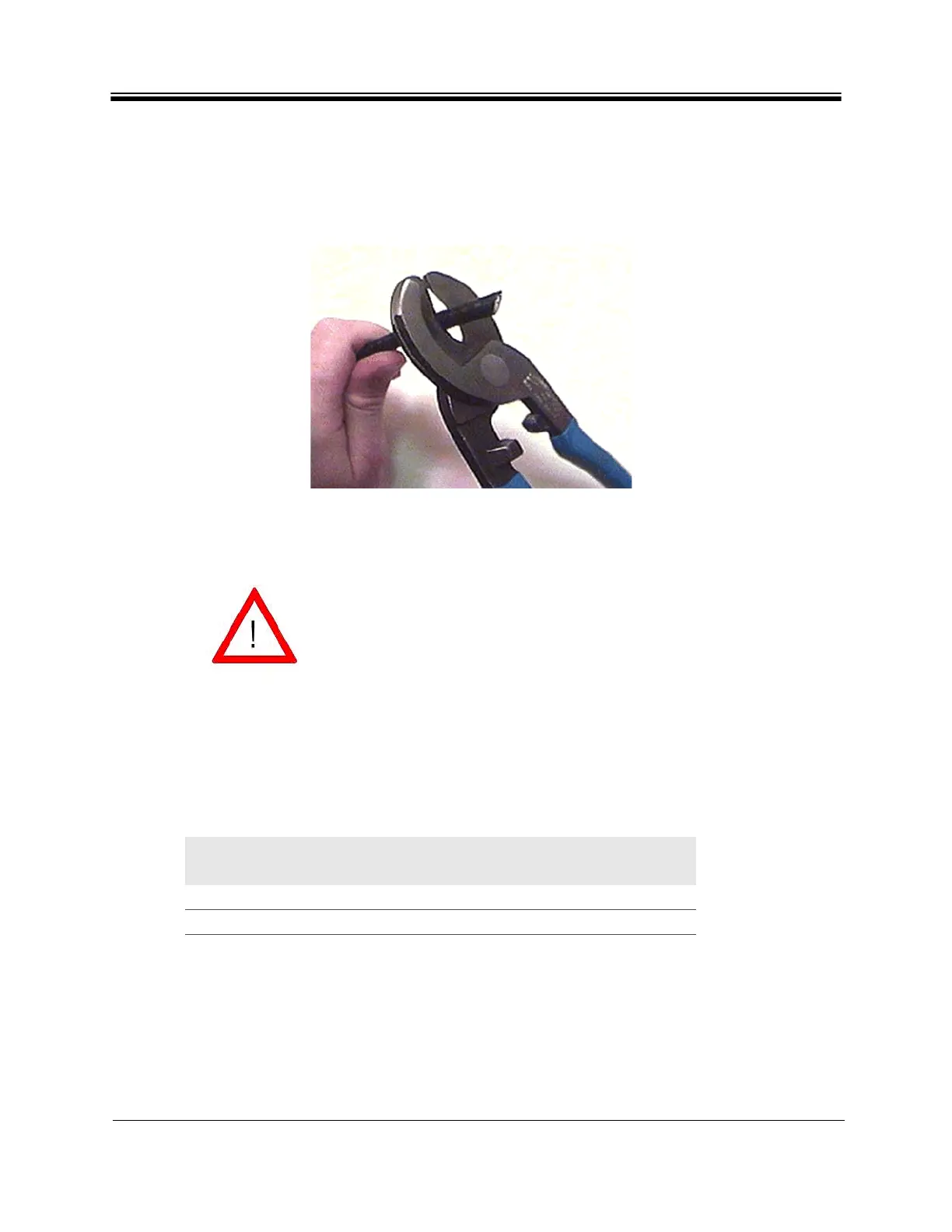
1. Cut off each end of the coax cable squarely, using the proper cable cutter as shown in
Figure 10.
Figure 10. Coax Cable Cutting Technique
2. Remove the jacket material and foam insulation according to the length defined in
Length A in Table 12. For RG-6, use a two-step coax stripper such as the LC-CST 1257
from Paladin Tools.
3. Remove any foil in the braid as shown in Figure 11 on page 29.
Wear protective eye wear while cutting cables and terminating
connectors. Ensure that the center conductor is straight and cylindrical
without any burrs. Failure to do so can damage the e8350 Satellite
Router, BUC, and/or LNB input connector.
Table 12. Coax Trim Dimensions
Length A
(inch (mm))
Length B
(inch (mm))
Length C
(inch (mm))
RG-6 5/8 (15.9) 1/4 (6.4) 3/8 (9.5)
RG-11 13/32 (10.3) 3/32 (2.4) 13/32 (10.3)



 To Next Page