30 iDirect Evolution 8000 Series Satellite Router Installation and Safety Manual
Preparing the Coax Cables
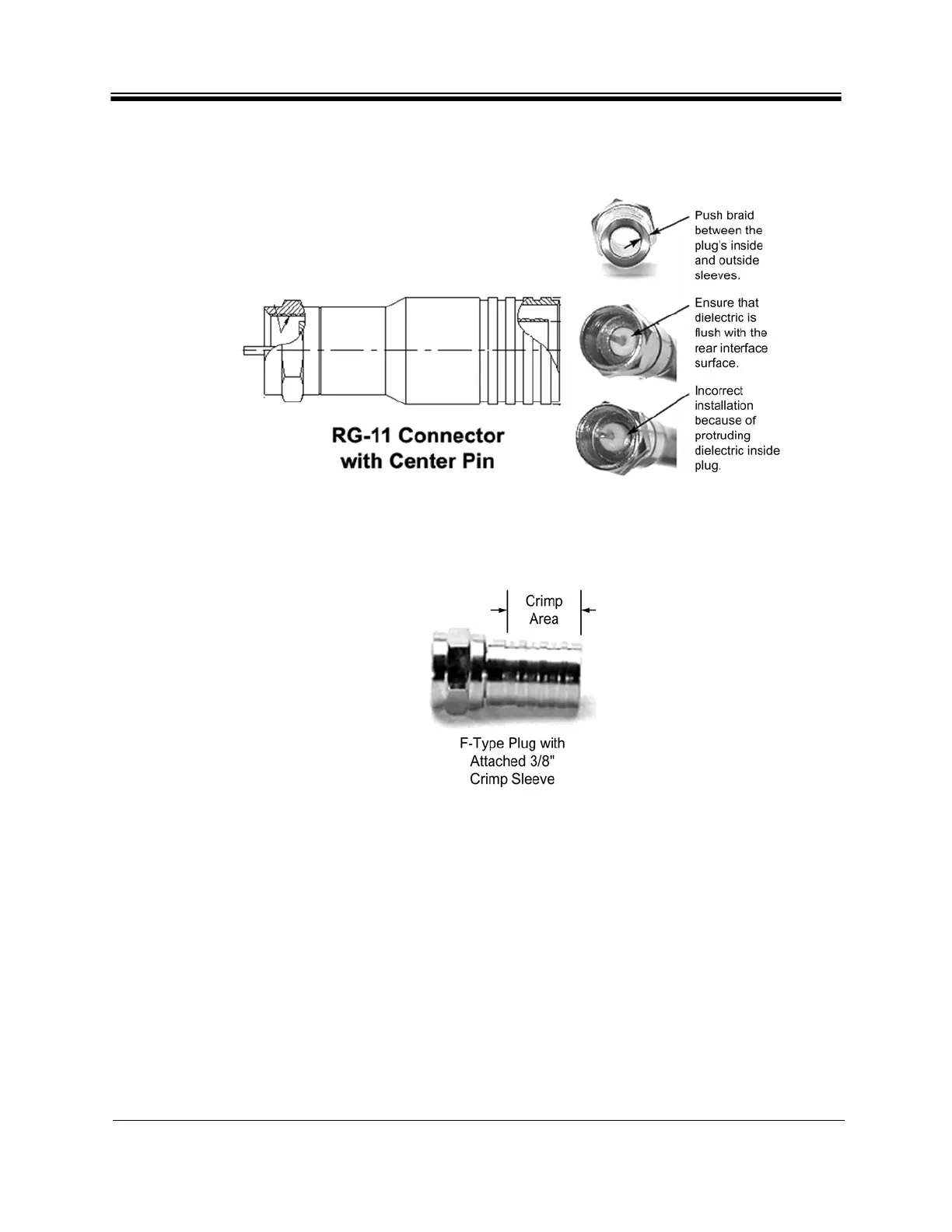
9. Since the RG-11 connector has a built-in center pin, ensure that the coax center pin
makes contact to the internal seizing pin of the connector, as shown in Figure 13.
Figure 13. Attaching the RG-11 Connector
10. Crimp the connector with the proper crimp tool such as CablePrep HCT-775 for RG-6 or
HCT-116 for RG-11, as shown in Figure 14.
Figure 14. Crimp Area for F-Type Plugs



 To Next Page