iDirect Evolution X1 Outdoor Satellite Router Installation and Safety Manual 15
X1 Outdoor Satellite Router Connectors
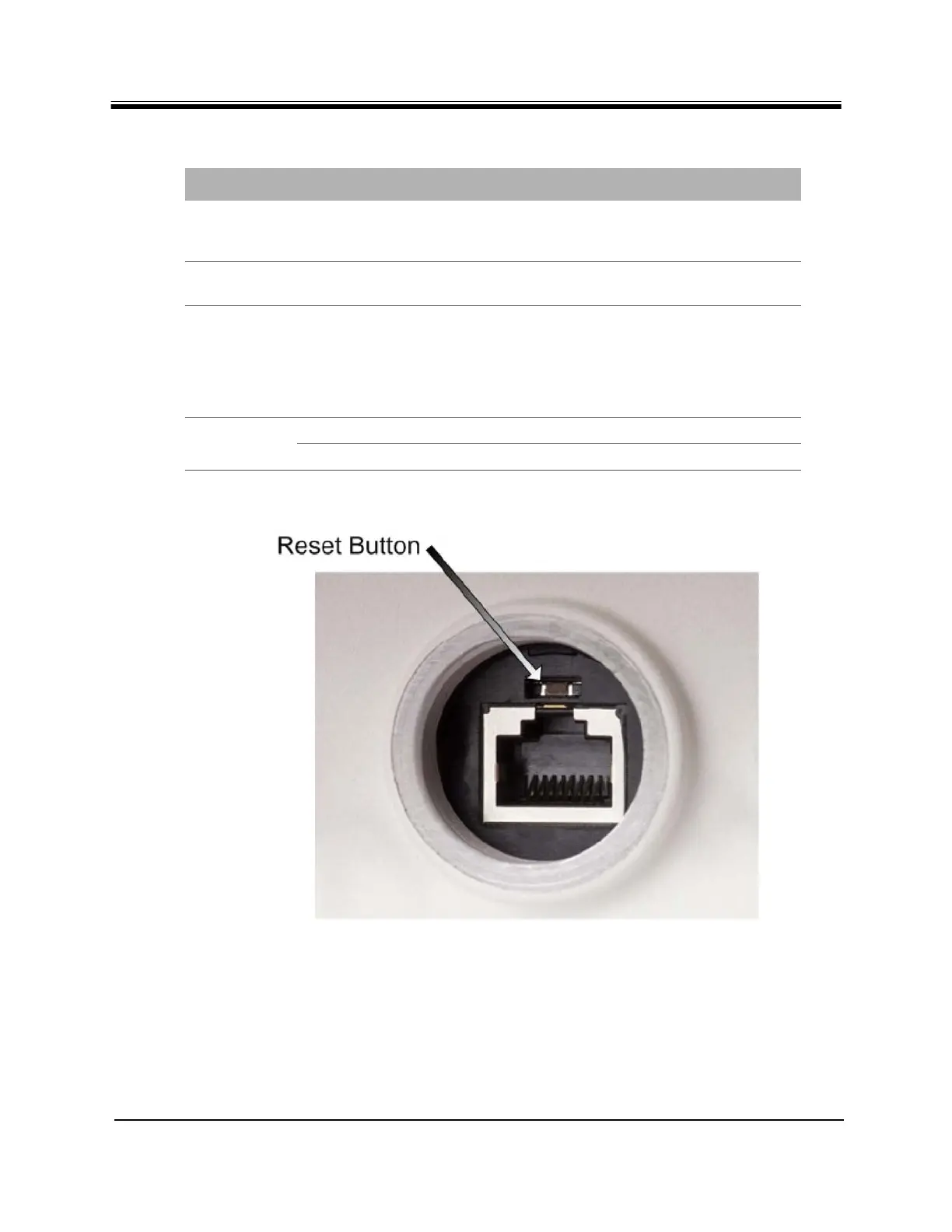
Figure 3. Reset Button within the RJ45 LAN Connector
RX In 75 ohm, F-Type L-Band receive signal from LNB capable of 22KHz
DiSEqC tone and +24VDC @ 170mA maximum over
operating temperature (DC power to LNB)
Reset Above the RJ-45 port, a
small square
Factory default reset and the location of the reset
button is shown in Figure 3
LAN RJ-45 Category-5 STP or UTP cable, 10/100
Base-T Ethernet LAN port connects the X1 Outdoor
Satellite Router to the customer LAN Hub/switch.
The LAN port is normally assigned to the WAN
(towards the VPN). Its IP address is the next hop
for the VPN
LED (for
POWER)
Off No or low DC power input to the X1
Solid Red Acceptable DC power level to the X1 is detected
Table 6. iDirect Evolution X1 Outdoor Satellite Router Panel (continued)
Label Connector Type Interface and Purpose



 To Next Page