iDirect Evolution X1 Outdoor Satellite Router Installation and Safety Manual 37
Powering Up the System
5.11 Powering Up the System
The X1 Outdoor Satellite Router can only be powered directly from the Power Module’s DC
power output connector. iDirect recommends that the chassis of the Power Module be
powered from a low noise, low transient AC power source.
The AC cord is specific to the needs of the installation site. Only the mating connector is
supplied by iDirect and is referred to, in this manual, as the “AC power gland”.
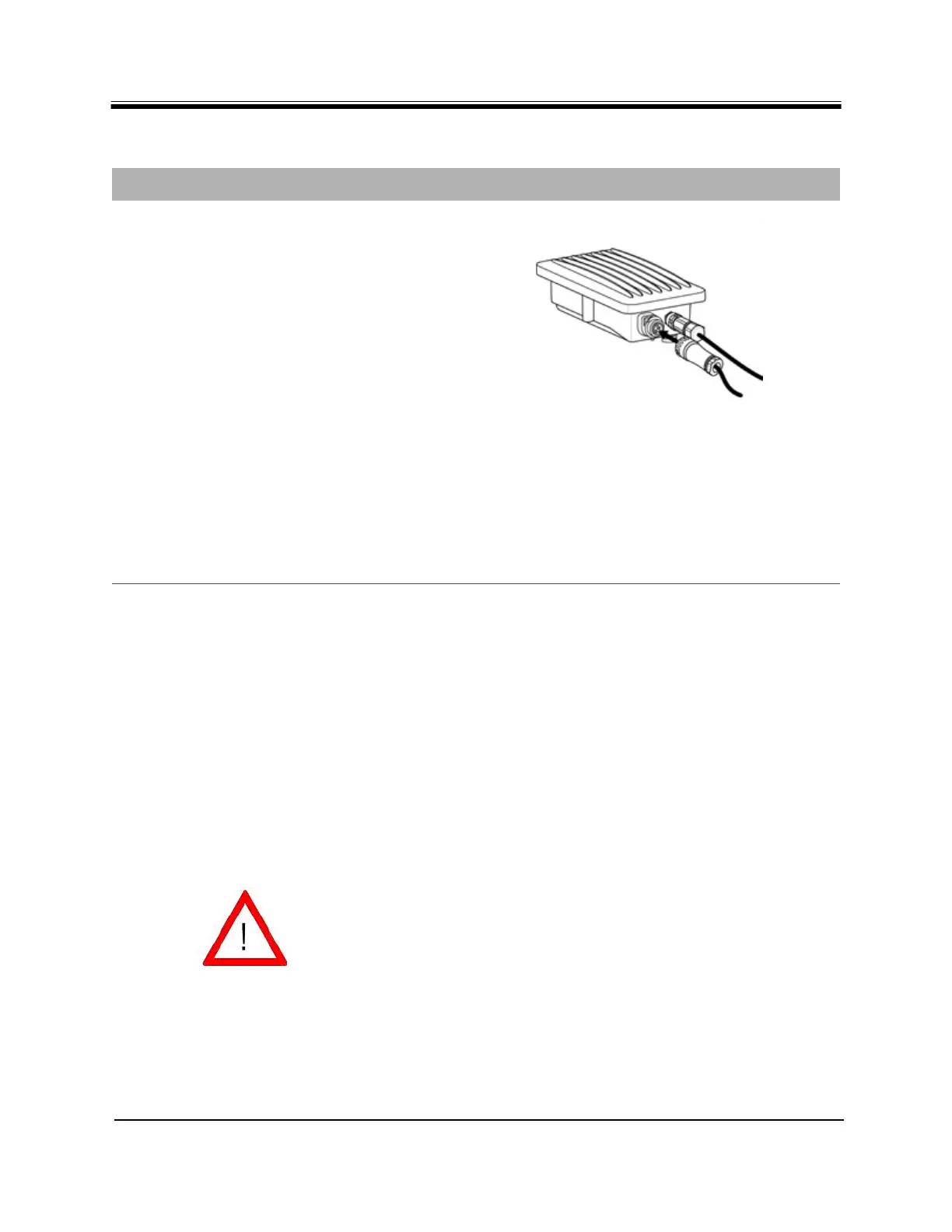
4.
a. Assemble the appropriate AC power
plug to the other end of the AC
power cable. See Table 4 on page
11 and Table 11 on page 20 for
recommended cables.
b. Connect AC plug to commercial
power. Using a voltmeter, confirm
that 110-220V AC appears on the
correct terminals of the Power
Module AC power connector.
Remove plug to de-energize the
circuit.
c. Connect AC Power Cable assembly
to the Power Module. The
connector is keyed and can only be
inserted one way. Hand-tighten the
screw nut. Weather-tape the
assembly as needed following the
manufacturer's instructions.
d. Tighten and inspect the cable for
final assembly.
Table 15. Power Module AC Power Cable Installation Instructions (continued)
Step Instructions Diagram
CAUTION
Install power on a GFI (Ground Fault
Interrupter) protected circuit.
Improper AC power source rating, excessive
noise or transients, or undersized circuit
breaker will result in service interruption.
If power must be removed from the chassis,
the AC power cord must be disconnected,
first.
Direct connections to the AC prime power
source should only be made by a properly
licensed electrician. Installation must
meet applicable electrical codes.



 To Next Page