36 iDirect Evolution X1 Outdoor Satellite Router Installation and Safety Manual
Connecting the Power Module
Table 15. Power Module AC Power Cable Installation Instructions
Step Instructions Diagram
1.
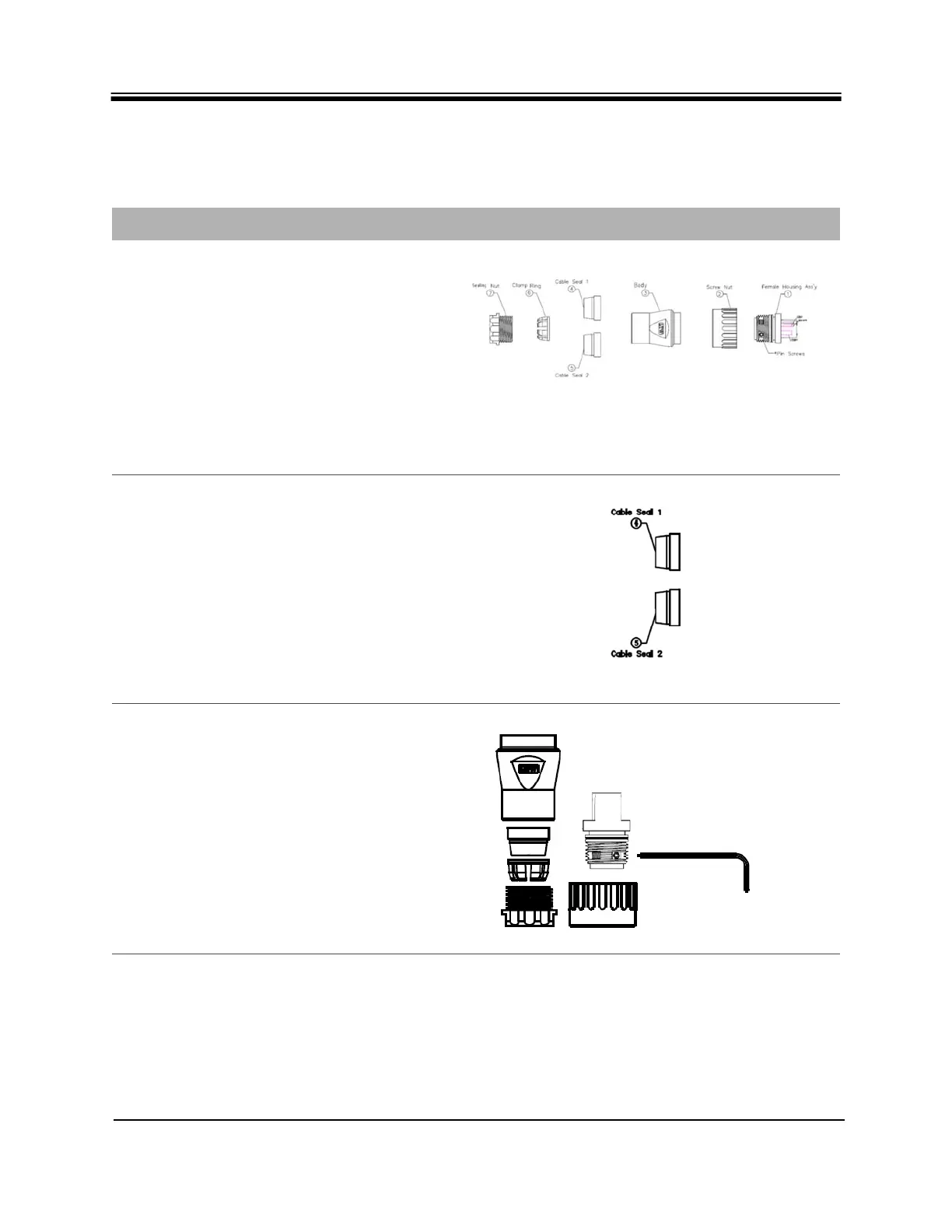
Make sure all parts of the gland are available
1 - Female Housing Assembly (Ass’y)
2 - Screw Nut
3 - Body
4 - 6mm (.24 in) diameter Cable Seal
5 - 12 mm (.47 in) diameter Cable Seal
6 - Clamp Ring
7 - Sealing Nut
Table 8 on page 17 shows the pin
assignments for the power wires in the
Female Housing Assembly.
2.
Select a cable seal size (item 4 or 5, in Step
1) , providing the best fit for the diameter of
cable to be used.
3.
Using the Allen Wrench, tighten the pin
screws for each of the power wires in the
Female Housing Assembly.
Table 8 on page 17 shows the pin
assignments for the power wires in the
Female Housing Assembly.



 To Next Page