18
ifm Programming Manual AS-i Gateway AC14 (4.2.x) 12/2017
Getting started Create CODESYS project
2 Save the project
► Select [File] > [Save Project].
> CODESYS saves the project.
>
5.1.2 Overview: Project structure with AS-i Gateway AC14
17132
A CODESYS project contains all components for the programming and administration of PLC
applications. All components of a project are shown in the window [Devices] in a hierarchic tree view.
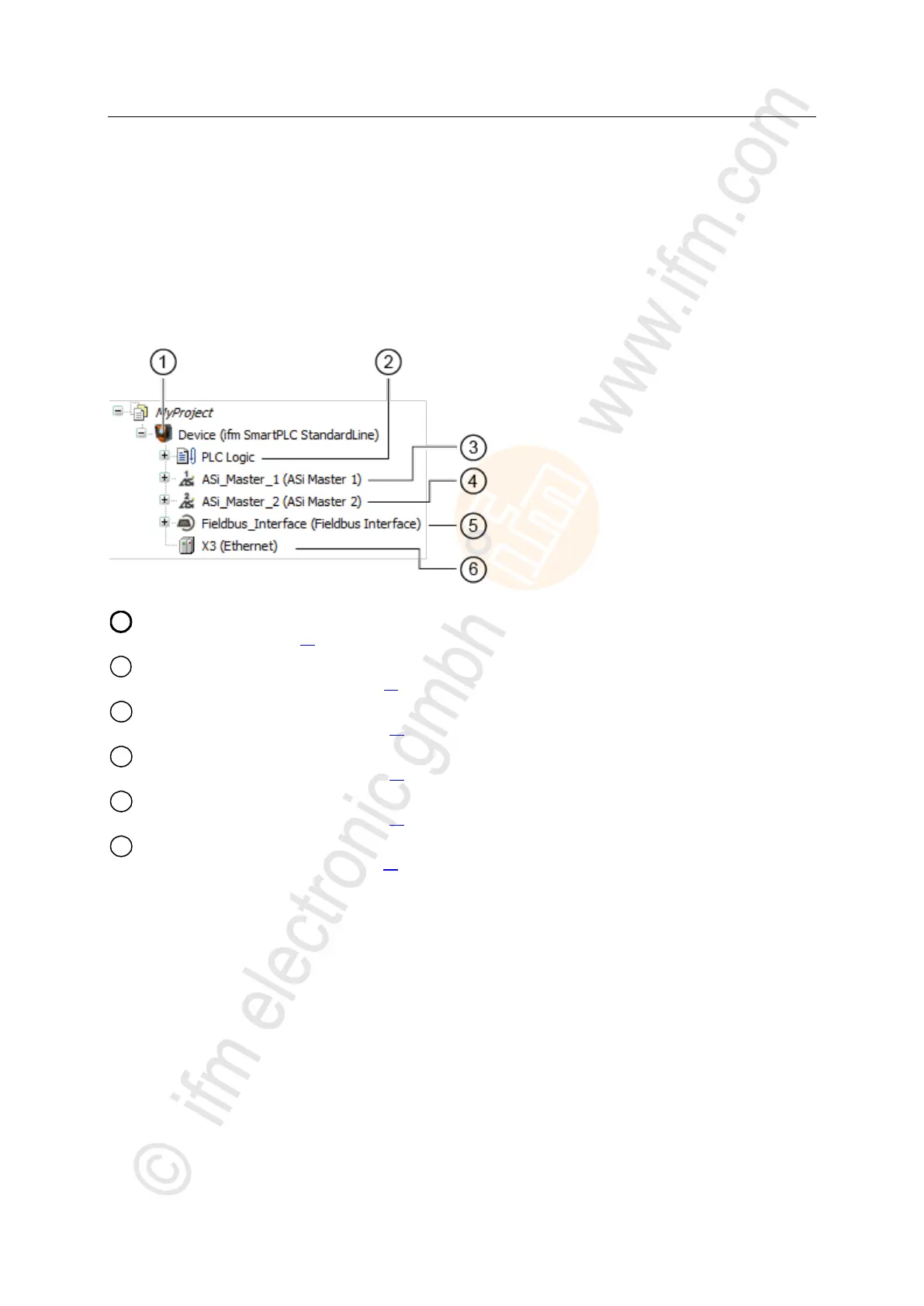
CODESYS projects with an AS-i Gateway AC14 have the following structure:
[Device (AC14)] represents the AS-i Gateway AC14 in the CODESYS project.
→ Configure PLC (→ p. 21)
[PLC Logic] contains the PLC applications of the AS-i Gateway AC14.
→ Objects of a PLC application (→ p. 24)
[ASi_Master_1] contains the process data images of the AS-i slaves at AS-i master 1
→ Access input and output data (→ p. 27)
[ASi_Master_2] contains the process data images of the slaves at AS-i master 2
→ Access input and output data (→ p. 27)
[Fieldbus_Interface] provides access to the inputs and outputs of the fieldbus interface.
→ Access input and output data (→ p. 27)
[Ethernet] represents the configuration node Ethernet adapter of the device.
→ Configure Ethernet interface (→ p. 22)



 To Next Page