41
ifm Programming Manual AS-i Gateway AC14 (4.2.x) 12/2017
Programming Use visualisations
>
7.5.2 Add visualisation to a project
17060
To add a visualisation to a CODESYS project:
► Open CODESYS project.
OR:
Create new CODESYS project. (→ Create new project with AS-i Gateway AC14 (→ p. 17))
► In the device tree: Click on [Application].
► Select [Project] > [Add Object] > [Visualization...]
> [Add Visualization] window appears.
► Enter a designation for the visualization in the [Name] field and click on [Add] to apply.
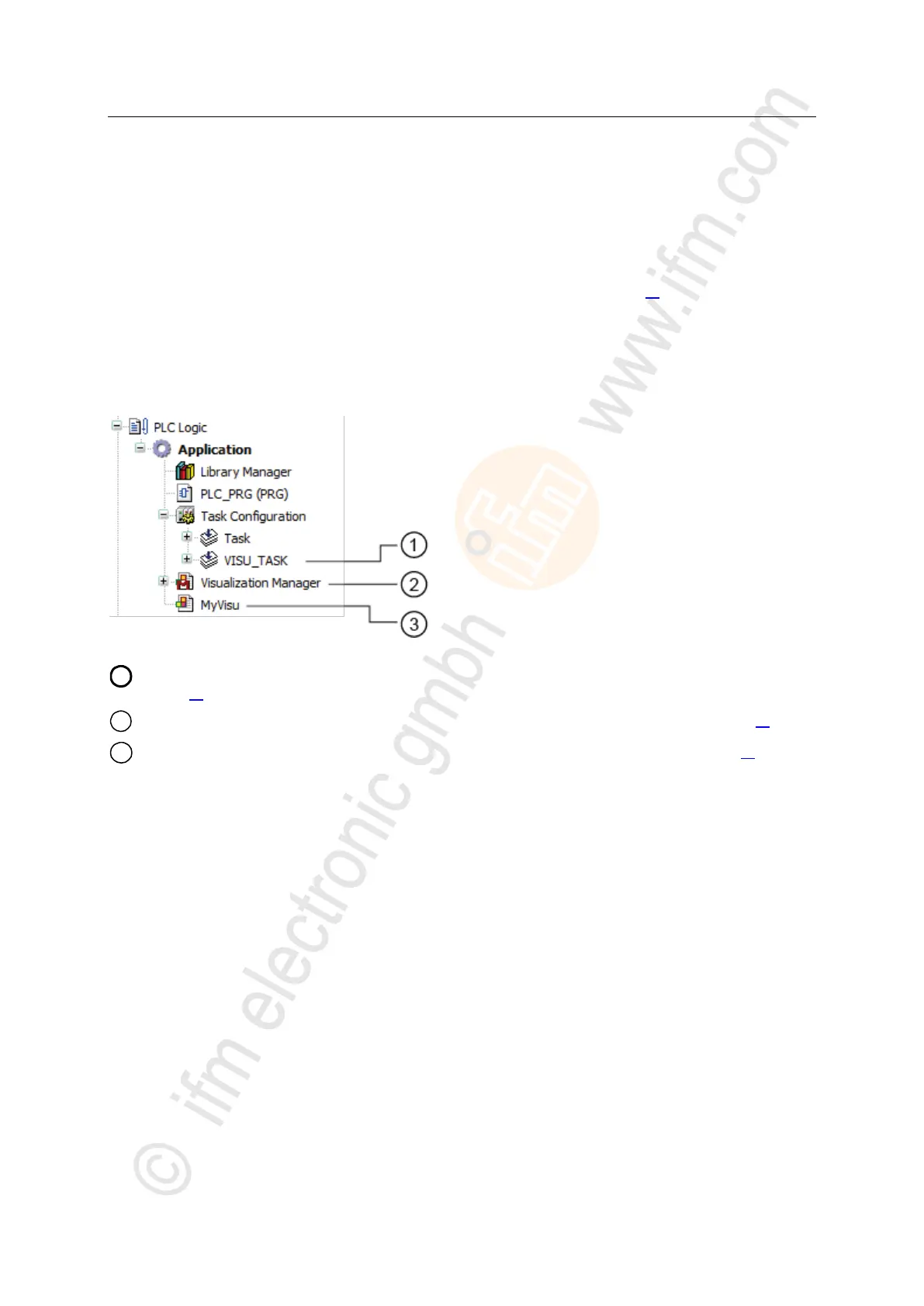
> CODESYS adds the following elements to the device tree:
[VISU_TASK] provides access to the visualisation task properties (→ Set parameters for visualisation task
(→ p. 45))
[Visualization Manager] provides access to the visualisation properties (→ Configure visualisation (→ p. 43))
[MyVisu] contains the area for the creation of the visualisation objects (→ Create a visualisation (→ p. 42))



 To Next Page