44
ifm Programming Manual AS-i Gateway AC14 (4.2.x) 12/2017
Programming Use visualisations
>
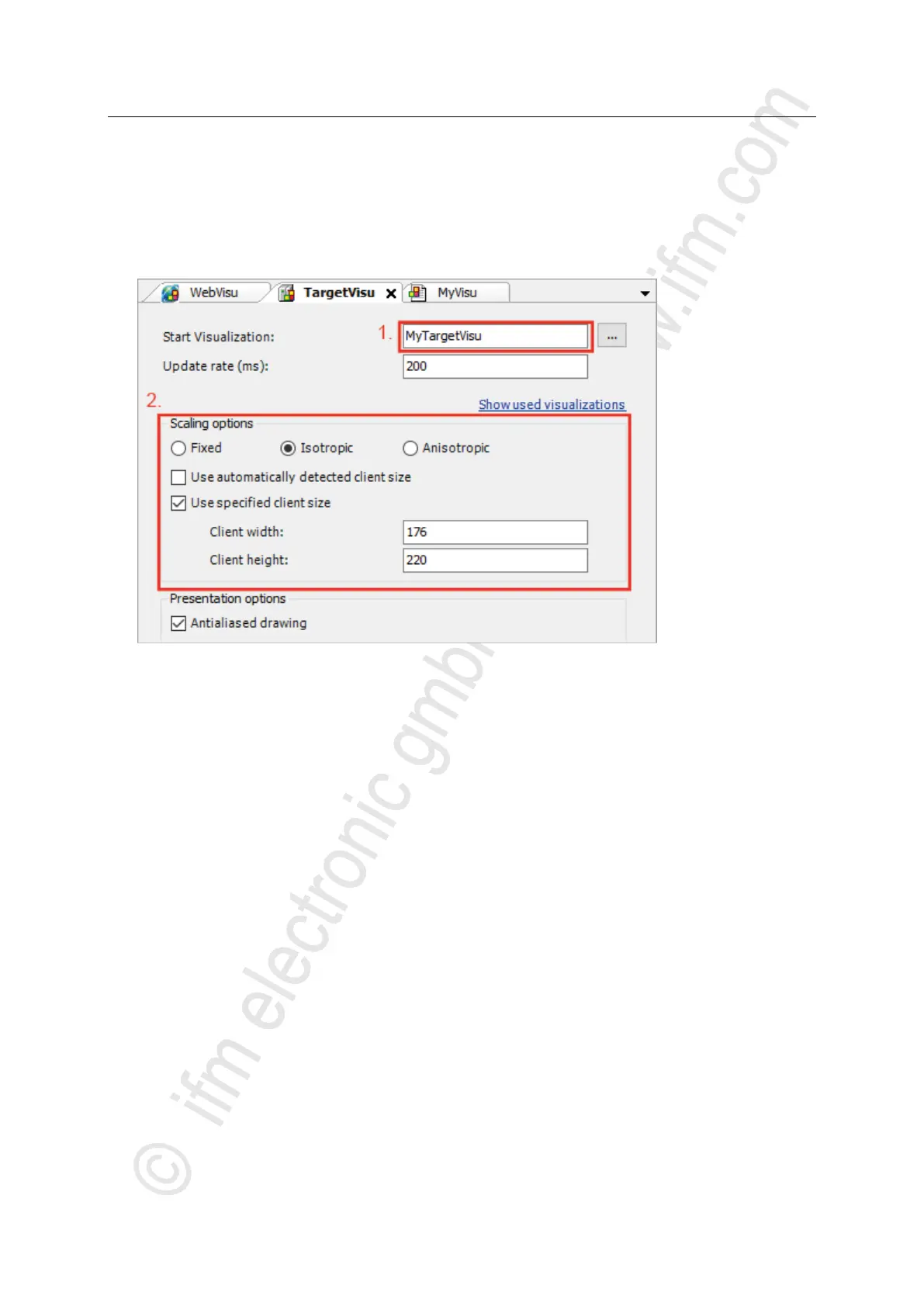
Change the properties of the target visualisation
17064
To change the properties of the target visualisation:
► In device tree: Double-click on [TargetVisu]
> Editor window shows properties of the target visualisation.
► Set the following values:
1. [Start Visualization] field: Select the created target visualisation.
2. [Scaling options] area: Enter fixed width and height as illustrated.
► Save the project to apply changes.



 To Next Page