Page 82 Manual
B.3.7.2 Transaction mode interactive
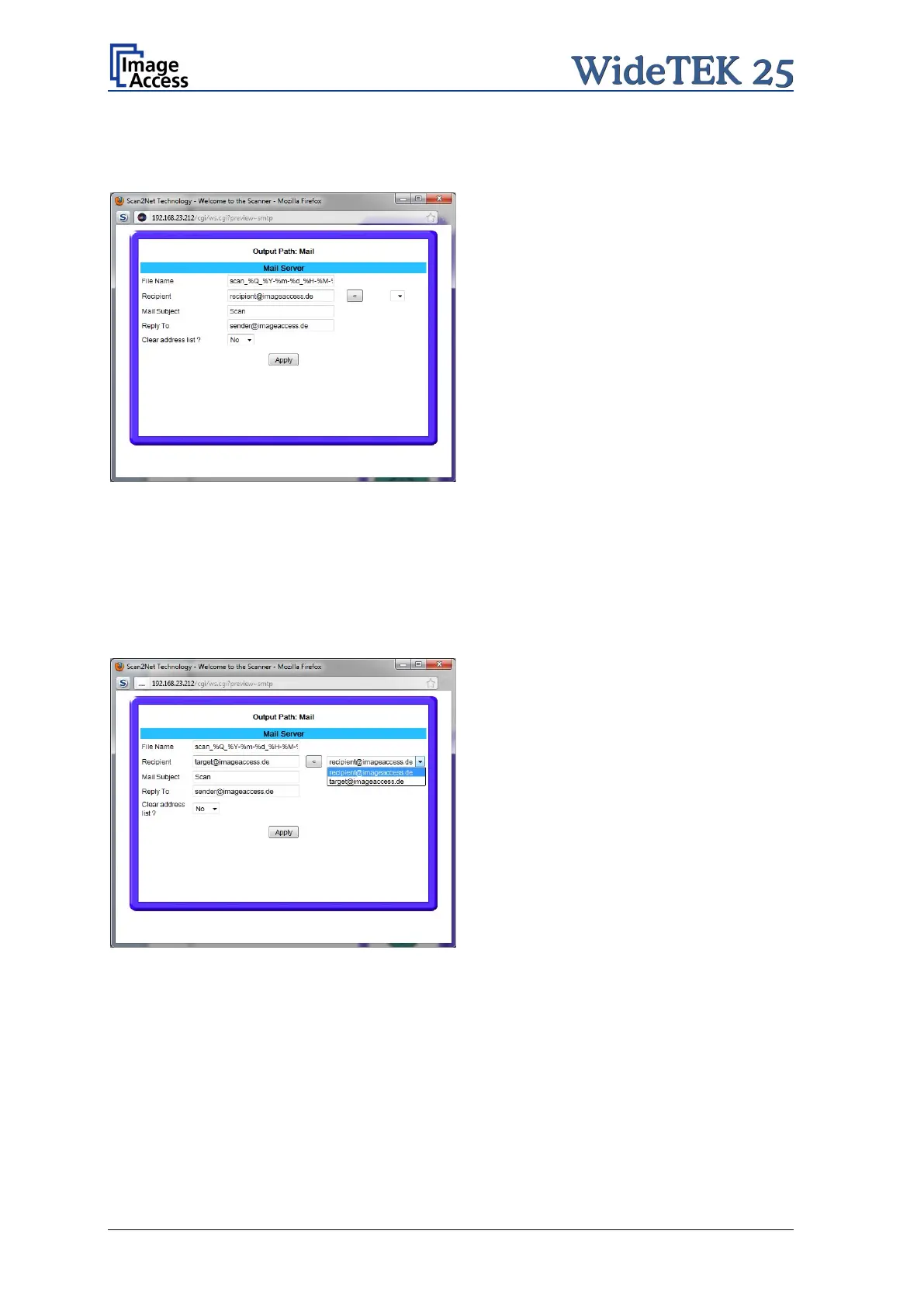
If “Transaction mode” interactive is selected, an additional window opens after scanning.
Picture 76: Parameters for transaction mode “interactive”
Here all parameters can be entered for the mail transfer.
Click into the respective field and enter the desired parameters.
Each recipient address will be stored when the Apply button is pressed. The list of
recipient addresses can be displayed when this window opens the next time.
Picture 77: Recipient address list opened
To delete the address list select Yes in the row Clear address list and click the Apply
button.











 To Next Page